

이 쓰레드는 보존되었습니다.
만약 도움이 필요하시면 새로운 질문을 올려주세요.

보존
where is the home page button firefox now

where is the home page button firefox now
'''where is the home page button firefox now'''
모든 댓글 (2)
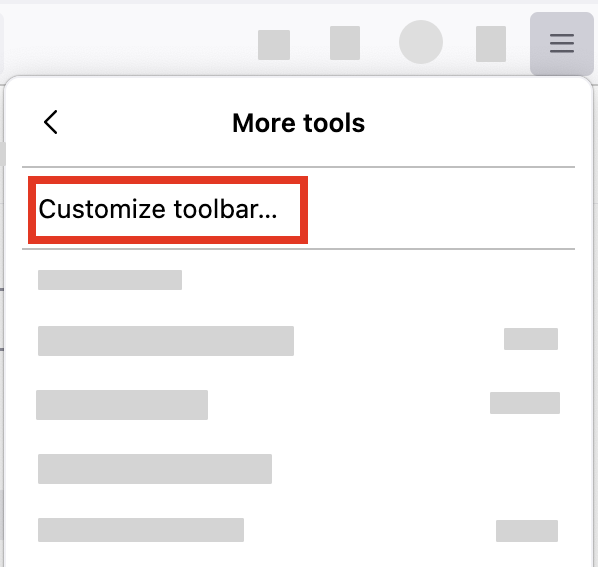
- Click the menu button
 in the top-right corner, click More tools, and choose the Customize toolbar… option.
- A special tab will open that allows you to drag and drop items (including the Home page button) in or out of the toolbar.

I used to use Fennec 148.0 from F-Droid, but now I use Iceraven 147.0 and am no longer doing updates. Why modernize something so recognizable? Bring the house back!?