


Unable to send emails

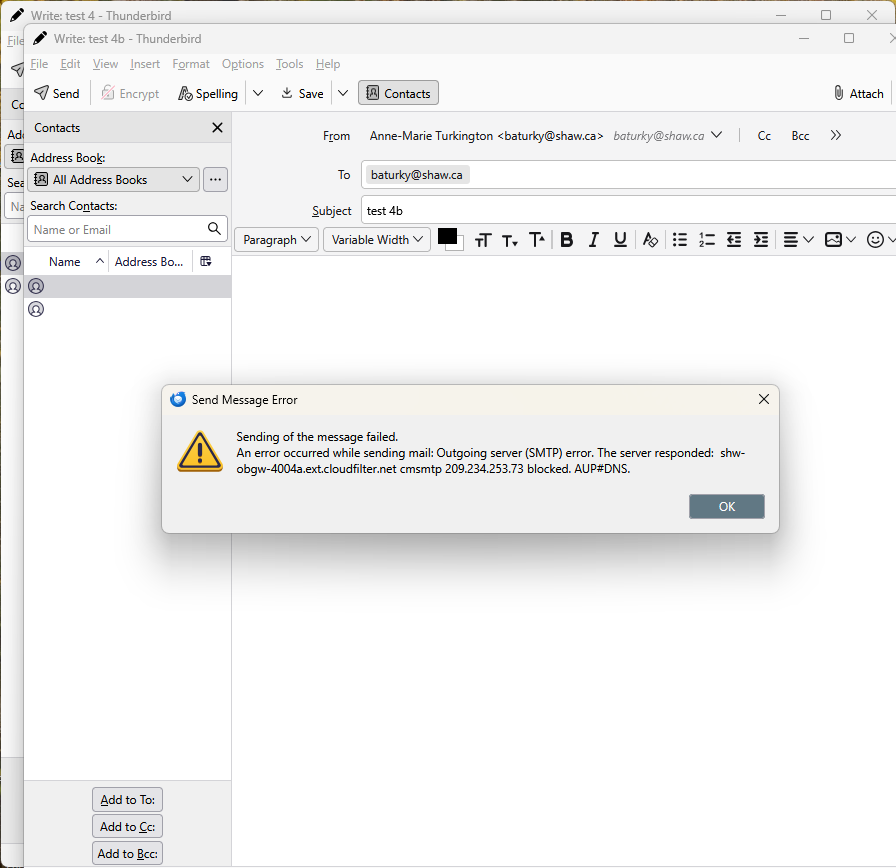
I have been using Thunderbird as my main email account for many years. It's installed on my old PC, a laptop and I recently added it to my mobile. A few weeks ago I installed Thunderbird on a new PC. Today was the first time I tried to send a message from this new PC and I get an error every time. The error reads: Sending of the message failed. An error occurred when sending mail: Outgoing server (SMTP) error. The server responded: shw-obgw-4003a.ext.cloudfilter.net cmsmtp 209.234.253.73 blocked. AUP#DNS As far as I can tell, Thunderbird is set up on the PC the same way as on the laptop, which has no problem sending emails. I have no idea what's wrong....
선택된 해결법
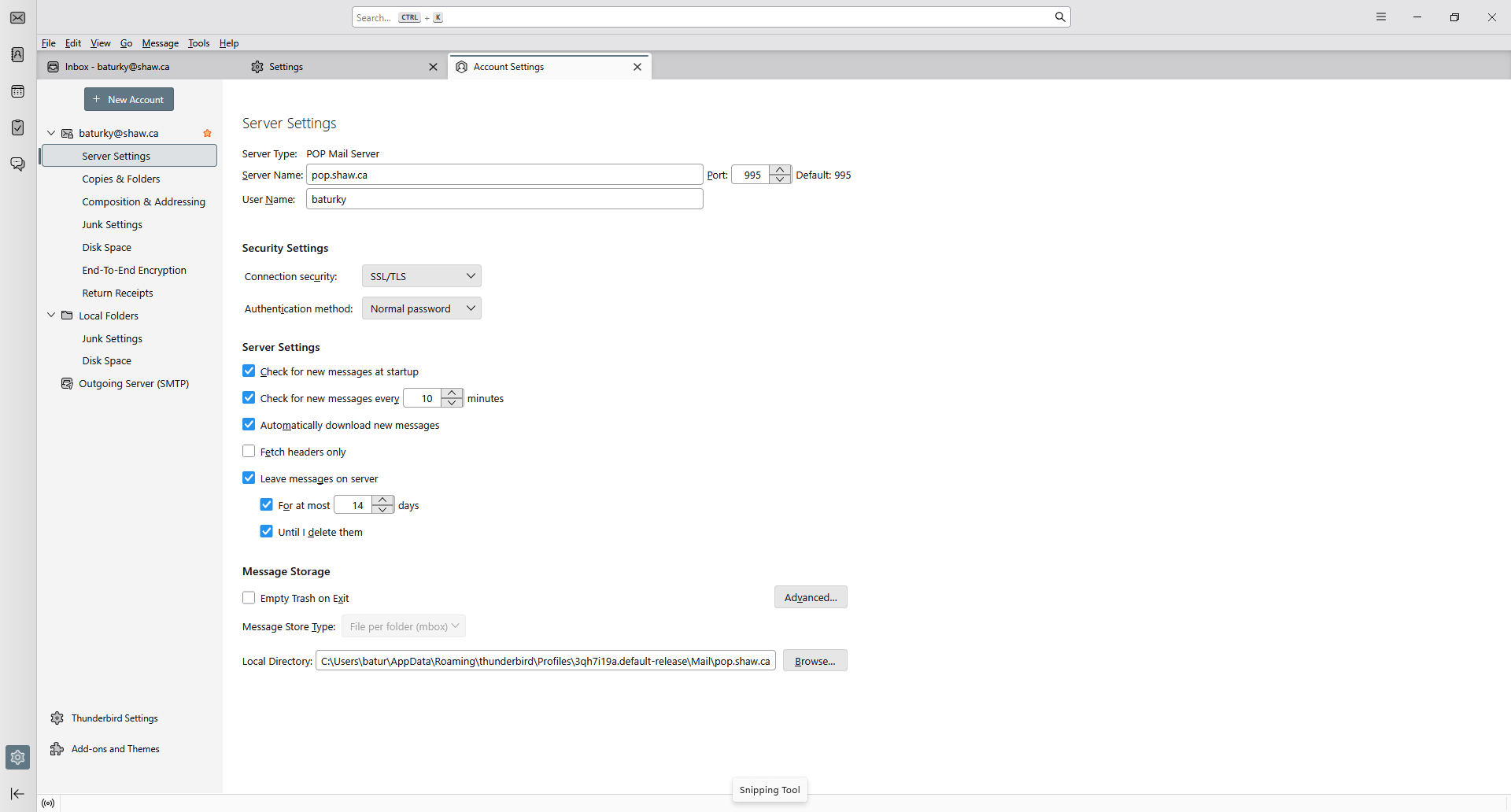
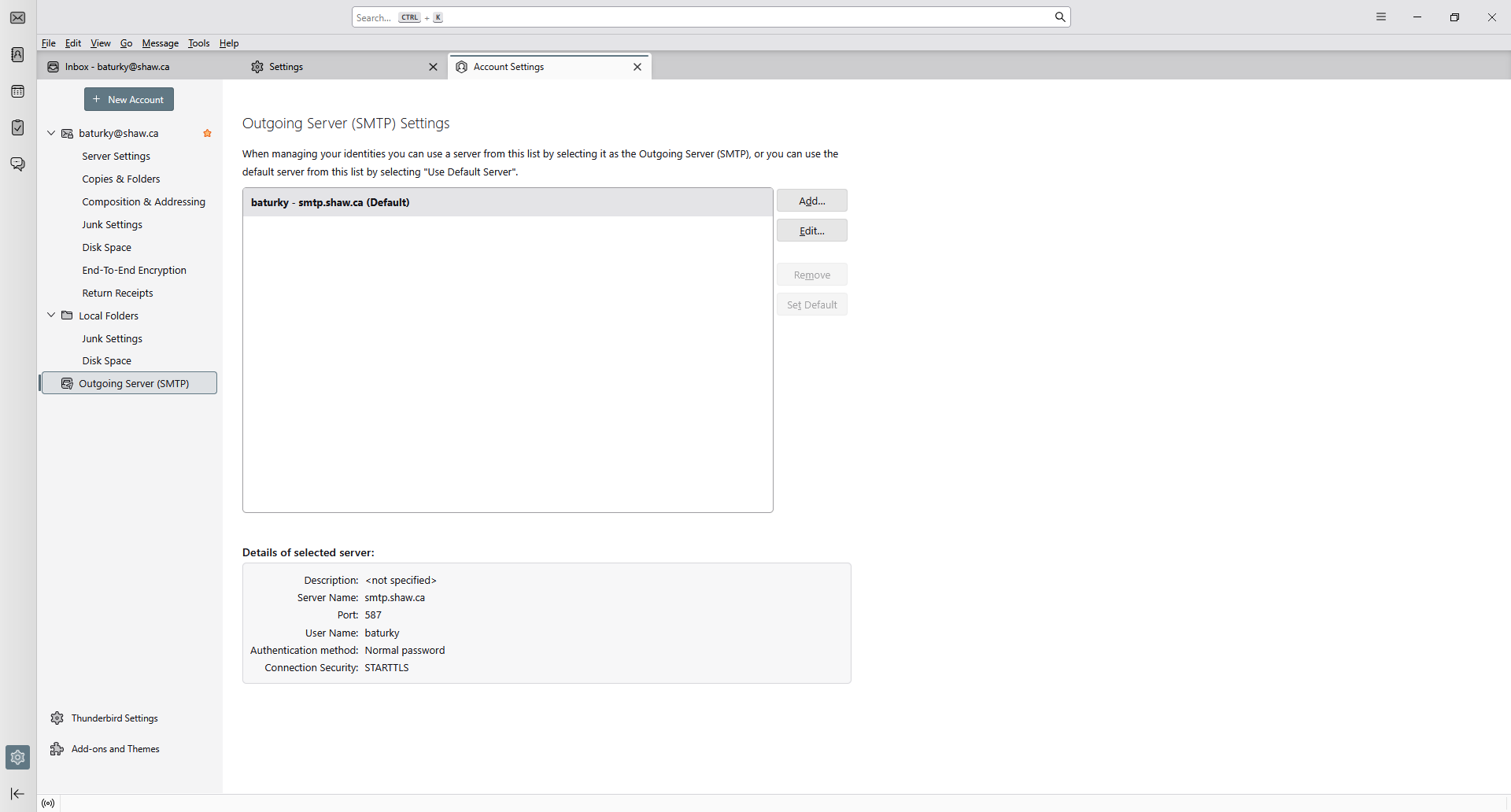
try using your full email address in both server settings instead of just baturky
모든 댓글 (6)
How did you set up on new PC? can you post a screenshot of the complete error message? screenshots of incoming server settings pane and one of SMTP server settings pane may also help. thank you
I downloaded and installed the Thunderbird app. I didn't have to do anything else in the setup, it just automatically got the info from my profile I guess?
선택된 해결법
try using your full email address in both server settings instead of just baturky
Thanks! I just assumed, since I was able to receive and read messages, that everything was set up properly. It's fixed and working now. I appreciate your help on this. Thanks again.
For future reference, the recommended outgoing mail server is mail.shaw.ca, 587, STARTTLS, normal password, User Name = part of address before the @:
https://www.rogers.com/support/internet/shaw-email/pop-and-imap-email-server-settings
I made the changes you recommended, then closed down the app, started it up again and sent an email. No problems (i.e. I didn't make any mistakes when I made the changes). Thanks for your help.