


Windows 10 reached EOS (end of support) on October 14, 2025. If you are on Windows 10, see this article.

Mozilla 도움말 검색

고객 지원 사기를 피하세요. 저희는 여러분께 절대로 전화를 걸거나 문자를 보내거나 개인 정보를 공유하도록 요청하지 않습니다. "악용 사례 신고"옵션을 사용하여 의심스러운 활동을 신고해 주세요.

자세히 살펴보기

Firefox won't load accounts.firefox.com

  • 1 답장
  • 0 이 문제를 만남
  • 359 보기
  • 최종 답변자: Matty Wright

new install of firefox won't load accounts.firefox.com

other browsers on the computer load it fine

I've imported bookmarks and passwords and stuff, and since refreshed firefox but can't find a way to fully restore it to initial settings, even uninstall and reinstall won't do it

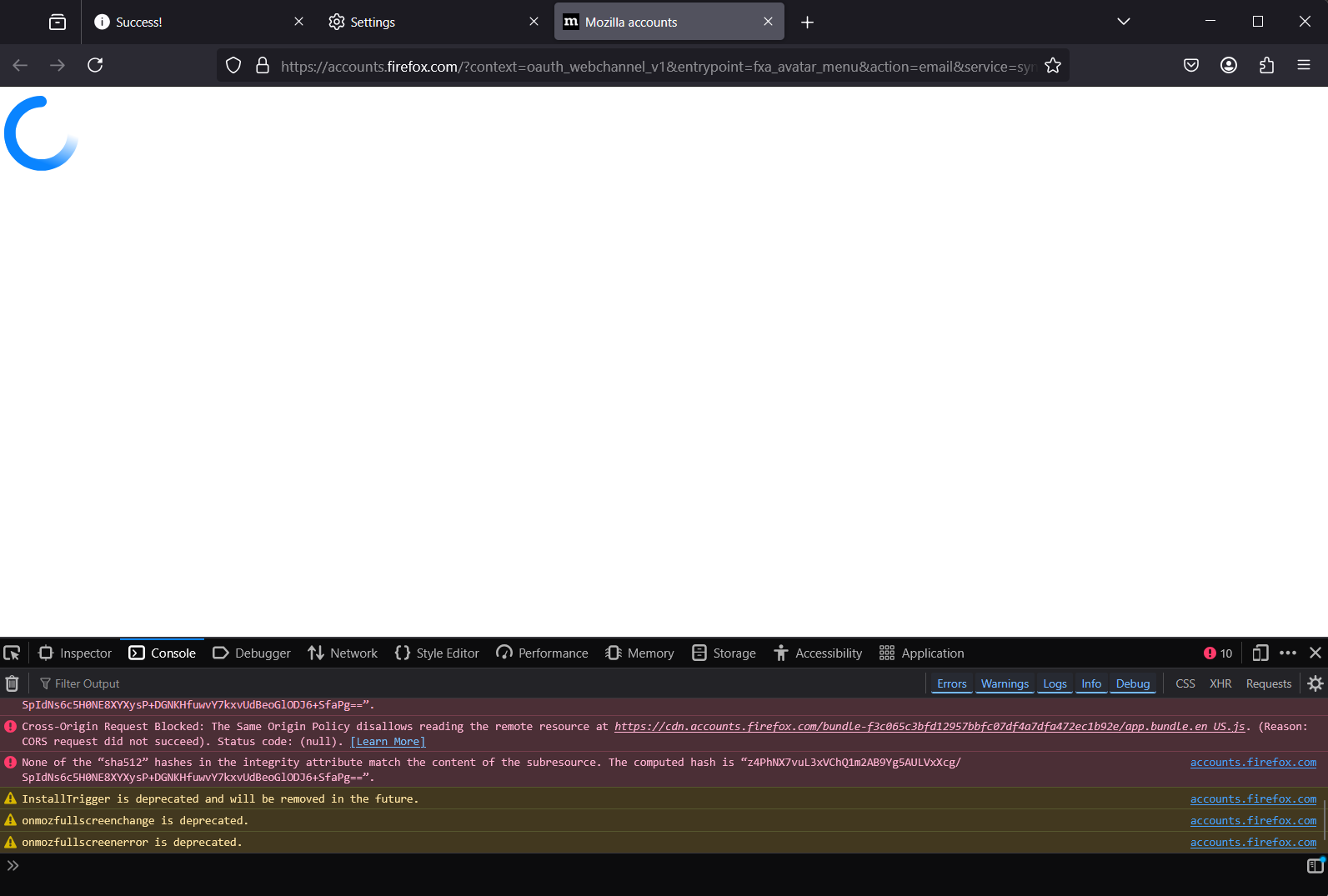
error messages from console:

Cross-Origin Request Blocked: The Same Origin Policy disallows reading the remote resource at https://cdn.accounts.firefox.com/styles/62a53a14.main.css. (Reason: CORS request did not succeed). Status code: (null). Cross-Origin Request Blocked: The Same Origin Policy disallows reading the remote resource at https://cdn.accounts.firefox.com/bundle-f3c065c3bfd12957bbfc07df4a7dfa472ec1b92e/head.bundle.js. (Reason: CORS request did not succeed). Status code: (null). None of the “sha512” hashes in the integrity attribute match the content of the subresource. The computed hash is “z4PhNX7vuL3xVChQ1m2AB9Yg5AULVxXcg/SpIdNs6c5H0NE8XYXysP+DGNKHfuwvY7kxvUdBeoGlODJ6+SfaPg==”. accounts.firefox.com Cross-Origin Request Blocked: The Same Origin Policy disallows reading the remote resource at https://cdn.accounts.firefox.com/bundle-f3c065c3bfd12957bbfc07df4a7dfa472ec1b92e/appDependencies.bundle.js. (Reason: CORS request did not succeed). Status code: (null). None of the “sha512” hashes in the integrity attribute match the content of the subresource. The computed hash is “z4PhNX7vuL3xVChQ1m2AB9Yg5AULVxXcg/SpIdNs6c5H0NE8XYXysP+DGNKHfuwvY7kxvUdBeoGlODJ6+SfaPg==”. accounts.firefox.com Cross-Origin Request Blocked: The Same Origin Policy disallows reading the remote resource at https://cdn.accounts.firefox.com/styles/3c59f525.tailwind.out.css. (Reason: CORS request did not succeed). Status code: (null). Cross-Origin Request Blocked: The Same Origin Policy disallows reading the remote resource at https://cdn.accounts.firefox.com/bundle-f3c065c3bfd12957bbfc07df4a7dfa472ec1b92e/app.bundle.en_US.js. (Reason: CORS request did not succeed). Status code: (null). None of the “sha512” hashes in the integrity attribute match the content of the subresource. The computed hash is “z4PhNX7vuL3xVChQ1m2AB9Yg5AULVxXcg/SpIdNs6c5H0NE8XYXysP+DGNKHfuwvY7kxvUdBeoGlODJ6+SfaPg==”. accounts.firefox.com Cross-Origin Request Blocked: The Same Origin Policy disallows reading the remote resource at https://cdn.accounts.firefox.com/bundle-f3c065c3bfd12957bbfc07df4a7dfa472ec1b92e/app.bundle.en_US.js. (Reason: CORS request did not succeed). Status code: (null). None of the “sha512” hashes in the integrity attribute match the content of the subresource. The computed hash is “z4PhNX7vuL3xVChQ1m2AB9Yg5AULVxXcg/SpIdNs6c5H0NE8XYXysP+DGNKHfuwvY7kxvUdBeoGlODJ6+SfaPg==”. accounts.firefox.com InstallTrigger is deprecated and will be removed in the future. accounts.firefox.com onmozfullscreenchange is deprecated. accounts.firefox.com onmozfullscreenerror is deprecated. accounts.firefox.com
new install of firefox won't load accounts.firefox.com other browsers on the computer load it fine I've imported bookmarks and passwords and stuff, and since refreshed firefox but can't find a way to fully restore it to initial settings, even uninstall and reinstall won't do it error messages from console: Cross-Origin Request Blocked: The Same Origin Policy disallows reading the remote resource at https://cdn.accounts.firefox.com/styles/62a53a14.main.css. (Reason: CORS request did not succeed). Status code: (null). Cross-Origin Request Blocked: The Same Origin Policy disallows reading the remote resource at https://cdn.accounts.firefox.com/bundle-f3c065c3bfd12957bbfc07df4a7dfa472ec1b92e/head.bundle.js. (Reason: CORS request did not succeed). Status code: (null). None of the “sha512” hashes in the integrity attribute match the content of the subresource. The computed hash is “z4PhNX7vuL3xVChQ1m2AB9Yg5AULVxXcg/SpIdNs6c5H0NE8XYXysP+DGNKHfuwvY7kxvUdBeoGlODJ6+SfaPg==”. accounts.firefox.com Cross-Origin Request Blocked: The Same Origin Policy disallows reading the remote resource at https://cdn.accounts.firefox.com/bundle-f3c065c3bfd12957bbfc07df4a7dfa472ec1b92e/appDependencies.bundle.js. (Reason: CORS request did not succeed). Status code: (null). None of the “sha512” hashes in the integrity attribute match the content of the subresource. The computed hash is “z4PhNX7vuL3xVChQ1m2AB9Yg5AULVxXcg/SpIdNs6c5H0NE8XYXysP+DGNKHfuwvY7kxvUdBeoGlODJ6+SfaPg==”. accounts.firefox.com Cross-Origin Request Blocked: The Same Origin Policy disallows reading the remote resource at https://cdn.accounts.firefox.com/styles/3c59f525.tailwind.out.css. (Reason: CORS request did not succeed). Status code: (null). Cross-Origin Request Blocked: The Same Origin Policy disallows reading the remote resource at https://cdn.accounts.firefox.com/bundle-f3c065c3bfd12957bbfc07df4a7dfa472ec1b92e/app.bundle.en_US.js. (Reason: CORS request did not succeed). Status code: (null). None of the “sha512” hashes in the integrity attribute match the content of the subresource. The computed hash is “z4PhNX7vuL3xVChQ1m2AB9Yg5AULVxXcg/SpIdNs6c5H0NE8XYXysP+DGNKHfuwvY7kxvUdBeoGlODJ6+SfaPg==”. accounts.firefox.com Cross-Origin Request Blocked: The Same Origin Policy disallows reading the remote resource at https://cdn.accounts.firefox.com/bundle-f3c065c3bfd12957bbfc07df4a7dfa472ec1b92e/app.bundle.en_US.js. (Reason: CORS request did not succeed). Status code: (null). None of the “sha512” hashes in the integrity attribute match the content of the subresource. The computed hash is “z4PhNX7vuL3xVChQ1m2AB9Yg5AULVxXcg/SpIdNs6c5H0NE8XYXysP+DGNKHfuwvY7kxvUdBeoGlODJ6+SfaPg==”. accounts.firefox.com InstallTrigger is deprecated and will be removed in the future. accounts.firefox.com onmozfullscreenchange is deprecated. accounts.firefox.com onmozfullscreenerror is deprecated. accounts.firefox.com
첨부된 스크린샷

선택된 해결법

going to about:profiles, nuking the profile and starting again has fixed it.

문맥에 따라 이 답변을 읽어주세요 👍 0

모든 댓글 (1)

선택된 해결법

going to about:profiles, nuking the profile and starting again has fixed it.