

이 쓰레드는 보존되었습니다.
만약 도움이 필요하시면 새로운 질문을 올려주세요.

보존
Calendar events not showing up on Calendar unless Notify attendees is unchecked

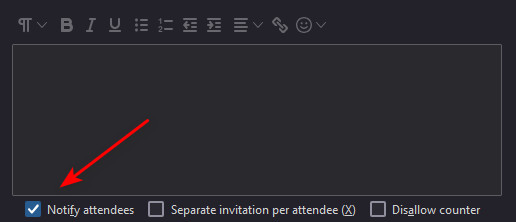
When I create a calendar event, it will not show up in the calendar view (Month), even after trying several times. What I found is, it will only show up on the calendar if I uncheck the Notify Attendees box at the bottom, which is by default always checked. After I uncheck the Notify attendees box on an event, that event, and each successive event will then show up on the calendar, regardless if I have the Notify attendees box checked or unchecked. I looked to see if I can uncheck this box in Settings, but do not see where this can be done.
Is there a way to have the Notify attendees box unchecked by default when I create a new calendar event?
When I create a calendar event, it will not show up in the calendar view (Month), even after trying several times. What I found is, it will only show up on the calendar if I ''uncheck the Notify Attendees box at the bottom'', which is by default always checked. After I uncheck the Notify attendees box on an event, that event, and each successive event will then show up on the calendar, regardless if I have the Notify attendees box checked or unchecked.
I looked to see if I can uncheck this box in Settings, but do not see where this can be done.
Is there a way to have the Notify attendees box unchecked by default when I create a new calendar event?
모든 댓글 (1)
To auto set 'Notify Attendees' as unchecked by default:
- Settings > General
- Scroll to bottom
- click on 'Config Editor' button - it opens in a new tab
- In top search type: itip
- Look for : calendar.itip.notify
- It will be auto set as 'True'
- Click on the far right toggle icon to change to 'False'