


Continuing problem with Facebook navigation / icons missing

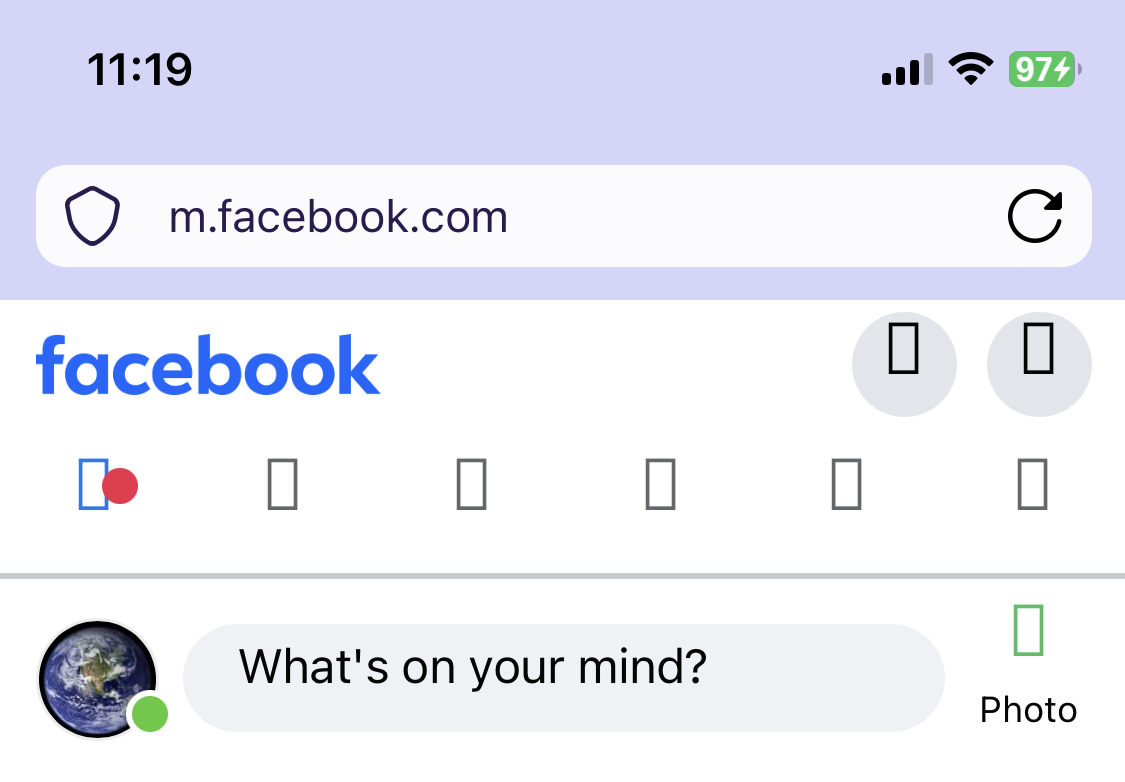
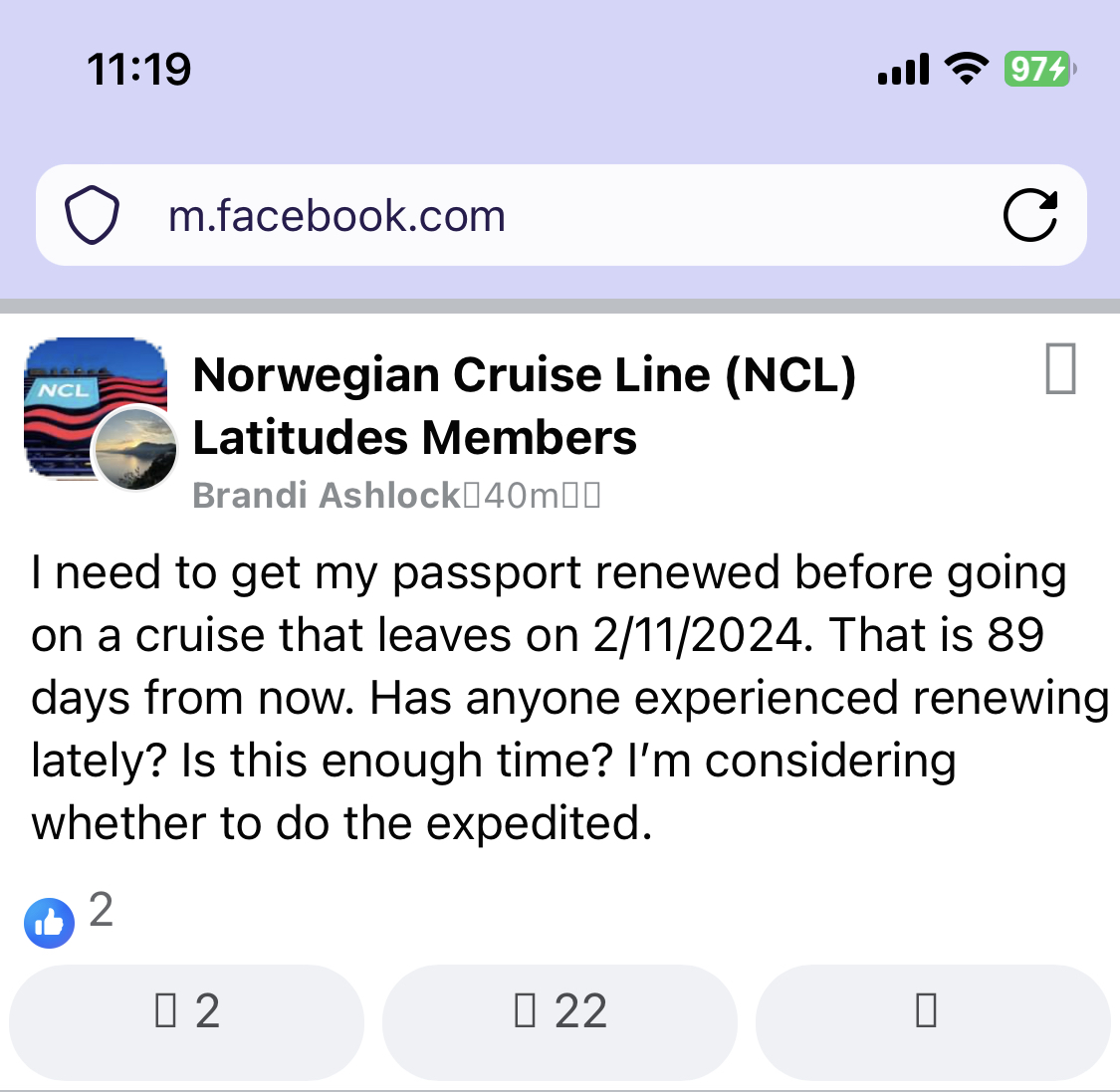
Hello. For quite a while now, probably a year or so, I have not been able to see icons in Facebook when I use Focus on my iPhone.
I'm running iOS 16.6 currently, and Focus 119.0 (17290).
I am attaching screenshots of what the Facebook page looks like. All of the icons are just little squares, which is kind of annoying when trying to navigate. The navigation *works* -- it's just not showing on the page.
Is anyone else having this problem, and do you have any suggestions for fixing it?
Thanks very much!
모든 댓글 (2)
Aha! So I was looking through the settings and tried changing a few things, and it appears that the issue is "web fonts". I had the app set to block web fonts. When I set the option to disabled (to allow web fonts, I assume), then Facebook started looking correct. I guess the icons are something to do with web fonts, though I'm not entirely sure why. I'm also not entirely sure what the ramifications of turning them back on will do, but I assume a web search will help me learn more about it. Hope this helps someone else.
Hello,
I am glad to hear that your problem has been resolved. If you haven't already, please select the answer that solves the problem. This will help other users with similar problems find the solution.
Thank you for contacting Mozilla Support.