


Audio issues with Firefox
Hello, I was using my headphones for watching YouTube on Firefox but then I unplugged them and the audio has stopped playing. I thought the issue was with the volume of my speakers, but the audio worked on any other app. So I plugged my headphones again and I could hear the audio from them. Anything I can do for fixing this (I even restarted the PC but the audio only plays with headphones)?
Regards, Tommaso

선택된 해결법
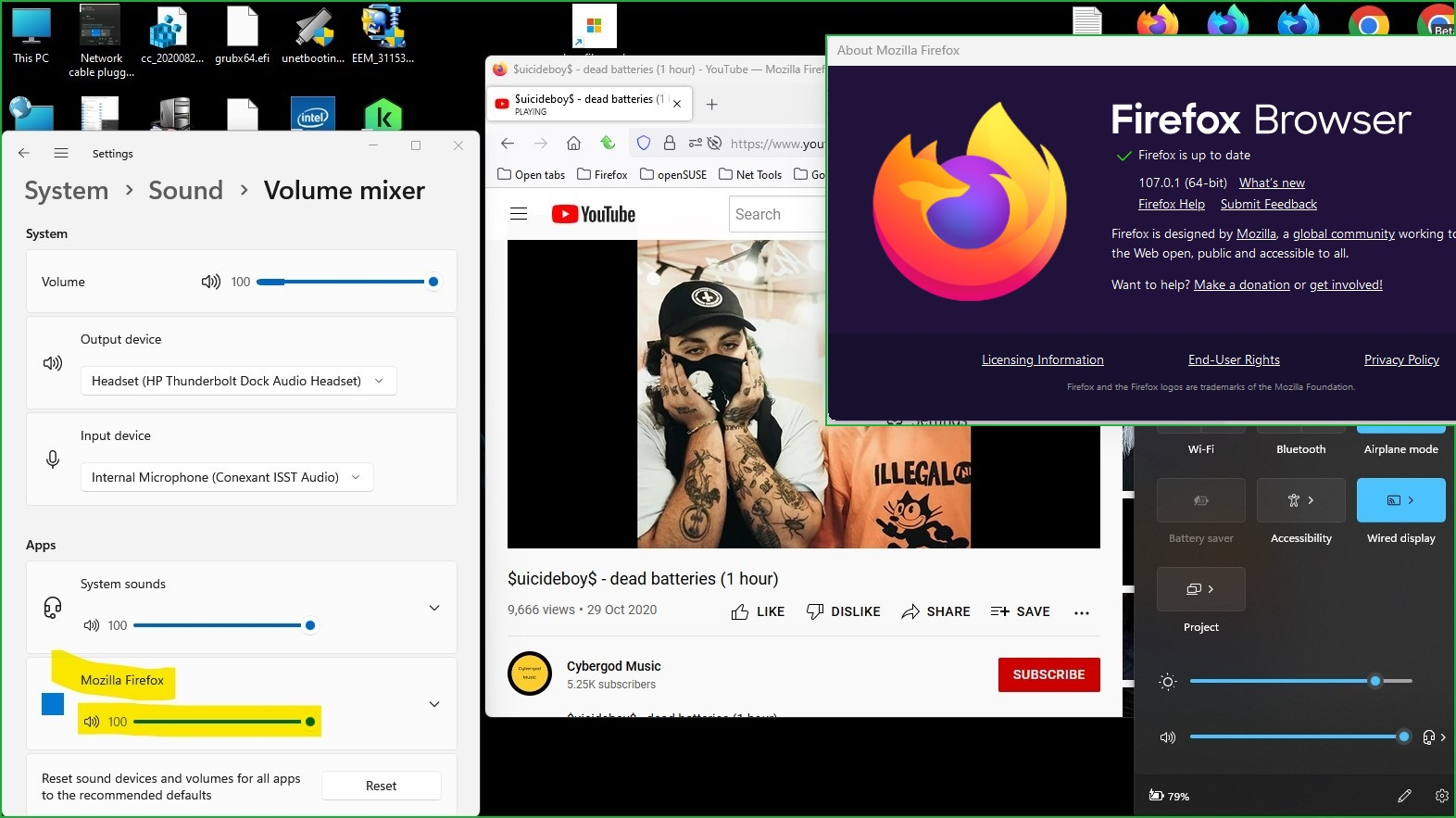
What do you see in the volume mixer when Firefox is playing a video? see screenshot Where did you get Firefox from? You can also try to refresh Firefox. Read the warning on this page. https://support.mozilla.org/en-US/kb/refresh-firefox-reset-add-ons-and-settings
글쓴이 jonzn4SUSE 수정일시
모든 댓글 (4)
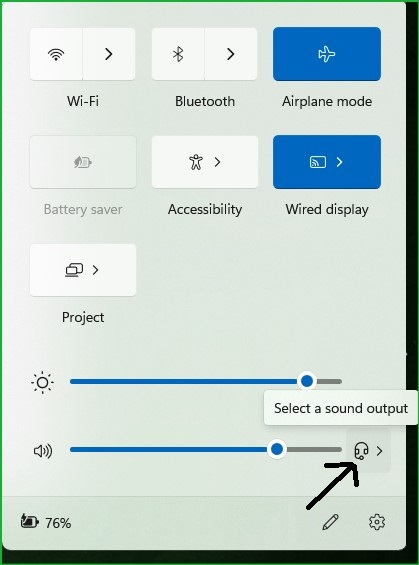
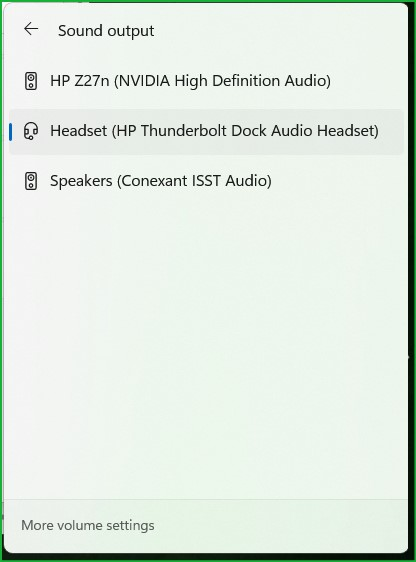
After unplugging your headphones, you need to check the audio output. see screenshot
jonzn4SUSE said
After unplugging your headphones, you need to check the audio output. see screenshot
I did, but even know that my headphones are unplugged, I can't hear any audio from Firefox.
선택된 해결법
What do you see in the volume mixer when Firefox is playing a video? see screenshot Where did you get Firefox from? You can also try to refresh Firefox. Read the warning on this page. https://support.mozilla.org/en-US/kb/refresh-firefox-reset-add-ons-and-settings
글쓴이 jonzn4SUSE 수정일시
jonzn4SUSE said
What do you see in the volume mixer when Firefox is playing a video? see screenshot Where did you get Firefox from? You can also try to refresh Firefox. Read the warning on this page. https://support.mozilla.org/en-US/kb/refresh-firefox-reset-add-ons-and-settings
Hey, I fixed my issue. For some reason the volume of Firefox in the Volume mixer was at 0%. Thank you so much!