


Thunderbird failed to find the settings for your email account

I am trying to add an Office Outlook account to Thunderbird and it comes up with the message "Thunderbird failed to find the settings for your email account" I have found out the server settings and input them manually but that doesn't work, but I then created the account but nothing works. I tried sending an email from Thunderbird and got the following message: "Sending of the message failed. An error occurred while sending mail: Outgoing server (SMTP) error. The server responded: Cannot connect to SMTP server 185.13.244.238 (185.13.244.238:587), connect error 10060.other test" I have set up this email address on my phone in Gmail and it all works ok. Any suggestions?
모든 댓글 (5)
If you post screenshots of your server settings for input and output, that may prove helpful. Thanks.
Although I said I had found the server settings I am not sure I did because I looked in Sync on the Outlook settings and used the ones from there. I have looked again today and the server is different from what Thunderbird thought the server was. Here are screen shots of Thunderbird did. The Server from Sync was "outlook.office365.com"
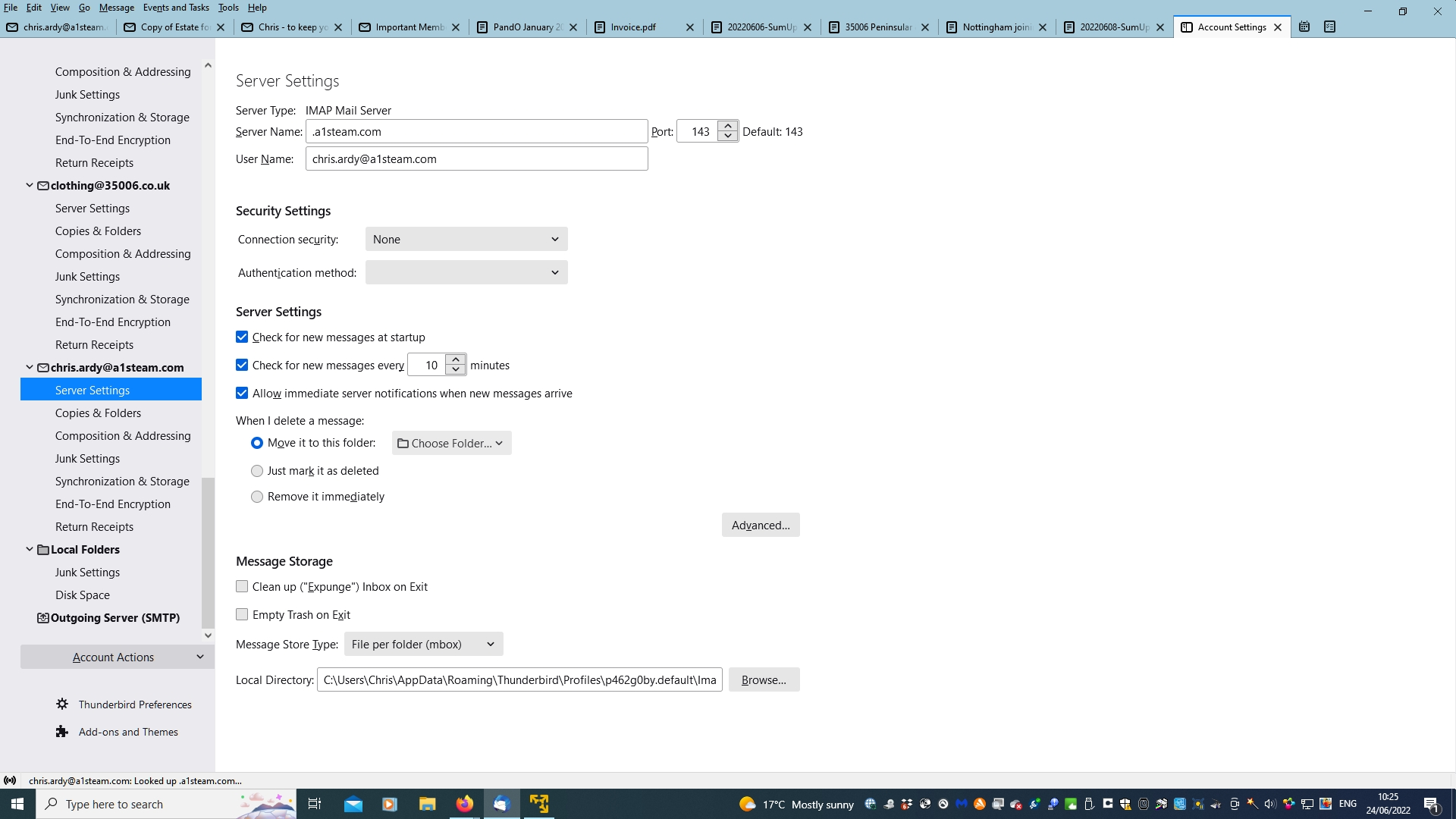
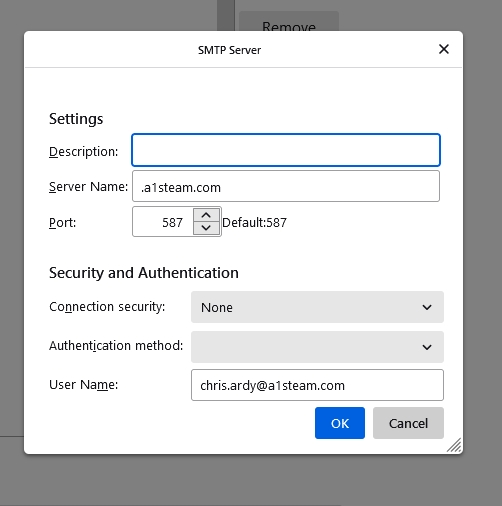
I don't know office outlook well, but my awareness is that the server is office.outlook365.com for sending and receiving, with port 993 and SSLTLS for incoming and 587 and STARTTLS for outgoing. See if that works. If not, then contact your email hosting provider for specifics.
Hi David, I have tried your suggestions but it didn't make any difference. I think I will have to give up on it. It's a bit annoying because it was so easy to do on my phone!
That may because you might have used an app for Outlook, which does all the setup for you. Contact your email host for specific setup instructions. You've been trying to setup with a1steam.com, but that is not the email host.