


filename too long, can't backup profile

Hi, Trying to move profiles to new computer.
Can only B/U some parts to usb stick, then get error message that filename paths are too long, not supported in system (win 7).
Tried creating folder in stick w/ profile name & then copy contents of appdata folder to that. Same problem.
Also tried copying main folder to root of C/ drive...same issue.
Rebooted & retried, same.
What's Up Doc?...thanks
모든 댓글 (3)

Just keep is simple and use SYNC. https://support.mozilla.org/en-US/kb/how-do-i-set-sync-my-computer
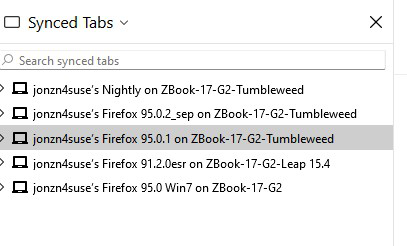
선택된 해결법
Setup sync on the old computer. Then log into the Firefox on the new computer, sign into sync, and watch the magic.
You can copy certain files with Firefox closed to the current profile folder to transfer or recover personal data. Note that best is to avoid copying a full profile folder. You can use the button on the "Help -> More Troubleshooting Information" (about:support) page to go to the current Firefox profile folder or use the about:profiles page (Root directory).
- Help -> More Troubleshooting Information -> Profile Folder/Directory:
Windows: Open Folder; Linux: Open Directory; Mac: Show in Finder - https://support.mozilla.org/en-US/kb/profiles-where-firefox-stores-user-data
- C:\Users\<user>\AppData\Roaming\Mozilla\Firefox\Profiles\<profile>
- bookmarks and history: places.sqlite
- favicons: favicons.sqlite
- bookmark backups: compressed .jsonlz4 JSON backups in the bookmarkbackups folder
- cookies.sqlite for the Cookies
- formhistory.sqlite for saved autocomplete Form Data
- logins.json (encrypted logins;32+) and key4.db (decryption key;58+) for Passwords saved in the Password Manager
key3.db support ended in 73+; to use key3.db in 58-72, make sure to remove key4.db - cert9.db (58+) for (intermediate) certificates stored in the Certificate Manager
- persdict.dat for words added to the spell checker dictionary
- permissions.sqlite for Permissions and possibly content-prefs.sqlite for other website specific data (Site Preferences)
- sessionstore.jsonlz4 for open tabs and pinned tabs (see also the sessionstore-backups folder)