


Facebook Cache & Cookies Causing Loading Issues

I have had an issue that I can't seem to resolve. Facebook seems to stop working after 1 day of not clearing my Cookies and Cache. Images and objects within the GUI will not load. Is something being stored incorrectly? Is there anything I can do to correct this? I don't have a screenshot at the moment, since I just ran through my routine of clearing Cookies and Cache. Has anyone else experienced this?
모든 댓글 (5)
Below are examples of sharing a memory via messenger and sending a message via messenger. This normally degrades, until I can't even view my Timeline or Home areas at all and the meta description of images starts showing, instead of the images.
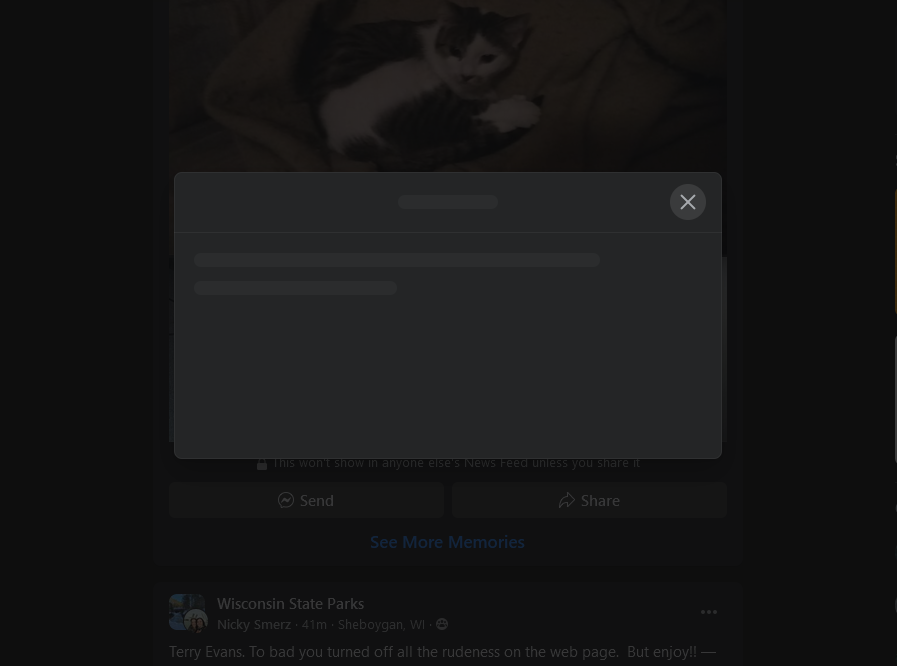

Here is a screenshot of the feed starting to fail. Note, I haven't cleared cache/cookies since the last 2 images. Just gets constantly worse, until I need to clear them. Would this be on Facebook's end?
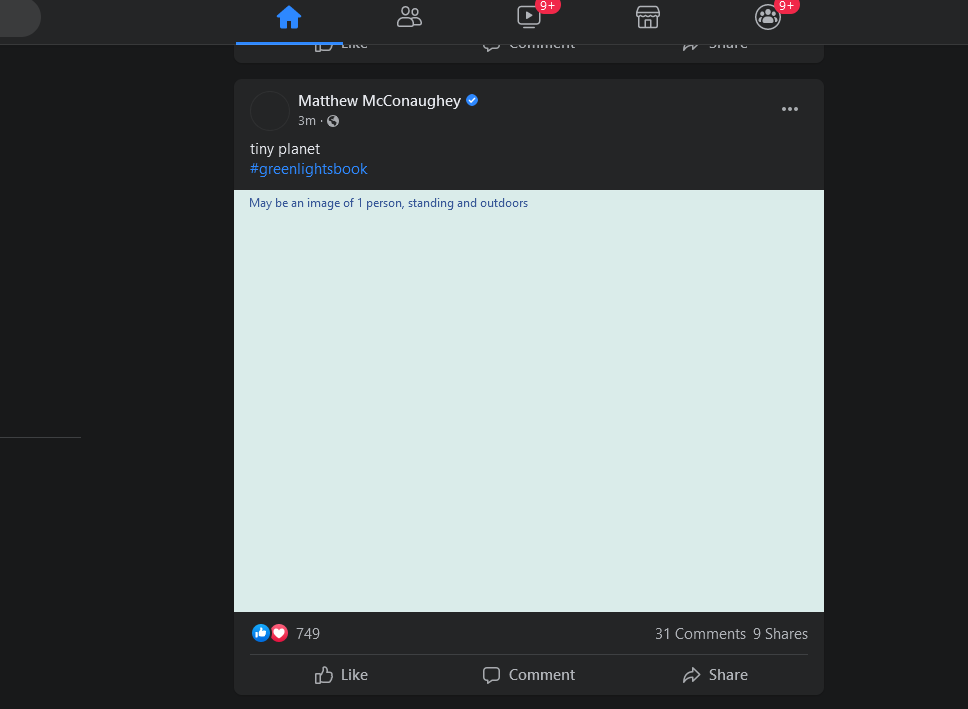

This probably doesn't belong in Firefox Enterprise as people won't see it. I'll try to move it.

I haven't had a problem with Facebook and you may have explained why. I clear the cache and browsing history at the end of each day. I am using the regular browser, 93.0 on a Linux OS.

Make sure you are not blocking content.
Diagnose Firefox issues using Troubleshoot(Safe) Mode {web link}
A small dialog should appear. Click Start In Troubleshoot(Safe) Mode (not Refresh). Is the problem still there?
https://support.mozilla.org/en-US/kb/enhanced-tracking-protection-firefox-desktop also see https://blog.mozilla.org/security/2021/03/23/introducing-smartblock/
https://support.mozilla.org/en-US/kb/smartblock-enhanced-tracking-protection
Many site issues can be caused by corrupt cookies or cache.
Warning ! ! This will log you out of sites you're logged in to. You may also lose any settings for that website.
- How to clear the Firefox cache {web link}