

이 쓰레드는 보존되었습니다.
만약 도움이 필요하시면 새로운 질문을 올려주세요.

Solved
보존
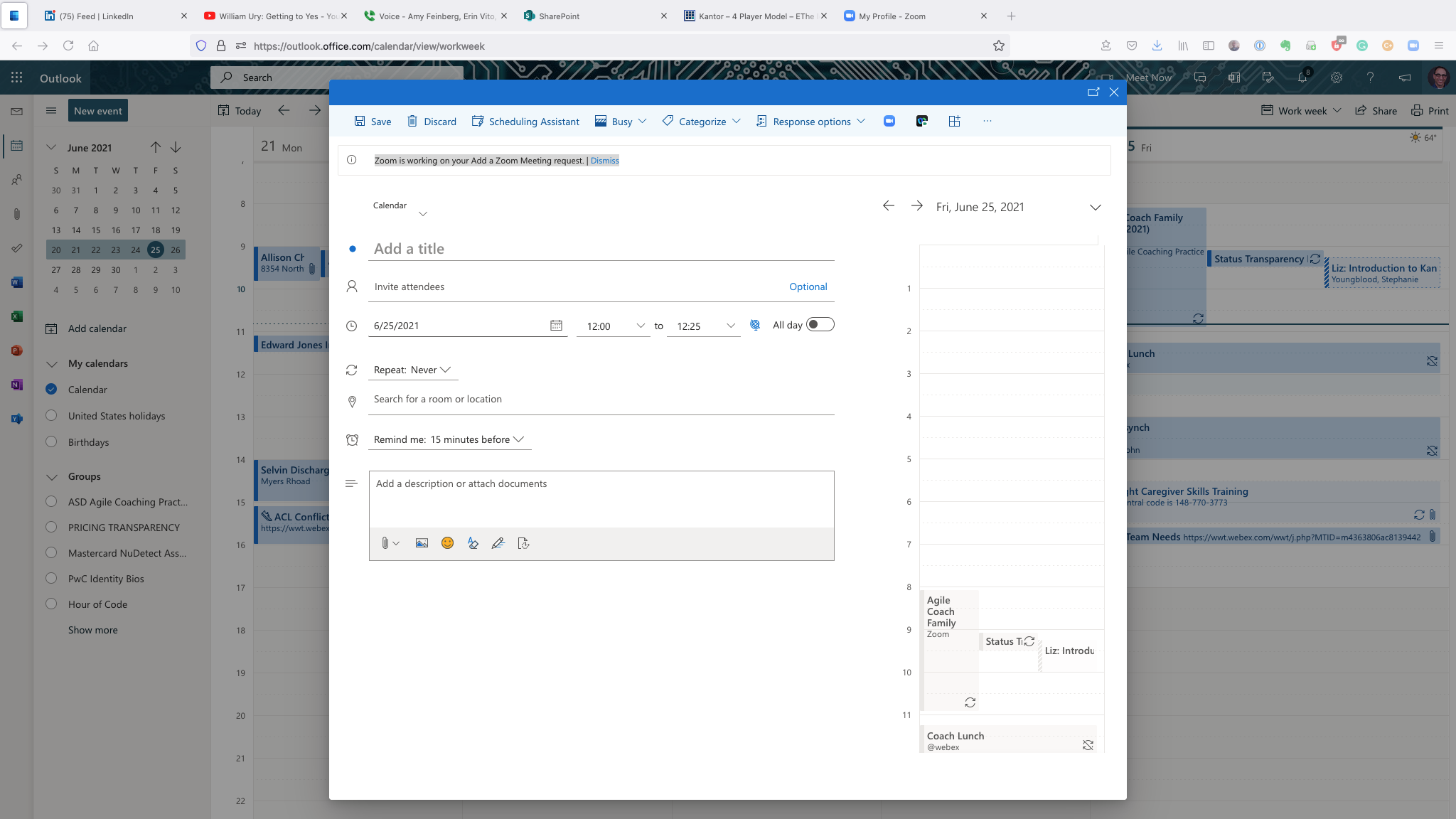
Zoom Meetings Add-In for Outlook Hangs
I cannot add a Zoom meeting to an Outlook meeting using my Outlook Web app. The Zoom add-in is installed and the button appears in the Web app. When I click it, I get the message "Zoom is working on your Add a Zoom Meeting request." But it just hangs there.
The Zoom add-in works using my Outlook Desktop client on the Mac and using Outlook Web in Chrome. Firefox seems to be the issue. Any idea what I can try to fix this?
모든 댓글 (1)
선택된 해결법
I fixed this! I went to the hamburger menu (three horizontal lines), clicked on Help -> More Troubleshooting information. From there I opened my Profile folder, and then found and renamed "prefs.js" to "prefs.js.old." This magically fixed my problem.