


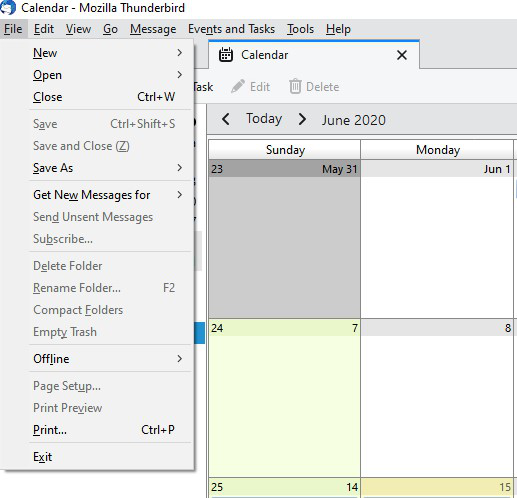
On the Calendar tab "Print Preview" and "Page Setup" are greyed out and inactive in the "file" menu dropdown list.

Print Preview and Page Setup are active in the file menu dropdown when I am in the email tab. But in the Calendar tab both of them are greyed out and inactive. Can you tell me how to fix this please?
Print Preview and Page Setup are active in the file menu dropdown when I am in the email tab. But in the Calendar tab both of them are greyed out and inactive. Can you tell me how to fix this please?
모든 댓글 (1)
That is fundamentally because the print preview is part of the print process for the calendar. You get to set up the printing style, ranges layouts and more.