


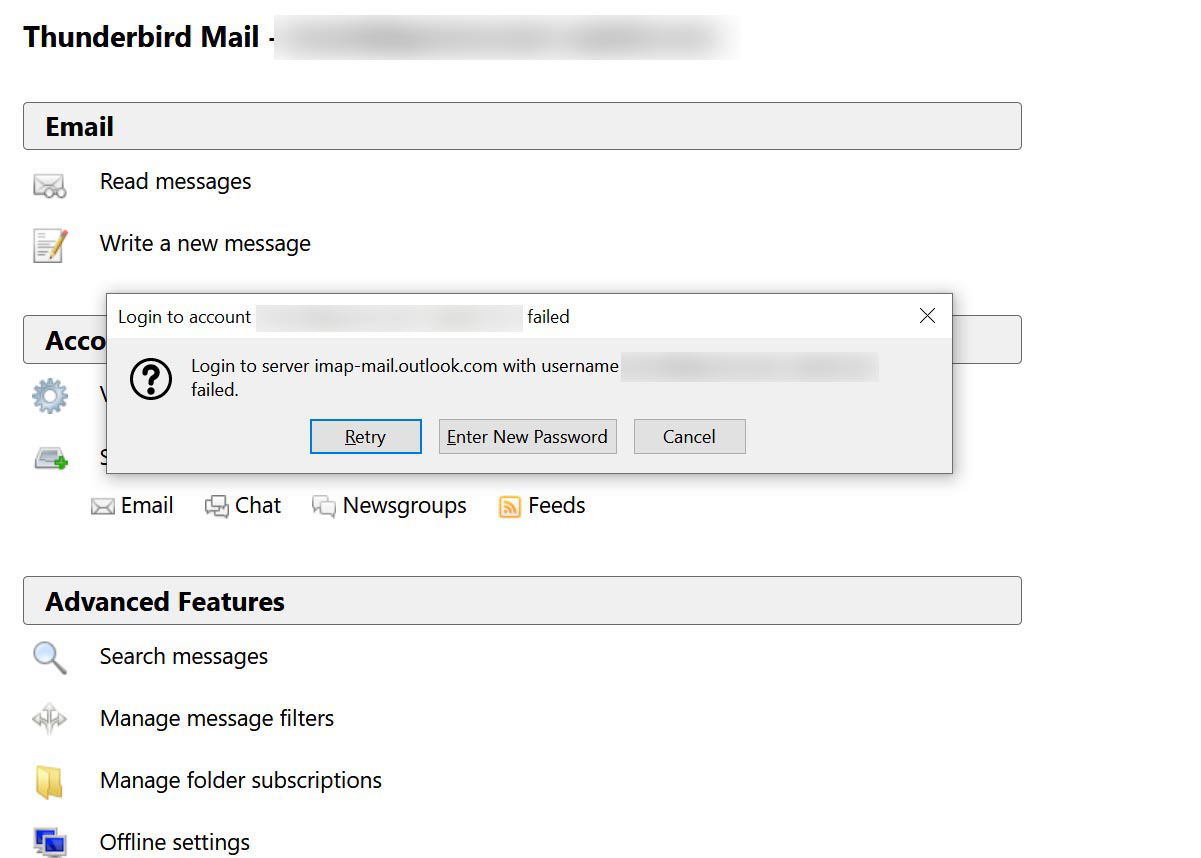
login to server imap-mail.outlook.com failed
This just started this morning. I am able to access the outlook account from my laptop in webmail and my iPhone but not through Thunderbird. I have reset the password, logged out and back in, deleted cookies and cleared the cache, but now I am stumped. Can you help? Thanks.
모든 댓글 (18)
I just got a reply saying this message was removed ... and the link comes back to this post rather than the one it says it was a duplicate of?
I may have poorly worded my posting - I meant to say I was deleting your original topic and that we should continue here in this topic. Sorry for the confusion
That said, I don't have an answer for your issue - someone else will reply
When you reset the password, did you delete the old ones, for both incoming and outgoing, in Tools/Options/Security/Passwords/Saved Passwords, and restart TB?
sfhowes said
When you reset the password, did you delete the old ones, for both incoming and outgoing, in Tools/Options/Security/Passwords/Saved Passwords, and restart TB?
Yes, I did. Rebooted the computer, as well.
I haven't noticed any recent problems with outlook.com, but then I use outlook.office365.com on port 993, SSL/TLS, for the IMAP server, and smtp.office365.com on port 587, STARTTLS, for the outgoing server.
Did you recently apply 2-step verification on the account?
I didn't change any settings before this started happening. sfhowes said
I haven't noticed any recent problems with outlook.com, but then I use outlook.office365.com on port 993, SSL/TLS, for the IMAP server, and smtp.office365.com on port 587, STARTTLS, for the outgoing server. Did you recently apply 2-step verification on the account?
No, I'm pretty sure I haven't. It periodically makes me reset itself with a text message, but that started months ago. I haven't changed the security settings at all recently, other than resetting the password when this trouble started.
Also - tried your servers, I get the same issue with them.
Did this start after a TB update? Update History is under Tools/Options/Advanced/Update. What is the antivirus/security app on the computer? Some interfere with secure connections between TB and the mail server, an issue that only becomes apparent when TB or the app updates and they become incompatible.
I have McAffee Live Safe, but it has been on since I bought the computer. The last update was Dec 18th. This problem only started yesterday. There is only the one email address affected, I have about a dozen others working just fine.
Just the same, I recommend you run in Windows safe mode to eliminate the possible effect of McAfee, which has a long history of negative effects on TB performance.
Thanks, but that doesn't change anything :-(
Log into your account using your browser. This link should take you there https://outlook.live.com/mail/0/options/mail/accounts
Check the account setting are correct based on what the web site tells you to use.
If you are using POP make sure it is enabled.
I am using IMAP. Everything was working fine until the 2nd. Just checked and I have the settings right.
If Thunderbird updated, your anti virus/ Firewall become automatically suspect. That webmail from the device works and Thunderbird does not sort of points to problems with your security suite. Try the following, perhaps it will identify something.
- Restart Thunderbird with add-ons disabled (Thunderbird Safe Mode). On the Help menu, click on "Restart with Add-ons Disabled". If Thunderbird works like normal, there is an Add-on or Theme interfering with normal operations. You will need to re-enable add-ons one at a time until you locate the offender.
- Restart the operating system in safe mode with Networking. This loads only the very basics needed to start your computer while enabling an Internet connection. Click on your operating system for instructions on how to start in safe mode: Windows 10, Windows 8, Windows 7, Windows Vista, Windows XP, OSX
- If safe mode for the operating system fixes the issue, there's other software in your computer that's causing problems. Possibilities include but not limited to: AV scanning, virus/malware, background downloads such as program updates.
Have put Thunderbird in Safe Mode, restarted without addons but it still repeatedly asks for password saying imap googlemailserver not recognised. Entering password/changing to new password (and checking "remember it" box) does not make any difference. Gmail opens in web. My Anti Virus is Eset which is not listed on Tbird support page as causing problems. Settings seem OK as before SSL/TLS connection, inwards imap.googlemail.com port 993, outgoing smpt.googlemail.com port 465 Still getting message "server imap.googlemail.com has disconnected" and dialogue box "login to server imap.google.com failed... re-enter password" repeatedly though the latter does not work.
sfhowes said
I haven't noticed any recent problems with outlook.com, but then I use outlook.office365.com on port 993, SSL/TLS, for the IMAP server, and smtp.office365.com on port 587, STARTTLS, for the outgoing server. Did you recently apply 2-step verification on the account?
i just got into the same situation and yes i enabled 2 step verification, how can i make access to thunderbird ?
Raika said
sfhowes said
I haven't noticed any recent problems with outlook.com, but then I use outlook.office365.com on port 993, SSL/TLS, for the IMAP server, and smtp.office365.com on port 587, STARTTLS, for the outgoing server. Did you recently apply 2-step verification on the account?i just got into the same situation and yes i enabled 2 step verification, how can i make access to thunderbird ?
Create an app password if you have 2SV:
https://support.microsoft.com/en-ca/help/12408/microsoft-account-how-to-use-two-step-verification
Remove the old password from Options/Security/Passwords/Saved Passwords, restart TB, enter the app password when prompted.