


I can't send emails.
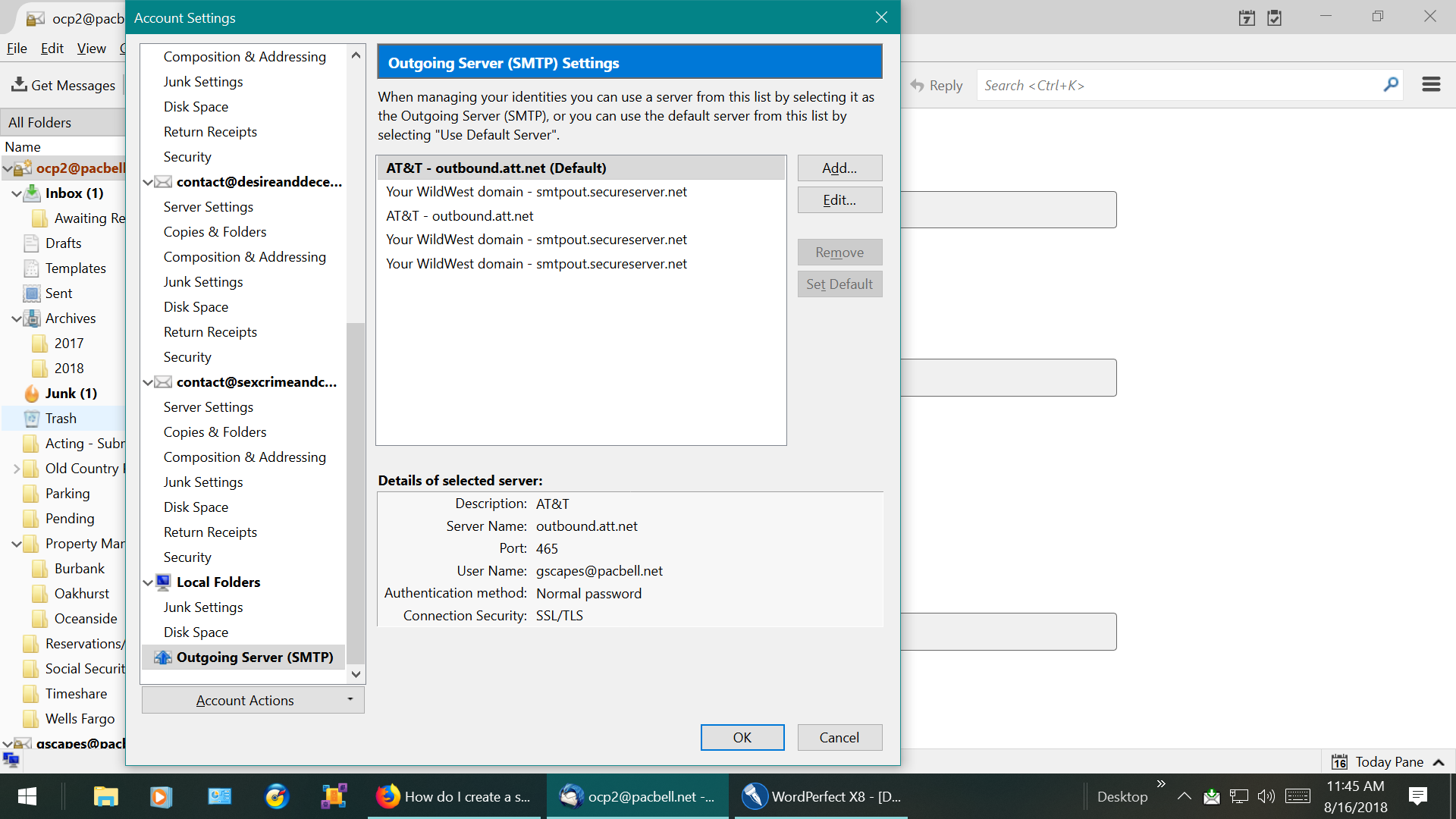
Suddenly lost the ability to send emails when I had been sending them for years. I followed your instructions and it seems the outgoing server is correct. Am at a loss as to how to proceed. Thank you for your help. ddc
글쓴이 Old Country Productions, LLC 수정일시
선택된 해결법
ATT what a bunch of. They just are rubbish sorry.
The following is a copy and paste from their web site. (i clicked the link and it took me right there.) I can not help you in creating this "key: if it causes you trouble you will need to ring them
Create a secure mail key
Learn how to create a secure mail key from your mobile device, tablet, or computer. Have your User ID and password ready to sign in to myAT&T.
- Go to Profile > Sign-in info.
- Select the email account that you want to get a secure mail key for. (You’ll find a drop-down menu at the top if you have multiple accounts.)
- Scroll to Secure mail key and select Manage secure mail key.
- If you have more than one email address, select the one you want to use.
- Select Add secure mail key.
- Enter a nickname for the secure mail key to make it easier to recognize.
- Select Create secure mail key.
- Select Copy secure mail key to clipboard. (Jot down your secure mail key, so you have it handy if you have to update an email app on several devices.)
- For security purposes, the secure mail key only shows until you select OK.
- If you lose or forget the secure mail key, you can create new secure mail keys as needed.
- Select OK.
- Go to your preferred email app and replace the existing password with your secure mail key. (For an IMAP account, delete the existing password for both the IMAP and SMTP servers and replace them with your secure mail key.)
모든 댓글 (3)
ATT have brought in a policy of requiring they users to use a mail key. It is an invention of their contract mail provider Yahoo. but these instructions should get you there https://www.att.com/esupport/article.html#!/email-support/KM1240462?gsi=9K9hHnE
Thank you, Matt, but the my browser could not find the page identified in the link.
선택된 해결법
ATT what a bunch of. They just are rubbish sorry.
The following is a copy and paste from their web site. (i clicked the link and it took me right there.) I can not help you in creating this "key: if it causes you trouble you will need to ring them
Create a secure mail key
Learn how to create a secure mail key from your mobile device, tablet, or computer. Have your User ID and password ready to sign in to myAT&T.
- Go to Profile > Sign-in info.
- Select the email account that you want to get a secure mail key for. (You’ll find a drop-down menu at the top if you have multiple accounts.)
- Scroll to Secure mail key and select Manage secure mail key.
- If you have more than one email address, select the one you want to use.
- Select Add secure mail key.
- Enter a nickname for the secure mail key to make it easier to recognize.
- Select Create secure mail key.
- Select Copy secure mail key to clipboard. (Jot down your secure mail key, so you have it handy if you have to update an email app on several devices.)
- For security purposes, the secure mail key only shows until you select OK.
- If you lose or forget the secure mail key, you can create new secure mail keys as needed.
- Select OK.
- Go to your preferred email app and replace the existing password with your secure mail key. (For an IMAP account, delete the existing password for both the IMAP and SMTP servers and replace them with your secure mail key.)