

이 쓰레드는 보존되었습니다.
만약 도움이 필요하시면 새로운 질문을 올려주세요.

보존
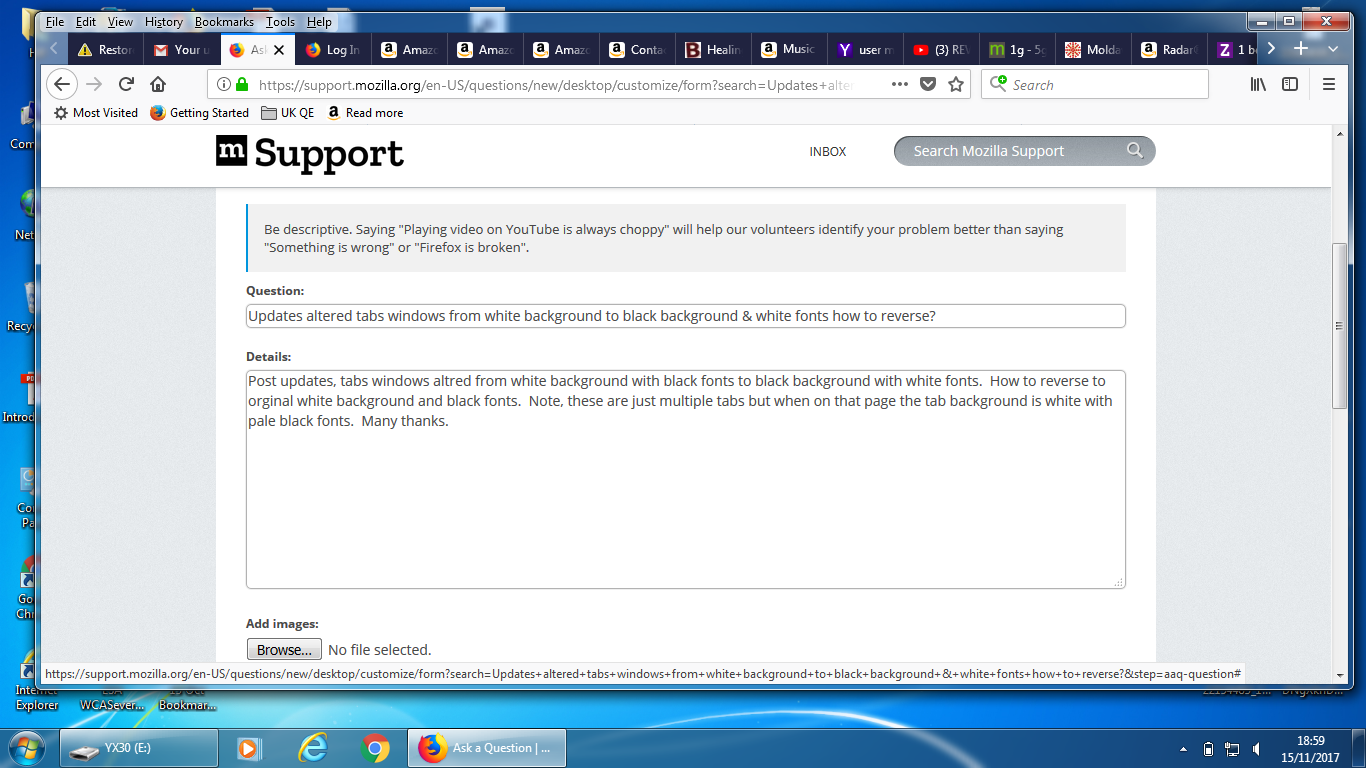
Updates altered tabs windows from white background to black background & white fonts how to reverse?

Post updates, tabs windows altred from white background with black fonts to black background with white fonts. How to reverse to orginal white background and black fonts. Note, these are just multiple tabs but when on that page the tab background is white with pale black fonts. Many thanks.
Post updates, tabs windows altred from white background with black fonts to black background with white fonts. How to reverse to orginal white background and black fonts. Note, these are just multiple tabs but when on that page the tab background is white with pale black fonts. Many thanks.
모든 댓글 (4)

Try this:
- Right click on the toolbar, select Customize
- On the new display, at the bottom, select "Themes", followed by "Light".
That will change the background color of the tabs.
Super, Standard8, issue resolved.
Quirky said
Super, Standard8, issue resolved. Standard8 saidTry this:That will change the background color of the tabs.
- Right click on the toolbar, select Customize
- On the new display, at the bottom, select "Themes", followed by "Light".
Ooops, toolbar is now transparent. How to change to opaque? Thank you
I'm not sure about that - maybe someone else will know. You could try looking through some of the themes from that menu and see if one of those helps.