change font size on tabs
the text size on tabs is too small. How can it be enlarged? I want it to stay black on my background.
Open


the text size on tabs is too small. How can it be enlarged? I want it to stay black on my background.
where is the show home button at in the settings?
I have issues discerning where each of my desktop windows are. To help with this I use gtk.css styling to add a border on all of my desktop windows. For some reason, Fire… (read more)
I have issues discerning where each of my desktop windows are. To help with this I use gtk.css styling to add a border on all of my desktop windows. For some reason, Firefox does not draw this border.
Is there any way to apply a border around the Firefox window?
I was able to get a border around the navigation area of the browser by adding a userChrome.css file but I don't see any way to do the same thing for the whole window.
Can this be done in userChrome.css? Using gtk.css styling? Any other setting or file?
I am running Firefox 155.0.1 on Ubuntu Linux 26.04.1 LTS using the Gnome 50 desktop.
How do I change the bookmarks from dropdown vertical from the task bar to horizontal under the address bar???
Hello everyone. Firefox updated today. I don't know—maybe some people like the new design of the tabs, the buttons in the drop-down menus, and the gradient borders around… (read more)
Hello everyone.
Firefox updated today. I don't know—maybe some people like the new design of the tabs, the buttons in the drop-down menus, and the gradient borders around the active tab and the tab bar itself. But I’d like to revert to the old interface. How can I do that?
Thanks!
I've searched & waited past few years for an Extension to make the TOOLBAR FONTS larger, none found. Reason being many of us are using larger monitors and TV's and w… (read more)
I've searched & waited past few years for an Extension to make the TOOLBAR FONTS larger, none found. Reason being many of us are using larger monitors and TV's and we're usually sitting or standing further away from the screen. Problem is the font size cannot be changed, they stay small and hard to read comfortably. __YES I've reset my operating systems font size, that does not work in Firefox TOOLBARS. __Changing the "firefox/addon/theme-font-size-changer" has been eliminated by Firefox. __Changing the "layout.css.devPixelsPerPx" to a larger number increases the whole TOOLBAR. I just want the FONT size larger. __(someone suggested) NO, I'm not going to setup 2 monitors.
Sure would like this issue fixed. In the pix below, it has been done.
ITS LOOK UGLY
I've been using Firefox for a couple months now, and I just ran into this problem today with English text nearby Japanese text: https://files.catbox.moe/diw4y3.png It's… (read more)
I've been using Firefox for a couple months now, and I just ran into this problem today with English text nearby Japanese text: https://files.catbox.moe/diw4y3.png
Firefox 155.0.1 (64-bit), Windows 11 Pro
The search bar in the middle of the page to be the default search bar not the search bar at the top of the page
The arrows to size the window are not accessible. And the window is taking up the entire desktop.
Up until recently (apologies, I do not know which version) when editing userContent.css on Debian 12 in the ' Developer Tools ' I could just use CTRL+S to save my changes… (read more)
Up until recently (apologies, I do not know which version) when editing userContent.css on Debian 12 in the ' Developer Tools ' I could just use CTRL+S to save my changes and all was well.
Now it appears to have forgotten where it loaded in the first place, because (when using the shortcut or the 'save' link under the name on the left) it just opens the user's home folder at its root level or ' ~/ ' ...
Is this a bug that I should raise at bugzilla? Or has another bug fix messed this functionality up somewhat?
This is the ' mozilla-deb ' / ' Mozilla Firefox Debian Package ' currently at version 154.0 which is usually updated weekly.
Hi I adjusted some thing now Ive lost vissable scroll bars. how can i Get them back ?
why has my background gone black
ITS LIKE ITS ZOOMED IN 200% I CANT READ ANYTHING
how can i get my bookmark toolbar back on the top bar?
I am on version 155 of the browser, and the sidebar is not showing up for me. Clicking the sidebar toggle button also does nothing. I've tried going into settings and tog… (read more)
I am on version 155 of the browser, and the sidebar is not showing up for me. Clicking the sidebar toggle button also does nothing. I've tried going into settings and toggling the show sidebar option, but that also doesn't do anything, as if the sidebar feature doesn't exist. Toggling vertical tabs just makes the tab bar disappear, and I've tried both the options menu and right-clicking the side bar toggle button. Is there an error, or am I missing something?
Why doesn't Firefox open in full screen?
How do I change the font size on the bookmarks toolbar?
Thank you.
Diane
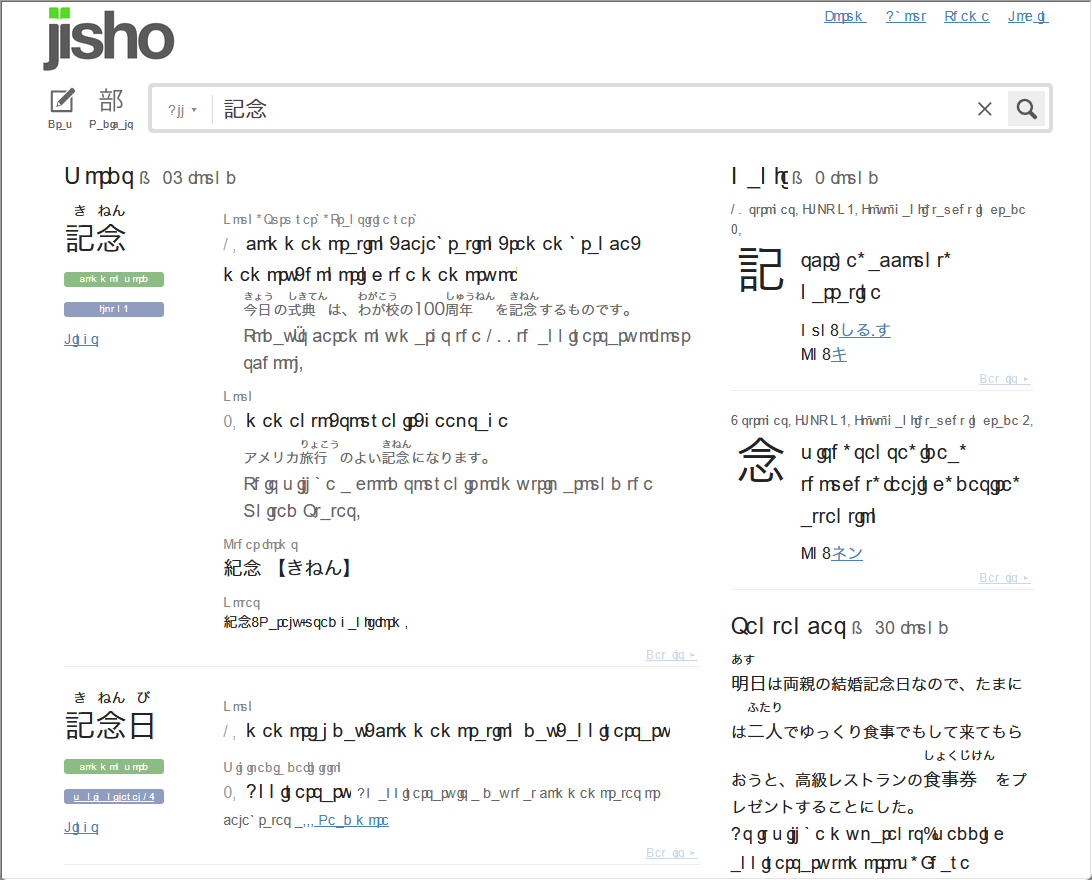
From time to time, sometimes after Firefox updates, I get unintelligible characters on tabs, search bar on Firefox. It gets more frustrating because the issue extends to … (read more)
From time to time, sometimes after Firefox updates, I get unintelligible characters on tabs, search bar on Firefox. It gets more frustrating because the issue extends to the Settings menu, so applying the fixes I see on the web is definitely not easy.
I am on macOS, a newer chip and below is what I tried.
Restarting Firefox Checking the library for duplicate font installations. Disabling the extensions Starting Firefox on troubleshoot mode Uninstalling/reinstalling Firefox Uncheck Use recommended performance settings (blindfolded by using the search panel under Firefox Settings) Uncheck Use hardware acceleration when available (blindfolded by using the search panel under Firefox Settings)
I noticed that my Tab background color doesn't change after recent Firefox updates. I have this code (css - chrome) to change the color of the active tab to green and it … (read more)
I noticed that my Tab background color doesn't change after recent Firefox updates.
I have this code (css - chrome) to change the color of the active tab to green and it no longer working.
/* Start code: Change color of active tab to Green and the inactive to default*/ tab[selected="true"] *{ background-color: #00c100 !important; /*Green */ font-size:10pt !important; font-weight: 650 !important; color: black !important; }
Any help in fixing this is appreciated. Regards,