


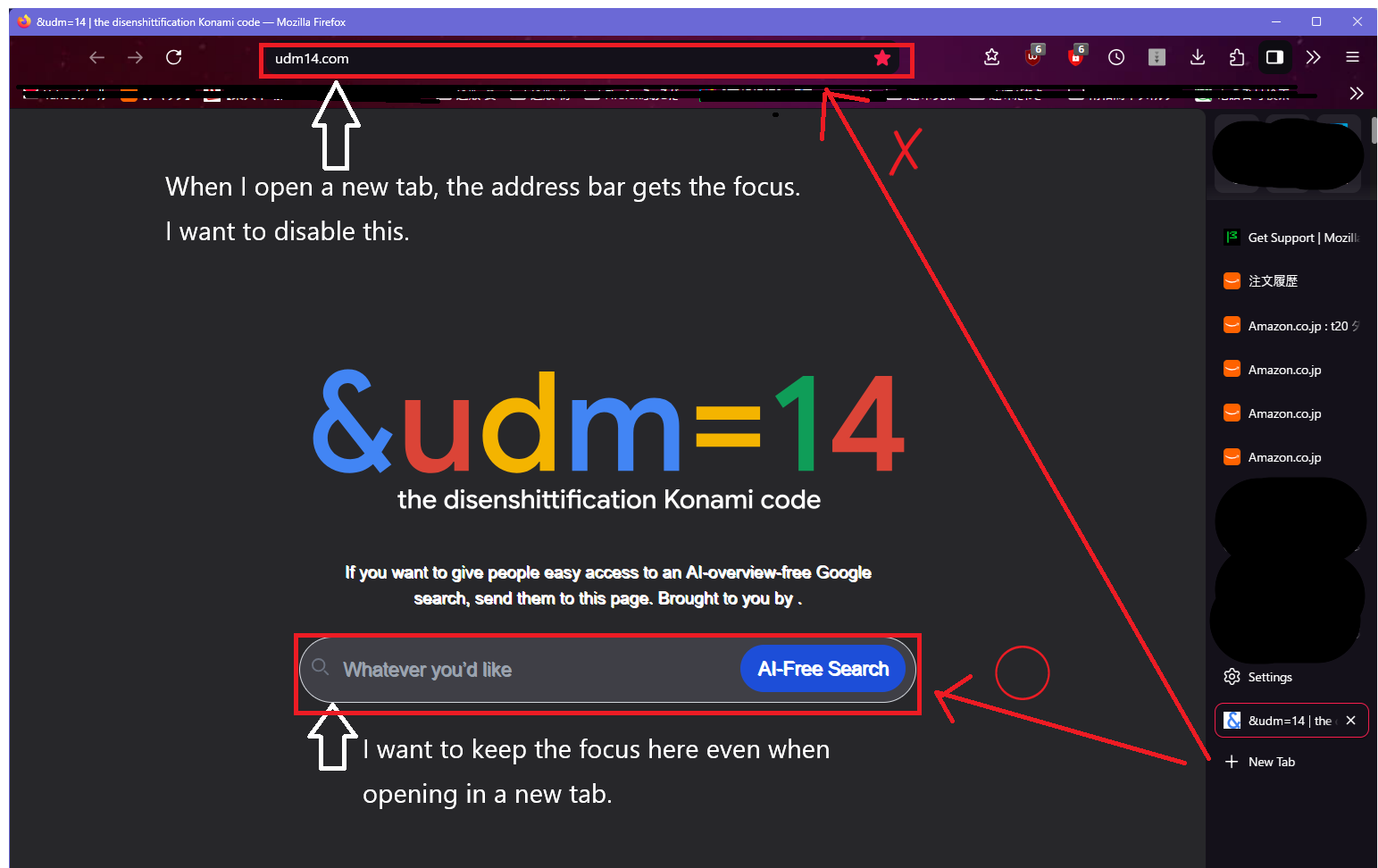
Even when I open a new tab in Firefox, the focus remains on the address bar. I'd like to know how to fix this.
Even when I open a new tab in Firefox, the focus remains on the address bar. I'd like to know how to fix this. When I open a new tab, the address bar gets the focus, which I find inconvenient. Is there a way or setting to prevent the address bar from getting the focus and instead focus on the search box in the middle? I've searched online and tried the "settings in about:config" suggested in the search results, but it didn't solve the problem. Is it impossible? Firefox 153.0.3 64it
ყველა პასუხი (4)
HI.
1. The owner of the website can direct the cursor or 2. you can create a file [userContent.css] to override or add instructions to any website you visit to effect your visual preferences.
Hello. Thank you for the advice. I didn't know it could be controlled with [userContent.css].
Well userContent css can style anything on the site, hide anything and force the focus to whatever you like.
I say that but I force the focus on my own website, but I hide suggestions on bank sites etc. by selecting the ID of the item and then adding ##id## {display:none} for example, so I imagine
??inputID:focus { background: white; border:2px solid blue}
Thanks for the information. I tried running the '[userContent.css]' you told me about. Is '??inputID:focus { background: white; border:2px solid blue }' okay? I'd like to use it as a reference. Is it okay to just paste it into my PC's '[userContent.css]' and save it, then restart Firefox?