Firefox Crash

I’m currently facing a very frustrating issue with Firefox. I have been using Firefox for many years, and it is my favorite and most comfortable web browser for my day-to-day work. I rely on it heavily as all my bookmarks and other important details are saved there.
However, over the past few weeks, Firefox has been crashing more than 10 times a day. I have already tried all the troubleshooting steps available in the forums and through AI support, but none of them have resolved the issue. I also tried installing and using the Firefox Beta version, but the problem still persists.
In our environment, other users and devices are not experiencing this issue, so it does not appear to be related to internal firewall or antivirus restrictions.
Could you please help me troubleshoot this issue? I am attaching the error screen that appears after the crash along with the crash report for you

ყველა პასუხი (8)
We're sorry to hear that Firefox is crashing. In order to assist you better, please follow the steps below to provide us crash IDs to help us learn more about your crash.
The crash report is several pages of data. We need the report numbers to see the whole report.
- Enter about:crashes in the Firefox address bar and press Enter. A list of Submitted (and Unsubmitted, if any) Crash Reports will appear, similar to the one shown below.
- Copy the 5 most recent Submitted Report IDs that start with bp- and then go back to your forum question and paste those IDs into the "Post a Reply" box.
Note: If a recent Report ID does not start with bp- click on it to submit the report.
(Please don't take a screenshot of your crashes, just copy and paste the IDs. The below image is just an example of what your Firefox screen should look like.)

Thank you for your help!
More information and further troubleshooting steps can be found in the Troubleshoot Firefox crashes (closing or quitting unexpectedly) article.

I have the crash screenshort which have taken yesterday
Crash ID: 2a057dc8-3fd6-4c04-8e42-55b860260304
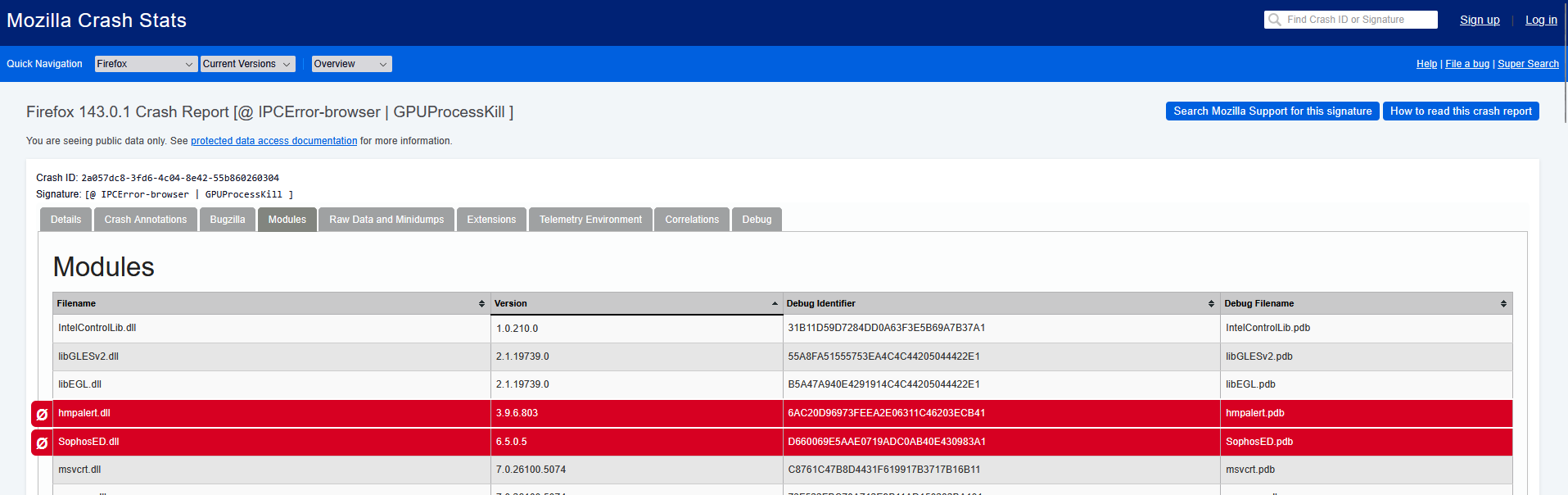

Yes, I know thasts strange, I am running with 148.0 I am not sure why the crash report shows ver 143.01.

Is there a way to see the history of crash report ? so I can pull all out and share here.
Just now crashed still showes no creash report, is there any way to collect the logs from the program files or anywhere else please ?