Windows 10 reached EOS (end of support) on October 14, 2025. For more information, see this article.

Avatar for Username

ძიება მხარდაჭერაში

ნუ გაებმებით თაღლითების მახეში. აქ არავინ უნდა მოგთხოვოთ ტელეფონზე დარეკვა, შეტყობინების გაგზავნა ან პირადი მონაცემების გაზიარება. რამე საეჭვოს შემჩნევისას გთხოვთ გვაცნობოთ „დარღვევის მოხსენებით“.

ვრცლად

Sync Firefox from old PC to new PC

  • 1 პასუხი
  • 0 მომხმარებელი წააწყდა მსგავს სიძნელეს
  • 108 ნახვა
  • ბოლოს გამოეხმაურა jonzn4SUSE

სხვა პარამეტრები

I got my mother a new PC. I'm trying to sync Firefox data from the old PC to the new PC. My mother does not have a smart phone.

This isn't syncing PC to smart phone. It's syncing PC to PC. I thought just entering the username/email address and password on the new PC would do it, but it isn't.

[There are still a lot of people who don't have a smart phone and will never understand one.] [If I use my smart phone, it will sync from my data, not my mother's]

I got my mother a new PC. I'm trying to sync Firefox data from the old PC to the new PC. My mother does not have a smart phone. This isn't syncing PC to smart phone. It's syncing PC to PC. I thought just entering the username/email address and password on the new PC would do it, but it isn't. [There are still a lot of people who don't have a smart phone and will never understand one.] [If I use my smart phone, it will sync from my data, not my mother's]

ყველა პასუხი (1)

სხვა პარამეტრები

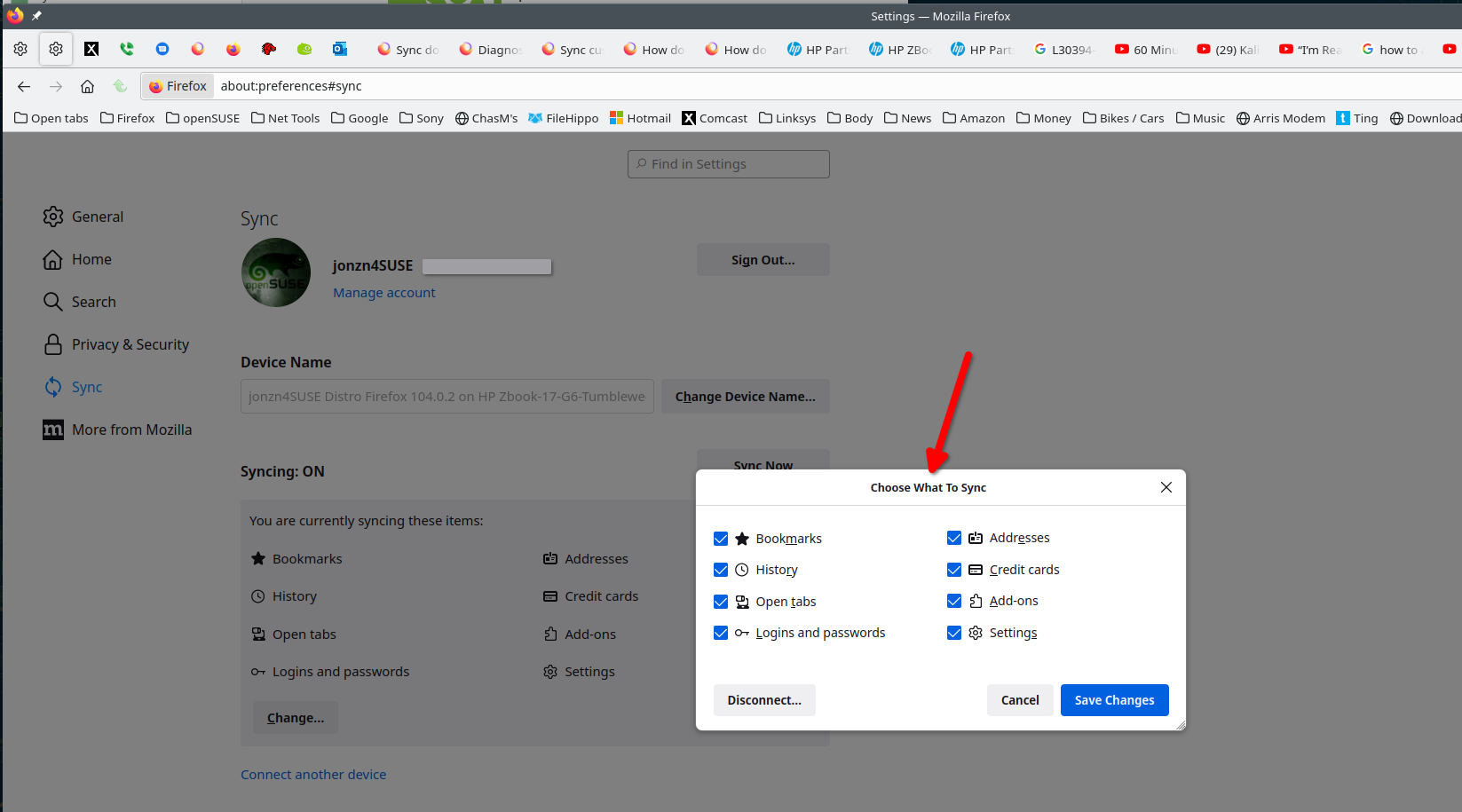
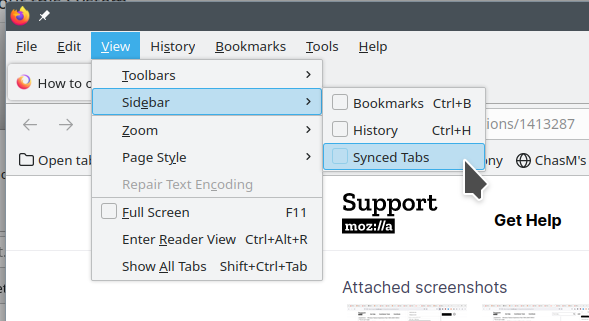
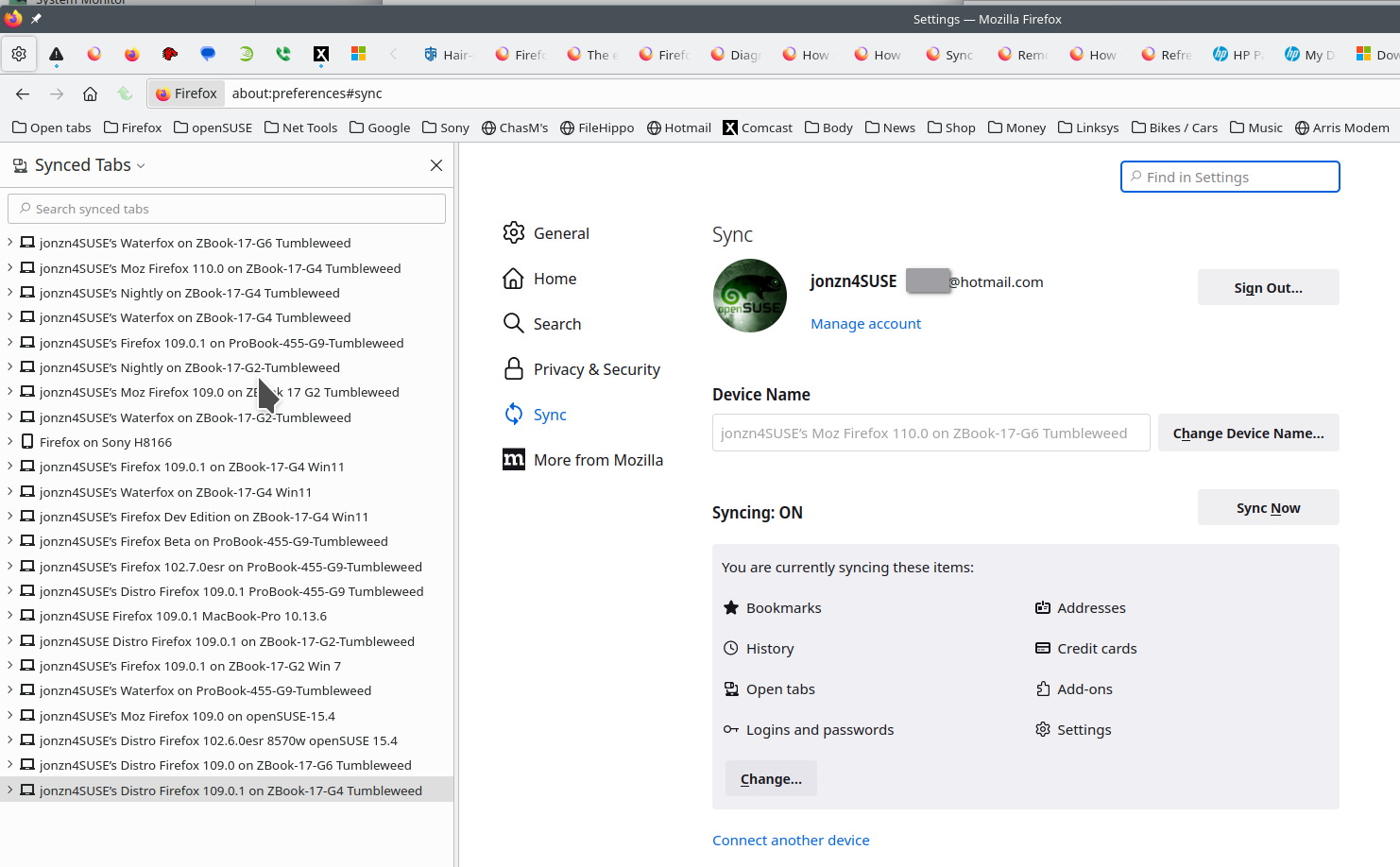
Phone is not needed. Check the sync settings on both computers. Just signing into the same account on both should do it. Check the sync settings Also see if the computers can see each other in Sync and under the account devices. see screenshots
ჩასწორების თარიღი: , ავტორი: jonzn4SUSE