ეს თემა დაარქივებულია.
დასვით ახალი კითხვა, თუ დახმარება გესაჭიროებათ.

დაარქივებული
font size in Firefox menus, search panel, etc is tiny

Windows 11, FF 104.0.2, 3000x2000 display, 200% Scale in OS.
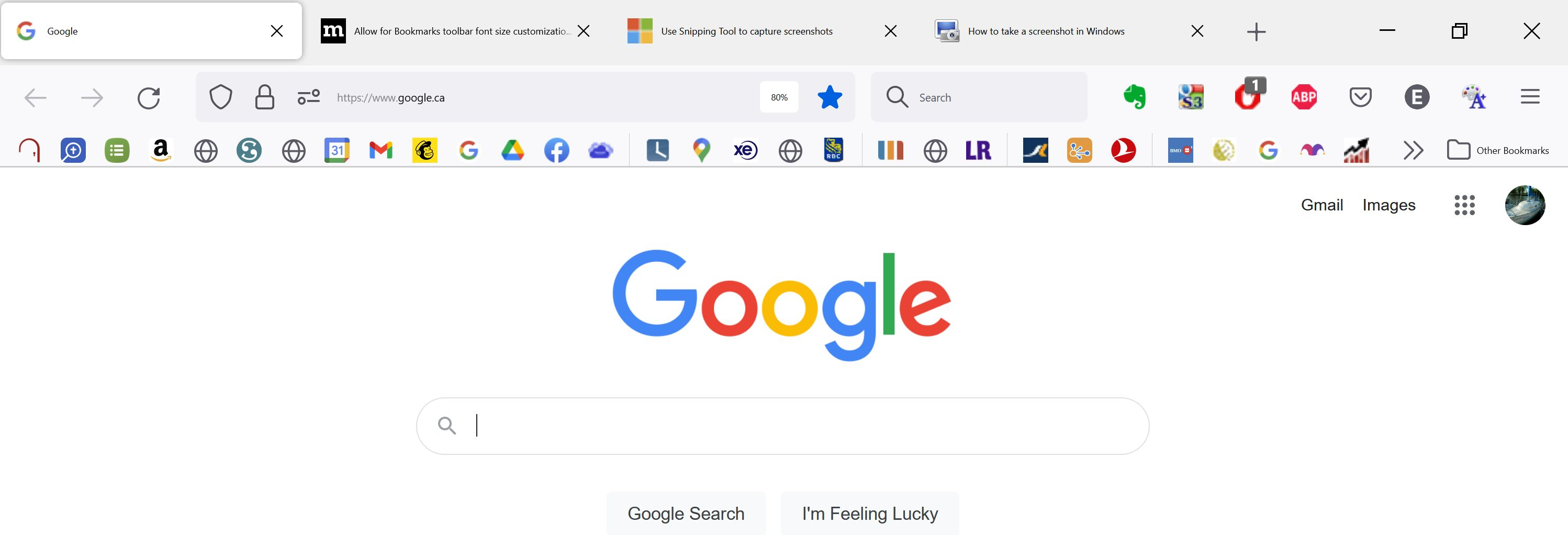
There seems to be no way to make the font in the menus, bookmarks, search window (basically the UI) readable. See image. The fonts remain tiny, no matter what I do. If I use layout.css.devPixelsPerPx it makes the icons in the toolbar bigger but has minimal effect on the font size. Any suggestions?
Windows 11, FF 104.0.2, 3000x2000 display, 200% Scale in OS.
There seems to be no way to make the font in the menus, bookmarks, search window (basically the UI) readable. See image. The fonts remain tiny, no matter what I do. If I use layout.css.devPixelsPerPx it makes the icons in the toolbar bigger but has minimal effect on the font size. Any suggestions?