


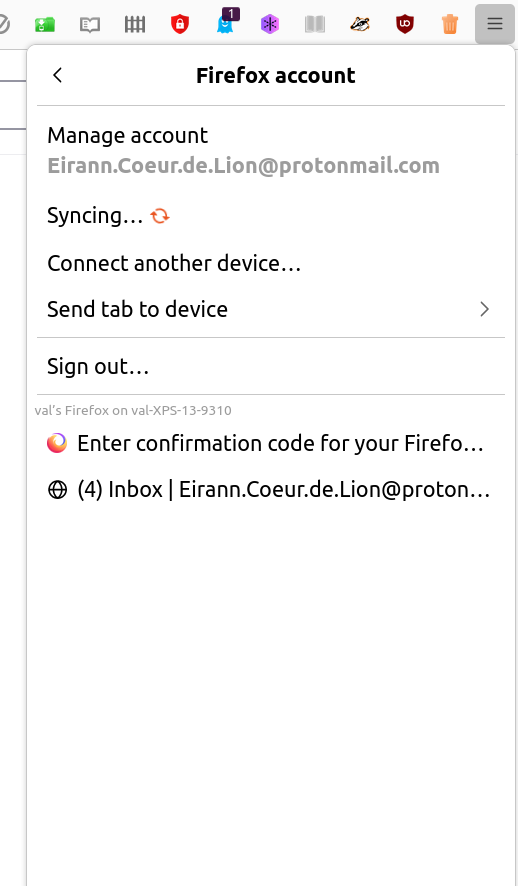
Sync Panel in Settings: Can Not Delete Two Pages Saved (see screenshot)

My sign-in sync panel holds on to two pages. I have cleared history, clicked on them, searched for them in history, signed out, signed back in, searched for sync panel help links -- there they stay. And there I want them gone. Help links address the usual things but not this, to my knowledge. How to delete *that* history?
ყველა პასუხი (3)
Those would be open tabs on a different installation of Firefox.
Or maybe it's the same computer but a different profile? (If you need to view your profiles, type or paste about:profiles in the address bar and press Enter to load the list. Profile Manager - Create, remove or switch Firefox profiles)
I don't know whether you can hide those, but you do have the option to turn off Sync for open tabs. See: How do I choose what information to sync on Firefox?
Thank you. I was on - I thought - the same profile. I didn't have FF on any other devices. I used the same email address as my previous profile, but the FF password showed I had set it in a date in 2015, three laptops ago. I remained confused over what profiles, where, had that, but I did use the 'how to choose what information to sync' to stop syncing tabs.
That took care of that. Then, I probably had some mad moments with syncing and account when I several times used Ubuntu's "suitcase" GUI to delete the SNAP FF, tried following (as in, copying and pasting) other instructions on using the terminal to get a Debian FF, tried to backup, export, import bookmarks, losing my home page setup in the process.
I think it may have been catatonic and unresponsive from a SNAP update, and panicked me.
It refused to import my html or json saved bookmarks. (I thought that had worked for me before!)
It is now restored to what I like, with my sign-in and new (or maybe same old and only thought new) password. And the Ubuntu GUI can't even see it, so now I need to go learn the terminal some more to see what I have.
As a Windows person, I'm not too familiar with the Linux filing system, so I'm not sure why stuff would be invisible. Maybe this article will provide a lead: Profiles - Where Firefox stores your bookmarks, passwords and other user data.