


Can't restore my Firefox Profile or restore bookmarks.
Hello there,
I am having issues restoring a profile for an user. Long story short, there was some malware messing with the computer, and in the process of quarantine and cleaning the machine out, the Firefox Profile got deleted. I was able to recover the Profile folder, and I see all the files and folders there (places.sqlite, bookmarkbackups, cookies.sqlite, etc.)
I have been following the process of restoring the profile, (copying and pasting those files on a new profile for example). However, every time I move all the files back, and open Firefox, it creates a places.sqlite.corrupt, and a couple of other 'corrupt' files. And none of the bookmarks or any other info get restored.
Any advise? Thanks in advance!
ყველა პასუხი (2)
Check on your desktip, if you see a folder called; Old Firefox. Inside it, look for the folder with the latest creation date. Try one of the links below.
https://support.mozilla.org/en-US/kb/recovering-important-data-from-an-old-profile
https://support.mozilla.org/en-US/kb/back-and-restore-information-firefox-profiles
https://support.mozilla.org/en-US/kb/how-run-firefox-when-profile-missing-inaccessible
Reference thread: https://support.mozilla.org/en-US/questions/1267871
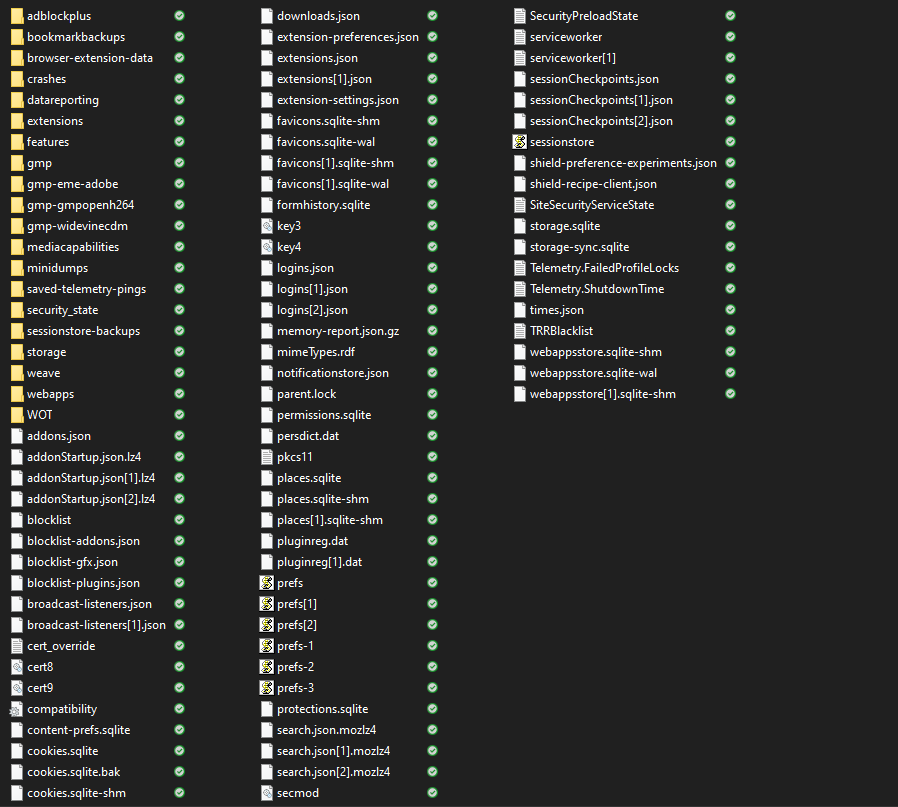
If you use a undelete utility to recover deleted files then there is no guarantee that you get the original file because cluster may have been used in the meantime by other files. I see a lot of files in the screenshot that have numbered copies that point to a corrupted main file like logins.json and prefs.js and extensions.json and a lot more, so it looks that the recovery wasn't successful.
Are you sure you recovered the last used profile if you check the file dates and not an older profile as that lowers the chances of a successful recovery ?