


I have a keyboard/"save image" interface issue.
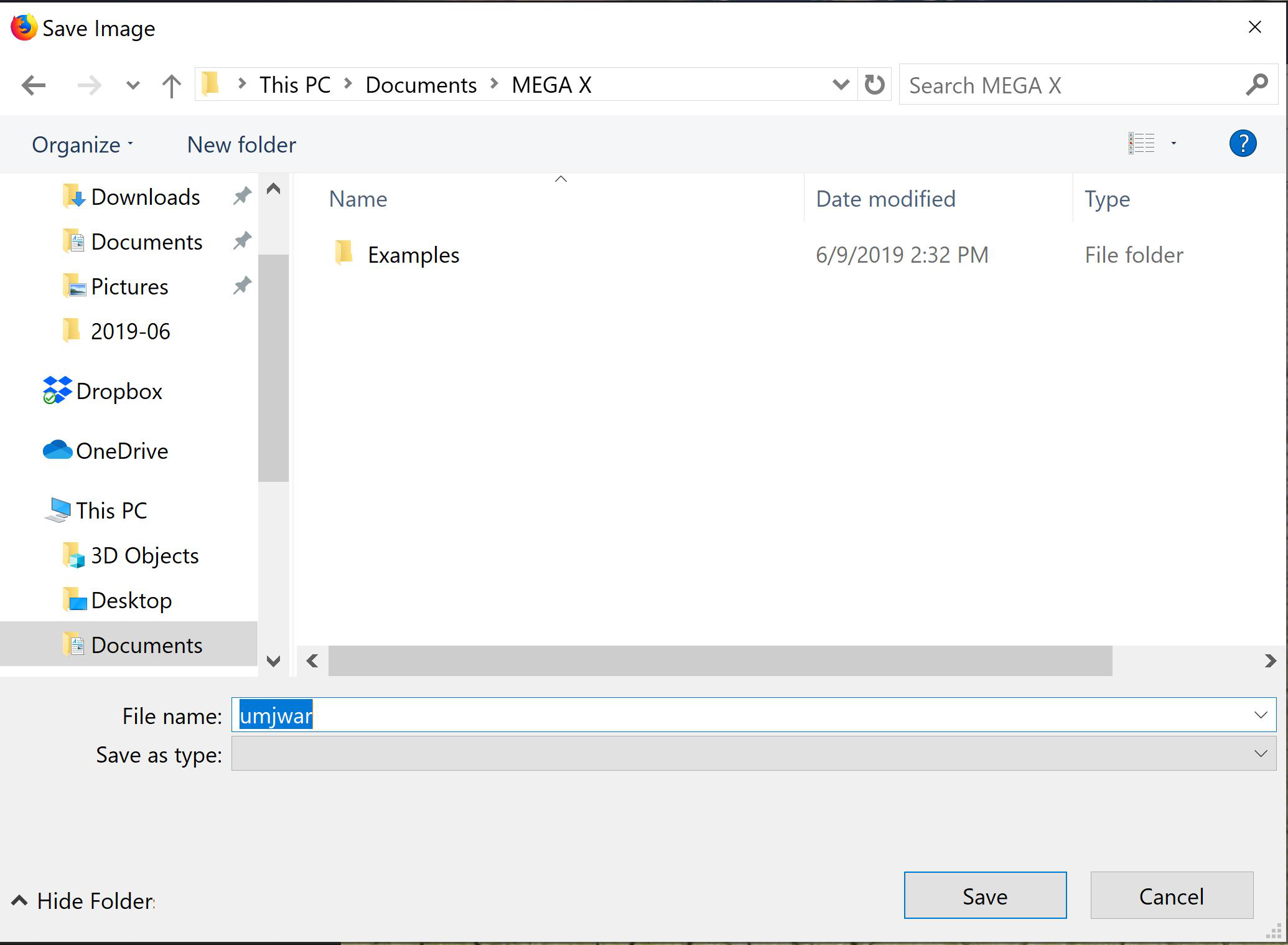
When I attempt to save an image or other file in firefox, the text I type into the "filename" field does not appear. Rather, a random string of characters of the correct length appears. For example, in the capture attached below, I entered the string "desert" and the string "umjwar" appeared in the field.
ყველა პასუხი (4)
What security software do you have?
Do you possibly have security software with anti-keylogging features?
Boot the computer in Windows Safe mode with network support to see if that has effect in case security software is causing problems.
It's possible. I'm using Sophos, as well as Defender. But, why would this only occur with firefox and only with file saves? And how would I check to see if this is the case?
ჩასწორების თარიღი: , ავტორი: lycophidion
Hello lycophidion,
Do you by any chance have a download related extension installed ?
If so : would you disable it and see if that will make a difference ?
I do now, but not at the time the problem began.