Windows 10 reached EOS (end of support) on October 14, 2025. If you are on Windows 10, see this article.

Avatar for Username

ძიება მხარდაჭერაში

ნუ გაებმებით თაღლითების მახეში. აქ არავინ უნდა მოგთხოვოთ ტელეფონზე დარეკვა, შეტყობინების გაგზავნა ან პირადი მონაცემების გაზიარება. რამე საეჭვოს შემჩნევისას გთხოვთ გვაცნობოთ „დარღვევის მოხსენებით“.

ვრცლად
გადაწვეტილი დაარქივებული

Firefox quantum has bad multi monitor support.

dusty071 პასუხგაცემული
dusty071

I have two screens, set up in Windows 10 like this: - Main monitor is 3840 x 2160 , DPI scaling 175% - Second monitor is 1680 x 1050, DPI scaling 100%

I cannot use Firefox on both screens because it does not switch the value of "layout.css.devPixelsPerPx" automatically between 1.75 and 1.00, making some addons unusable and text unreadable due to size distortion.

Another problem is that when on the second screen the Firefox top most section (the tab bar and min/max/close buttons) never fully maximizes to the top of the monitor no matter what i try. From first glance it seems that the topmost 3 pixels are empty, i cannot click a tab or a min/max/close button in the top most 3 pixels, i can only use them for dragging the firefox window. Weirdly the window does work properly when in the Full-screen mode.

I love firefox and i would like to continue using it but i hope there is eventually a solution to these problems, thanks.

I have two screens, set up in Windows 10 like this: - Main monitor is 3840 x 2160 , DPI scaling 175% - Second monitor is 1680 x 1050, DPI scaling 100% I cannot use Firefox on both screens because it does not switch the value of "layout.css.devPixelsPerPx" automatically between 1.75 and 1.00, making some addons unusable and text unreadable due to size distortion. Another problem is that when on the second screen the Firefox top most section (the tab bar and min/max/close buttons) never fully maximizes to the top of the monitor no matter what i try. From first glance it seems that the topmost 3 pixels are empty, i cannot click a tab or a min/max/close button in the top most 3 pixels, i can only use them for dragging the firefox window. Weirdly the window does work properly when in the Full-screen mode. I love firefox and i would like to continue using it but i hope there is eventually a solution to these problems, thanks.

ყველა პასუხი (1)

შერჩეული გადაწყვეტა

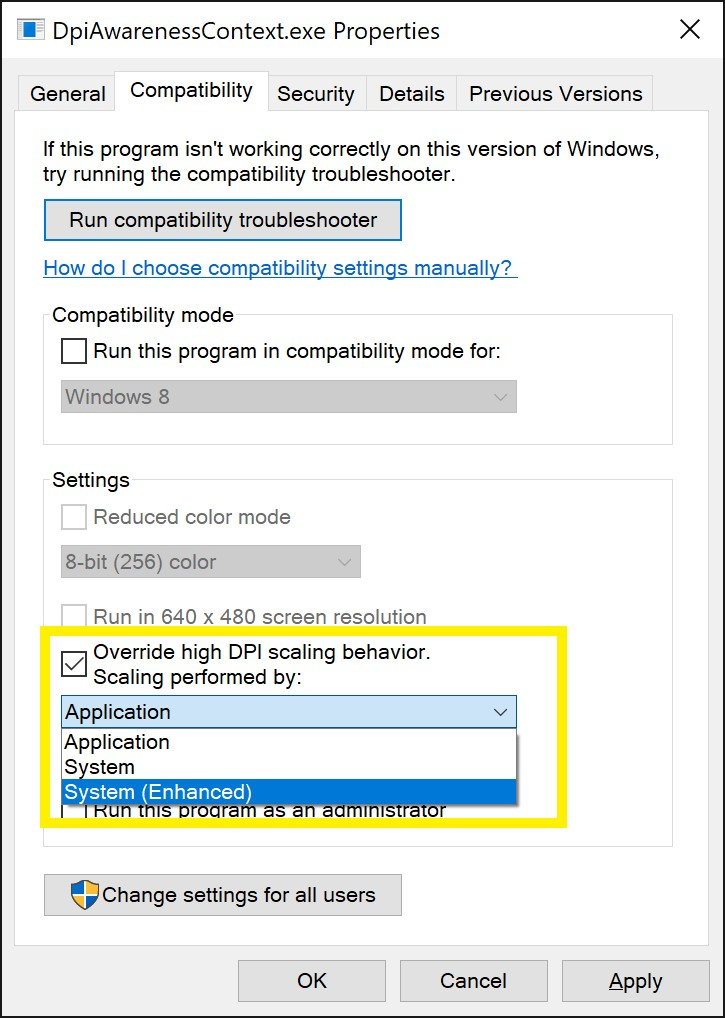
I think setting the scaling to System (enhanced) fixed both of my issues.