


Adobe Flash player installer version 23.0 will not open

I keep getting a window telling me to update my flash player as the old one is "vulnerable". I've downloaded the installer for the latest version from various locations but when I double click to open it nothing happens. I've since removed my out-dated version as I thought this might be the problem so now I have nothing. Help!
გადაწყვეტა შერჩეულია
Also, for a couple more days, you can still use the distribution page with "full" installers:
https://www.adobe.com/products/flashplayer/distribution3.html
Unlike the small installer that needs to connect back to Adobe for more files, these are complete. If your firewall is blocking that connection back by the small installer, this one should resolve that issue.
Note: either the EXE or MSI file usually works, you don't need both.
პასუხის ნახვა სრულად 👍 2ყველა პასუხი (20)
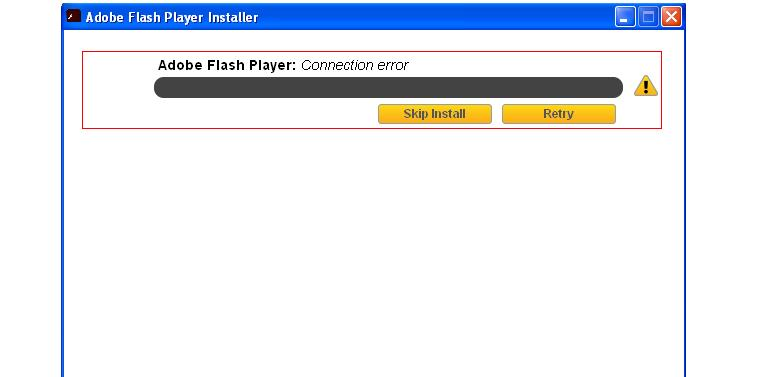
Slight change but still no download. I now get this box after checking the properties of the installer and seeing it was blocked for some reason.
Hi !
I found this for you:
https://helpx.adobe.com/flash-player/kb/installation-problems-flash-player-windows.html
'Sure hope this will help solve your problem !
Thanks, I've seen that page already and it hasn't solved anything.
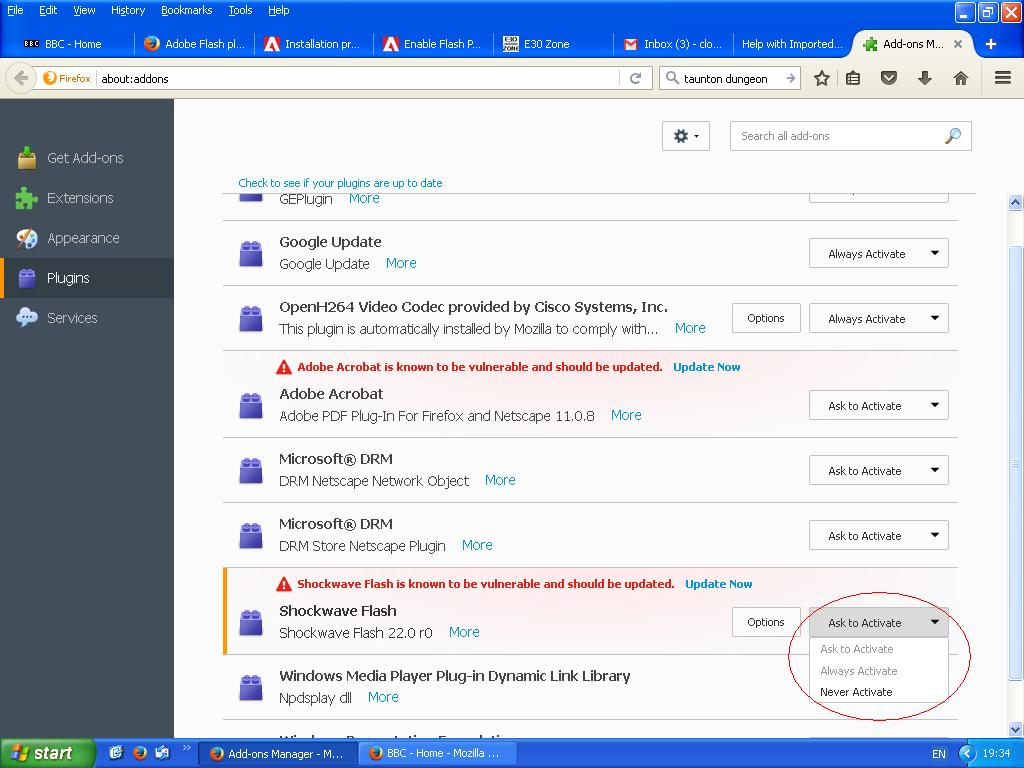
I've since managed to reinstall the older version of flash player. When I go to the add ons page as detailed in the above link I was sent, and follow the instructions, the only available options for the flash player are; never activate or ask to activate, not always activate. I can now watch videos etc using the older version of flash (not everything, some sites refuse out right to recognise the flash player) but I always have to manually activate it which is a pain. I just want to install the latest version but it won't happen.
Hi again !
'Been looking everywhere, and now I found this:
And last but not least:
Thanks, but still no joy.
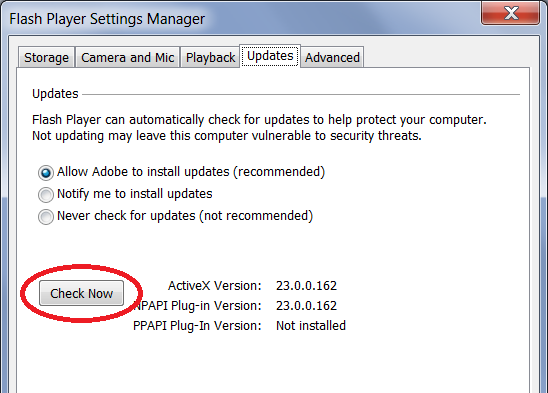
Hi cloggy_saint, Adobe's installer should have created a Flash control panel with an updater of its own. If you go into the Windows Control panel and open the Flash panel, can you find the Updates tab? I'm attaching a screenshot of what it looks like on Windows 7. Do you have it and, if so, does it work?
შერჩეული გადაწყვეტა
Also, for a couple more days, you can still use the distribution page with "full" installers:
https://www.adobe.com/products/flashplayer/distribution3.html
Unlike the small installer that needs to connect back to Adobe for more files, these are complete. If your firewall is blocking that connection back by the small installer, this one should resolve that issue.
Note: either the EXE or MSI file usually works, you don't need both.
jscher2000 said
Hi cloggy_saint, Adobe's installer should have created a Flash control panel with an updater of its own. If you go into the Windows Control panel and open the Flash panel, can you find the Updates tab? I'm attaching a screenshot of what it looks like on Windows 7. Do you have it and, if so, does it work?
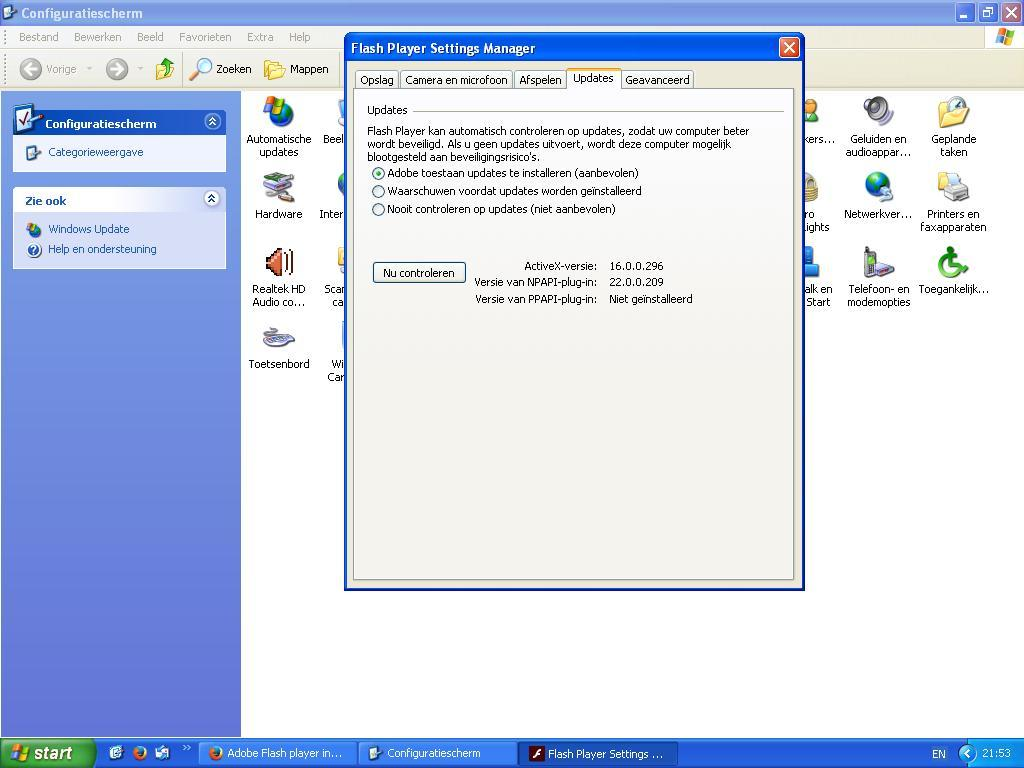
Hi, yes I have this panel and the automatic updates is checked. I assume it works. Below is a screen shot, albeit in Dutch.
jscher2000 said
Also, for a couple more days, you can still use the distribution page with "full" installers: https://www.adobe.com/products/flashplayer/distribution3.html Unlike the small installer that needs to connect back to Adobe for more files, these are complete. If your firewall is blocking that connection back by the small installer, this one should resolve that issue. Note: either the EXE or MSI file usually works, you don't need both.
Progress! I used the MSI installer and it has worked but the older version of flash is being used as the default. How can I make the newer version take over? Thank you very much to everyone for their help!
Re-booted and everything is working as it should. Thanks again!
Aaaand the problem is back again, only this time I can't find an MSI installer. Can anyone assist?
Adobe took down that convenient page with links to MSI installers; I don't know whether there is a new one that doesn't require creating an account with Adobe.
What you check the version(s) of Flash Firefox is(are) using? Type or paste about:plugins in the address bar and press Enter to load that internal page. It should have tables of details for each plugin discovered by Firefox. The beginning of the file name for the Flash DLL file is npswf32 so you can use Find (Ctrl+f) to jump through the page to see whether Firefox is using multiple versions.
What do you find?
Thanks for replying. Following your instructions i have this
   File: NPSWF32_23_0_0_162.dll
   Path: C:\WINDOWS\system32\Macromed\Flash\NPSWF32_23_0_0_162.dll
   Version: 23.0.0.162
   State: Enabled (STATE_VULNERABLE_UPDATE_AVAILABLE)
   Shockwave Flash 23.0 r0
And also this but not sure if relevant.
application/x-shockwave-flash Adobe Flash movie swf application/futuresplash FutureSplash movie spl
The latest version of Flash Player is 23.0.0.205
Okay, I think you are a couple versions out of date. The auto-updater Adobe installs at the system level isn't working.
What if you try this old link for the EXE installer, will it run?
http://download.macromedia.com/pub/flashplayer/latest/help/install_flash_player.exe
Just as a footnote if the non-Adobe address makes you nervous, Macromedia is the company that developed Flash, and Adobe acquired them a long time ago. I don't know why they still use old macromedia.com addresses, but this is not the only one. For example, the online version of the settings manager:
http://www.macromedia.com/support/documentation/en/flashplayer/help/settings_manager.html
ჩასწორების თარიღი: , ავტორი: jscher2000 - Support Volunteer
No, same problem with your link. It downloads but then double clicking it does nothing, it won't open.
Is this problem limited to Flash?
Sorry, I don't know any new paths for MSI installers.
If you right-click the EXE file in Windows Explorer (if you click the little folder icon on Firefox's downloads list that should open the folder in Windows Explorer with the file selected), do you see any other options for running the program that you might try?
No, it offers no other options. I think this latest problem is the straw that breaks the camel's back, time for a new PC!