


how do i remove Options in the menu bar, it just keeps poping up.

In the menu bar options keeps poping up, how do i remove it and keep it from come back.
შერჩეული გადაწყვეტა
You can check the home page setting to see if the about:preferences page is appended.
- Tools > Options > General > Startup: Home page
Firefox supports multiple home pages separated by '|' (pipe) symbols.
You can use the SearchReset extension to reset some preferences to the default values.
Note that the SearchReset extension only runs once and then uninstalls automatically, so it won't show on the "Firefox > Add-ons" page (about:addons).
ყველა პასუხი (5)
The shortcut for menu bar is Alt key on your keyboard. So first check if you are accidentally pressing "Alt" key or sometimes there may be issue with your keyboard. I am just assuming your problem, if it's not a keyboard issue you may attach a screenshot of your problem.
As you can see Options in the menu bar, how to stop it from poping up.
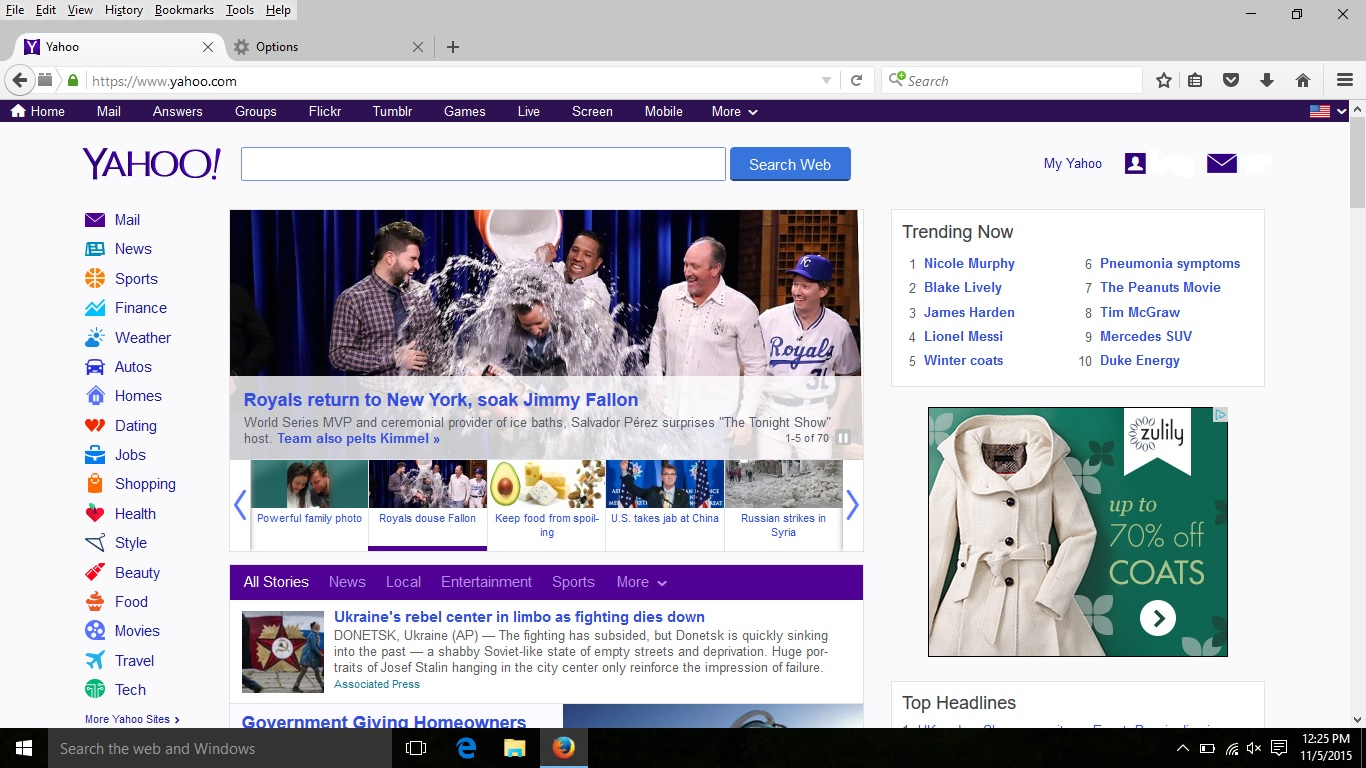
On the menu bar, you can see an option named View, click on it. Then hover over your mouse on the Toolbars and uncheck Menu Bar. Hope it will work.
შერჩეული გადაწყვეტა
You can check the home page setting to see if the about:preferences page is appended.
- Tools > Options > General > Startup: Home page
Firefox supports multiple home pages separated by '|' (pipe) symbols.
You can use the SearchReset extension to reset some preferences to the default values.
Note that the SearchReset extension only runs once and then uninstalls automatically, so it won't show on the "Firefox > Add-ons" page (about:addons).
cor-el it worked, Thanks