


How do I make Firefox (9) the default browser for Android (2.3.4) on a Motorola Bionic (5.5.893.XT875)?
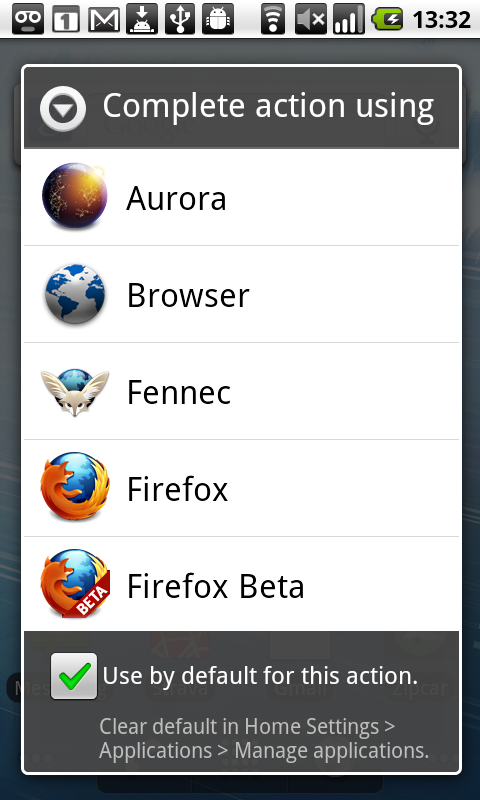
Several suggestions found online (e.g., via Manage Applications-All-Browser, or Firefox Settings) haven't worked. Browser "Clear Defaults" is greyed out, presumably because there are no defaults set, and I haven't yet found how to set any. Firefox has no "Settings" button, and neither "Site Options" nor "Preferences" refers to making FF the default. Whenever I click on a Link, FF appears as an option, however, and it works fine.
すべての返信 (2)

選ばれた解決策
You'll need to get the Actions dialog to appear and check the use as default action at the bottom of the list. One of the common ways to get this to appear is to follow a link from an email program or a soical network app like Facebook or Twitter.
Ta da! Thanks. This is my second day of Droiding and I'm finding it daunting. So much to learn, so little time...