Open
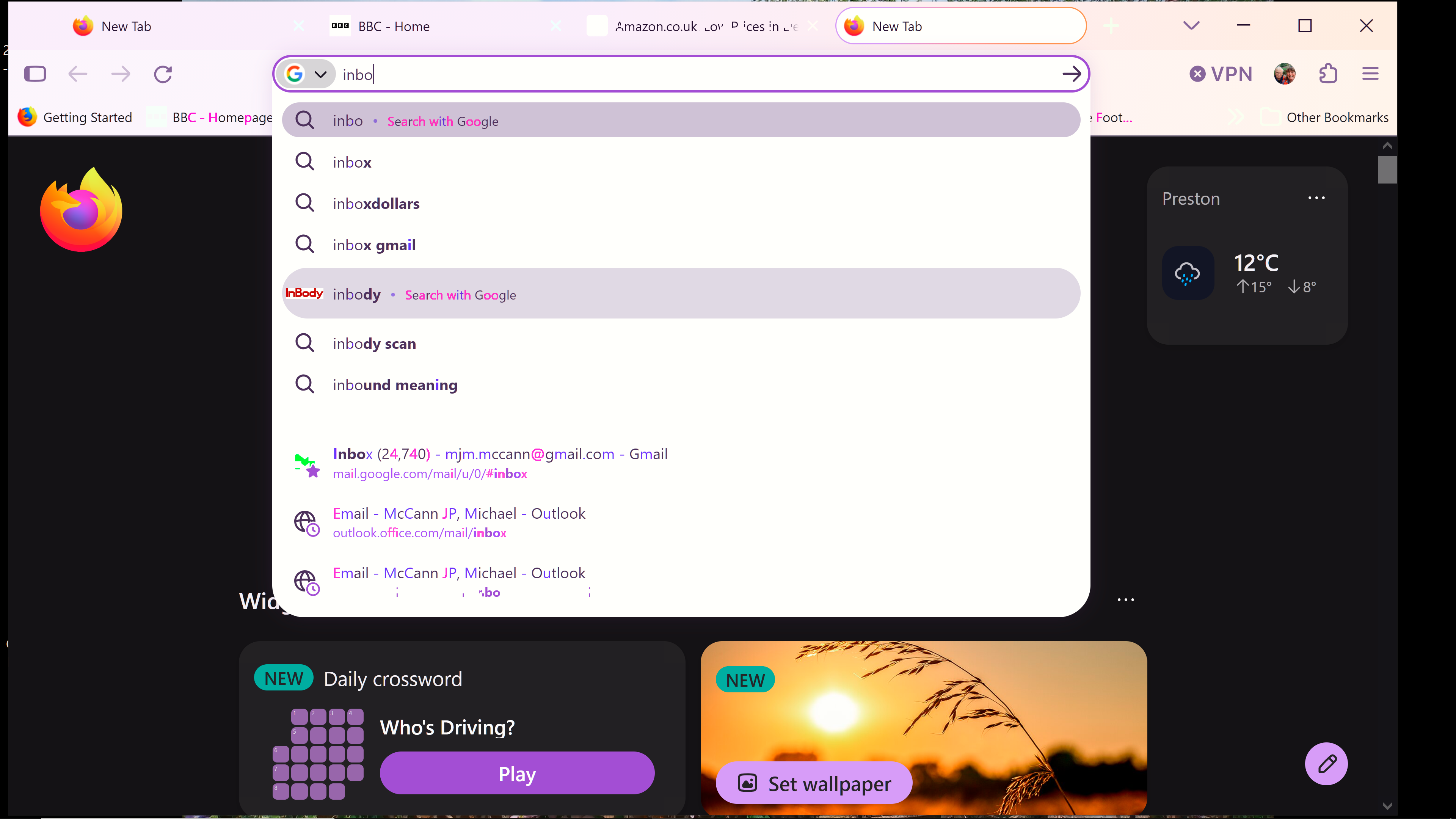
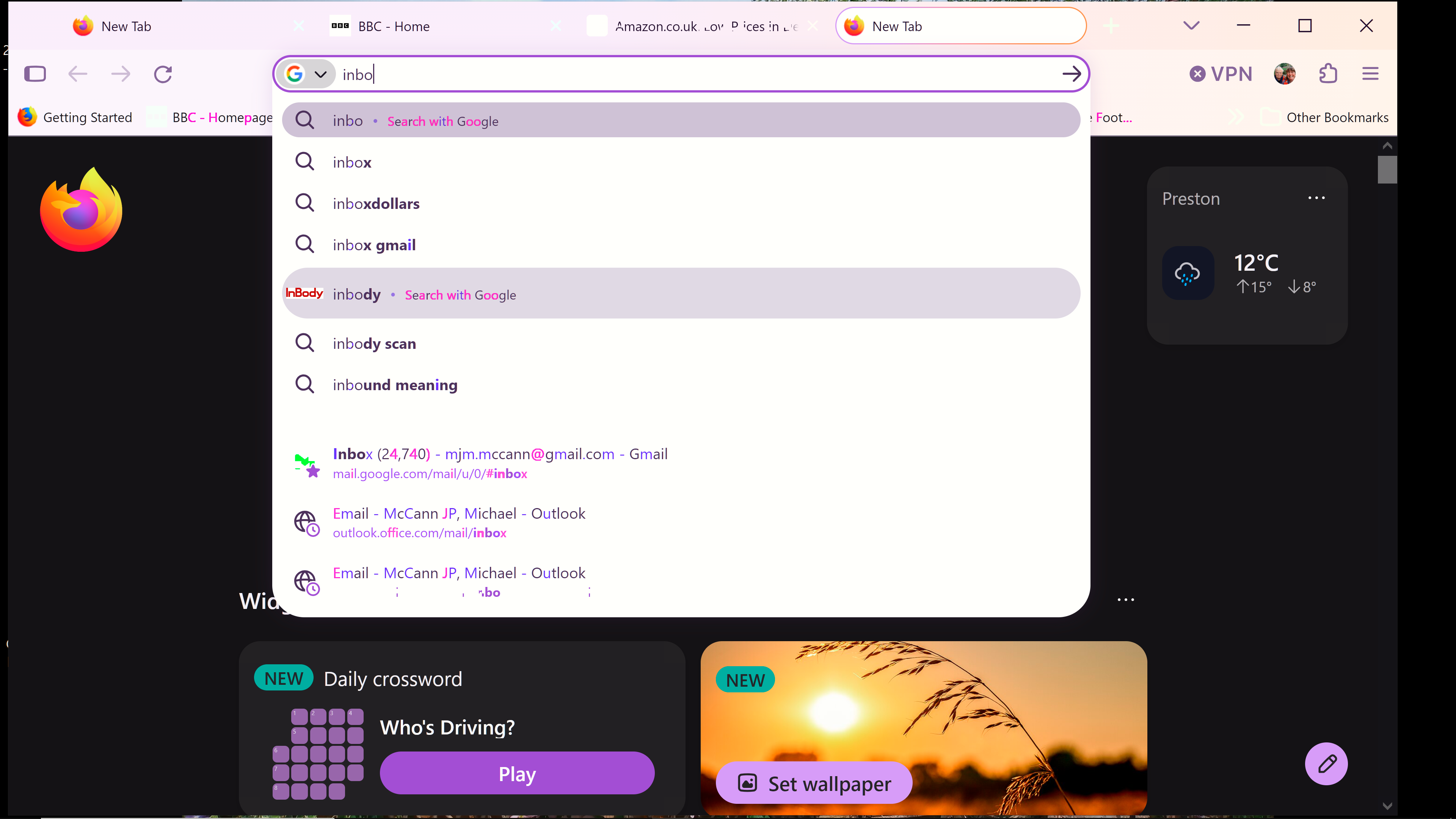
I am using Windows 10 on my PC and am trying to start using Firefox again. I have carried out all the steps in Trobleshooting mode and still get unreadable and no text when opening a new tab.
PC is using Windows 10. My software is up to date. Chrome and other browsers do not show any issues when browsing. I have reinstalled Firefox. My Firefox app works fine on my Android mobile. I have also set up a new profile in Firefox.
PC is using Windows 10. My software is up to date. Chrome and other browsers do not show any issues when browsing. I have reinstalled Firefox. My Firefox app works fine on my Android mobile. I have also set up a new profile in Firefox.
すべての返信 (2)
Hi Mike
What seems to be the problem that you are having with Firefox?
Not sure if you were able to follow the link to the screenshot. Once Firefox is running on my PC I open a new tab (especially Google or Gmail) and the text on screen breaks up or disappears. I think the issue is Windows related but other browsers operate normally and text never breaks up.