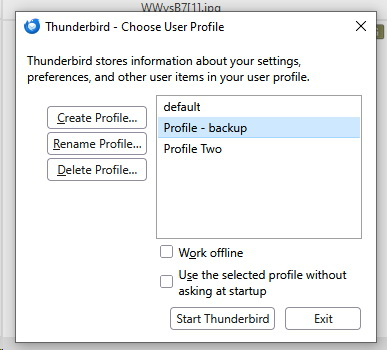
My main 'Profile' in T-Bird start up not there

On T-Bird start up I'm given a list of (originally) four Profiles. Currently I only use Profile Three, but on start=up today it is not there. Doing the usual searches does not list it, only 'default', 'new user' and 'profile two'. Is there any way to recover it?
すべての返信 (8)
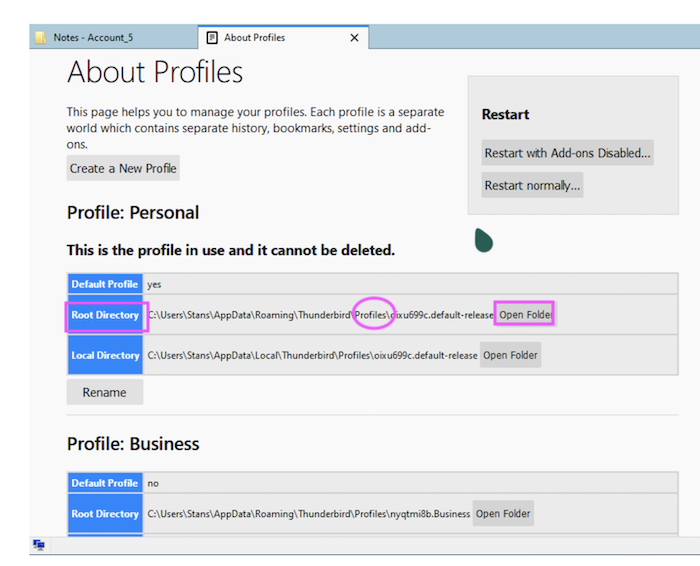
Does profile folder "Three" still exist in folder "Profiles" in .....\AppData\Roaming\Thunderbird\Profiles\ ? The way to verify: in Thunderbird go to Help > Troubleshoot Information > Profiles > about:profiles ....
Unfortunately no
Go back to Help > Troubleshoot Information > Profiles > about:profiles .... Click on Open Folder in one of the profiles: this will open the selected profile in your file explorer. From there go one step higher in the folder hierarchy to the folder "Profiles" and make a screen shot of its contents. Now go still one step higher to the folder Thunderbird which contains a file "profiles.ini" Open this file in a text editor and make a screen shot of its contents
この投稿は Mapenzi により に変更されました
OK got screen shot of the profiles.ini files - do you want to see that??
In order to help you I would like to see the screen shot with the contents of the "profiles.ini" file as well as a screen shot of the "Profiles" folder.
OK - Two screen shots attached
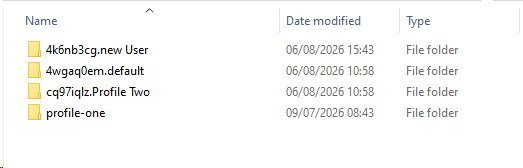
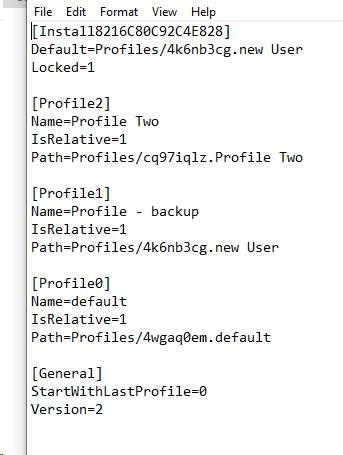
I cannot see a "Profile Three" neither in Profiles nor in profiles.ini You seem to use profile "new User" and/or "Profile Two". There is a "profile-one" in "Profiles" but it is not included in profiles.ini Actually when you start Thunderbird it opens the profile manager window. Please show a screen shot of the profile manager window (see image).
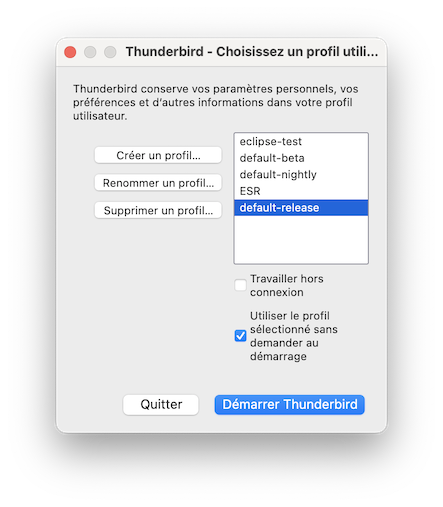
Attached. As you will see there are three Profiles, usually there were four, with Profile Three the lowest, which the one I used all of the time. It's just not there as of this morning.. (The one listed 'Profile - backup', was originally 'New User', but I currently am using that to at least to keep my own emails coming in - I have about 10 others that will have to be reinstalled!)