


Update to V153.0esr causing problems

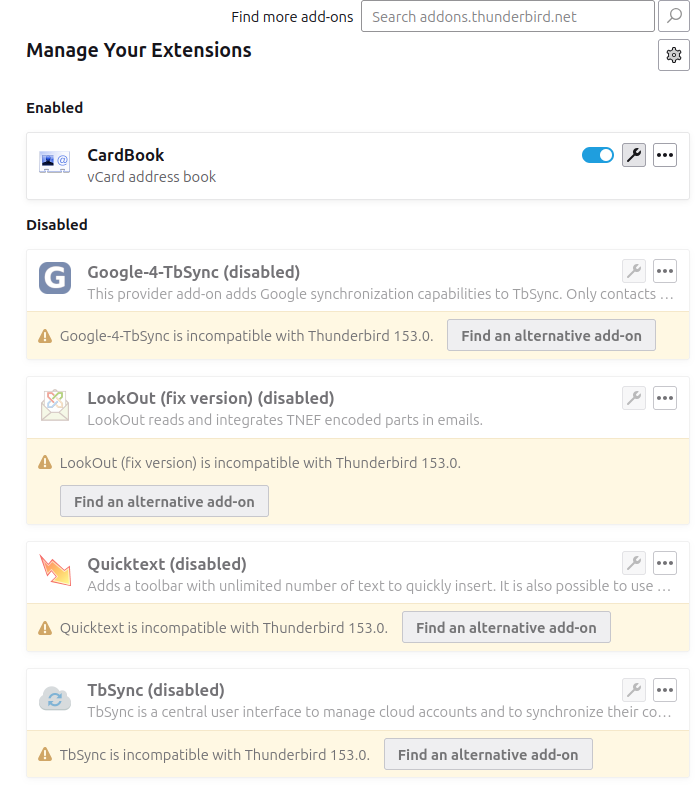
All bar one of my Extensions have stopped working on the last update (see attached image). I'm on Linux Mint latest, running TB 153.0esr. Also, I used to have two sent mail folders, one called "Sent" which showed all sent mail, and another called "Sent Mail" which was the useful one as it showed sent mail that hadn't been deleted. Now I have two called "Sent" which isn't helpful. Same with Spam.
Are there settings I can adjust to re-enable the extensions - the QuickText is the one I really need, and is it possible to rename the Sent and Spam folders as I can't see an option to do so.
選ばれた解決策
- click 'account settings'
- click the name of the account in left side bar
- on the right, there is a box for a sig. If you use HTML, you can place the HTML code there and tick the box that it is HTML.
すべての返信 (5)
Addons are developed by independent persons. You need to contact them to get info on when, or if, an update will be released.
Indeed. Already did that, nothing upcoming anytime soon for QuickText, which was the main one. Is there something built into Thunderbird to set up an email footer/sig? I've never found one in the 15 years I've been using it, hence using QuickText.
PS, Claude has come up with a suggestion, apparently it's built in, Hurray!
この投稿は Craig100 により に変更されました
選ばれた解決策
- click 'account settings'
- click the name of the account in left side bar
- on the right, there is a box for a sig. If you use HTML, you can place the HTML code there and tick the box that it is HTML.
As it turns out, QuickText has been updated today. However, it's not as easy to use as it was, so combining the two methods seems to be ideal. Though the default sig isn't added on a Reply, only on a new email. But at least it's selectable in QuickText.
Thanks for all the help :)
See the composition&addressing' pane for the account.