Select hover color problem

Hello!
When opening a native <select> dropdown in Firefox, the hover/highlight bar on an <option> does not span the full width of the dropdown popup — it only covers roughly the left portion (about half) of the option row. The rest of the row to the right stays un-highlighted, which looks broken. Chrome (and Chromium-based browsers) render the same markup with a full-width hover highlight.
Steps to reproduce:
Open the attached test page (or any page with a full-width native <select>) in Firefox on Windows. Click the select to open the dropdown. Move the mouse over the options. Expected result: The hover highlight covers the entire width of the option row (full width of the dropdown popup), as it does in Chrome.
Actual result: The hover highlight covers only part of the row width (about half), leaving the right side of the option un-highlighted. See attached screenshots: (attach Firefox screenshot here — and optionally a Chrome screenshot showing correct full-width hover for comparison).
Notes / what I already ruled out:
It is not CSS-specific to my site. I reproduced it with: a styled <select> (custom background/color on <option>, dark color-scheme), a select with the option background removed entirely, the box-shadow: 0 0 10px 100px <color> inset "full-width" workaround, and a completely bare <select> with no custom CSS at all (appearance: auto). All of them show the same half-width hover in Firefox. Chrome renders all of the above with a correct full-width hover. This makes it look like a Firefox-level rendering behavior of the native dropdown popup rather than something controllable from page CSS. Environment:
Firefox version: Latest OS: Windows 11 Display scaling / zoom: (fill in — e.g. 100% page zoom, 100% Windows display scale; mention if non-100%, since DPI scaling can be relevant)


すべての返信 (1)
Do you reproduce when you restart into Troubleshoot Mode (to rule out e.g. HW acceleration glitch)?
Can you share the minimum example with as much defaults as possible that still exhibits this for you?
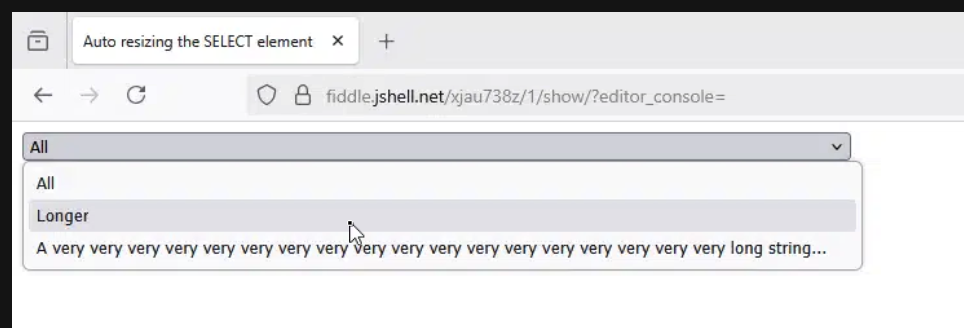
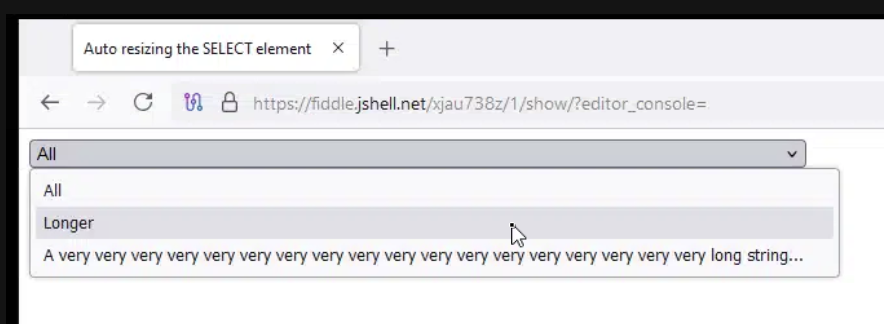
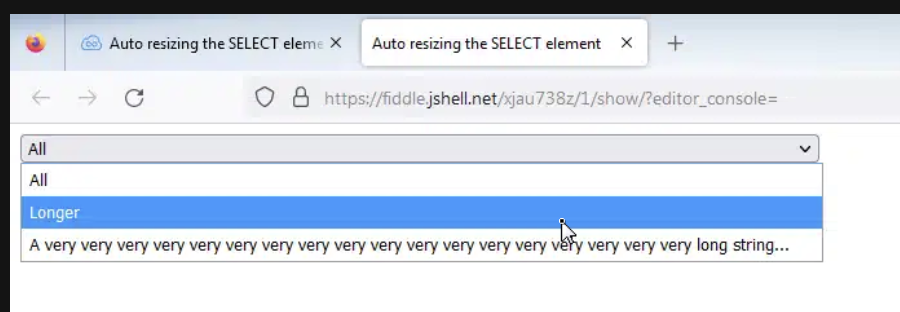
I quickly ran https://jsfiddle.net/xjau738z/1/ through a few Windows and Firefox versions and it seems fine: