


Outlook export CSV fails to assign fields properly when importing address book

Somewhere along the line, I lost all the entries in my Thunderbird address book. I tried to import from Outlook to repopulate it. This turned into a disaster.
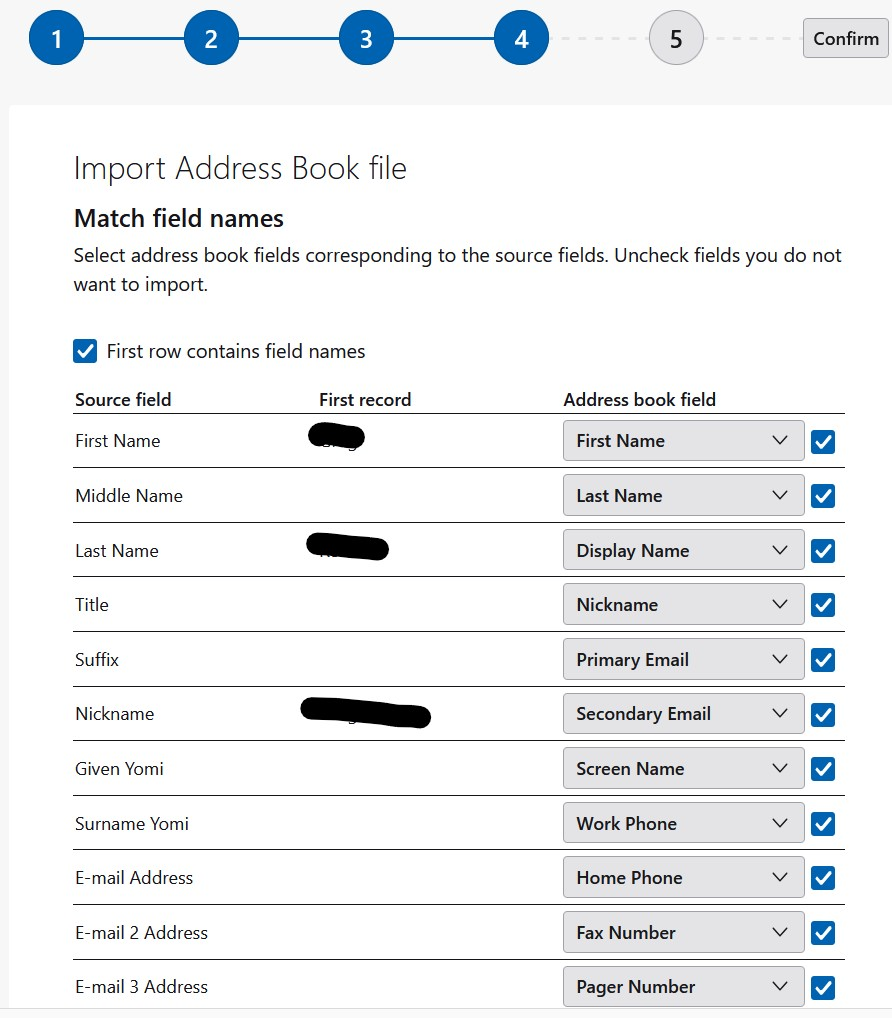
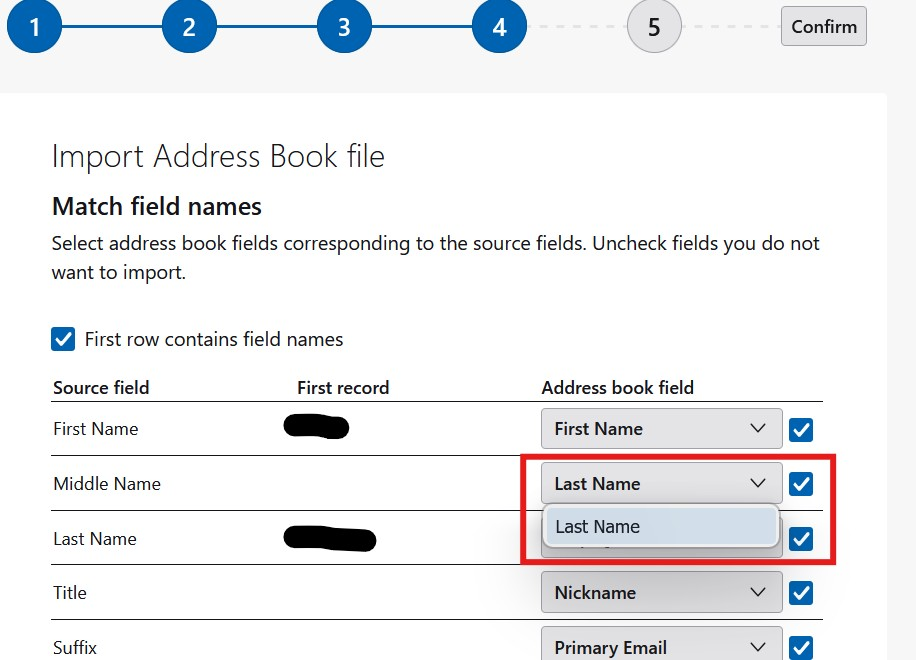
When I get to the point where I can select the field, the destination they are mapped to make no sense whatsoever. For example, the Middle Name maps to the Last Name field. OK. Bad guess. But then all the drop down shows as options is Last Name. I cannot map it to middle name. The address book drop down only allows you to select what it is already set to.
Company Yomi (whatever that is) is mapped to Notes. At the end of the list, the source field Notes is shown and no destination mapping is available at all, so what happens if I select it.
すべての返信 (2)
I answered this recently, showing two options. Here is that link:
https://support.mozilla.org/en-US/questions/1569866
The first option requires a spreadsheet and has worked quite well for many users. The second option also works, but requires careful selection of the desired fiels. But it does work if you identify the key fields.
AND, if you have a thunderbird backup, you can look for a file named abook.sqlite. that can be imported with tools>import>import from a file.
The first option seems to be a lot of manual labor, so I took a look at the second. That one does not work because the drop down list is only populated with one item and that is the one that is already selected which is the wrong one. So I cannot correct it to the right field.