


Firefox intermittently failing Cloudflare PQC X25519MLKEM768 test

Hello,
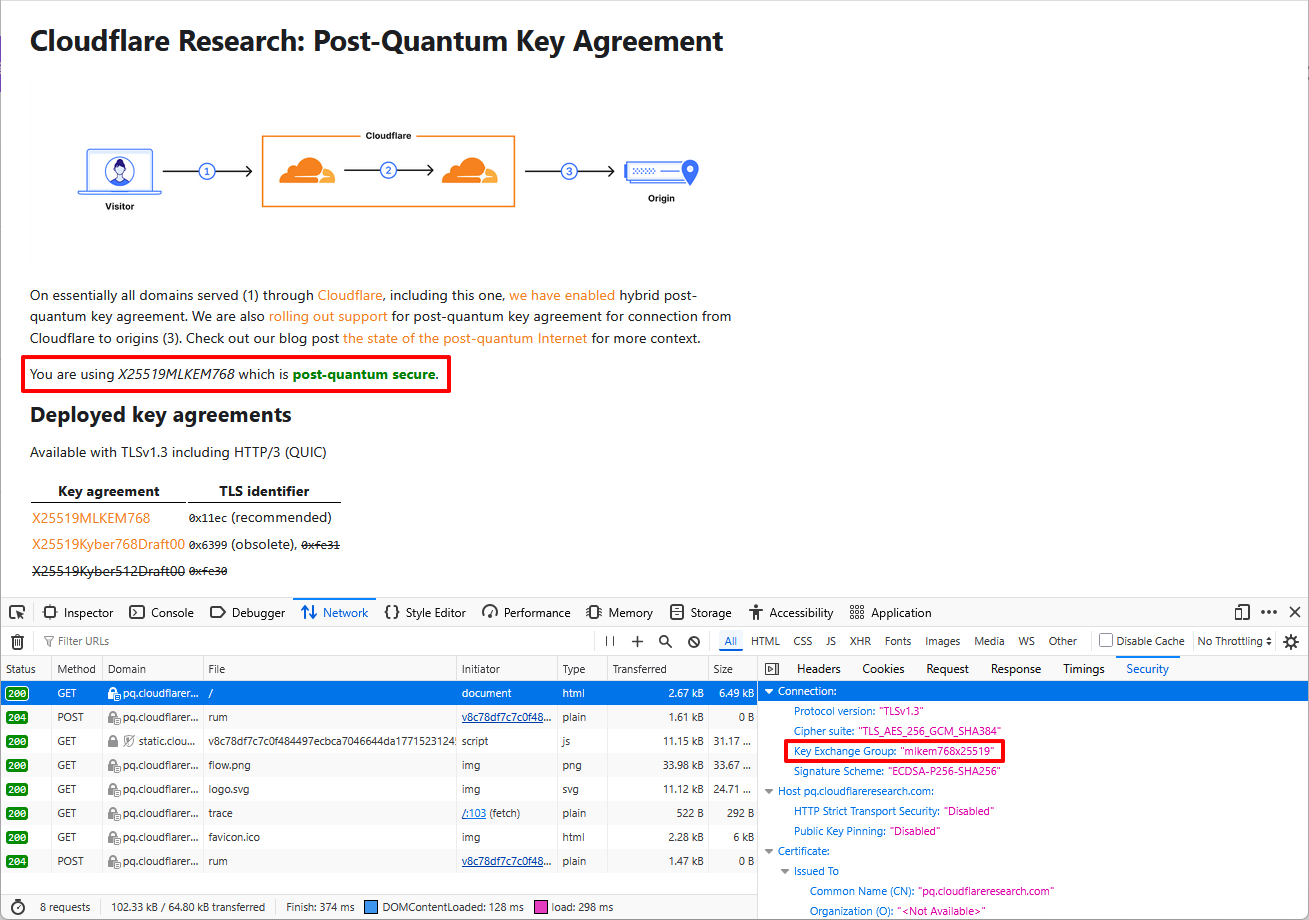
I have been testing all browsers I use (Firefox, Chrome, Edge) on Cloudflare Post-Quantum Key Agreement to verify PQC support. They all support the X25519MLKEM768 hybrid scheme (i.e. Cloudflare web page returns "You are using X25519MLKEM768 which is post-quantum secure").
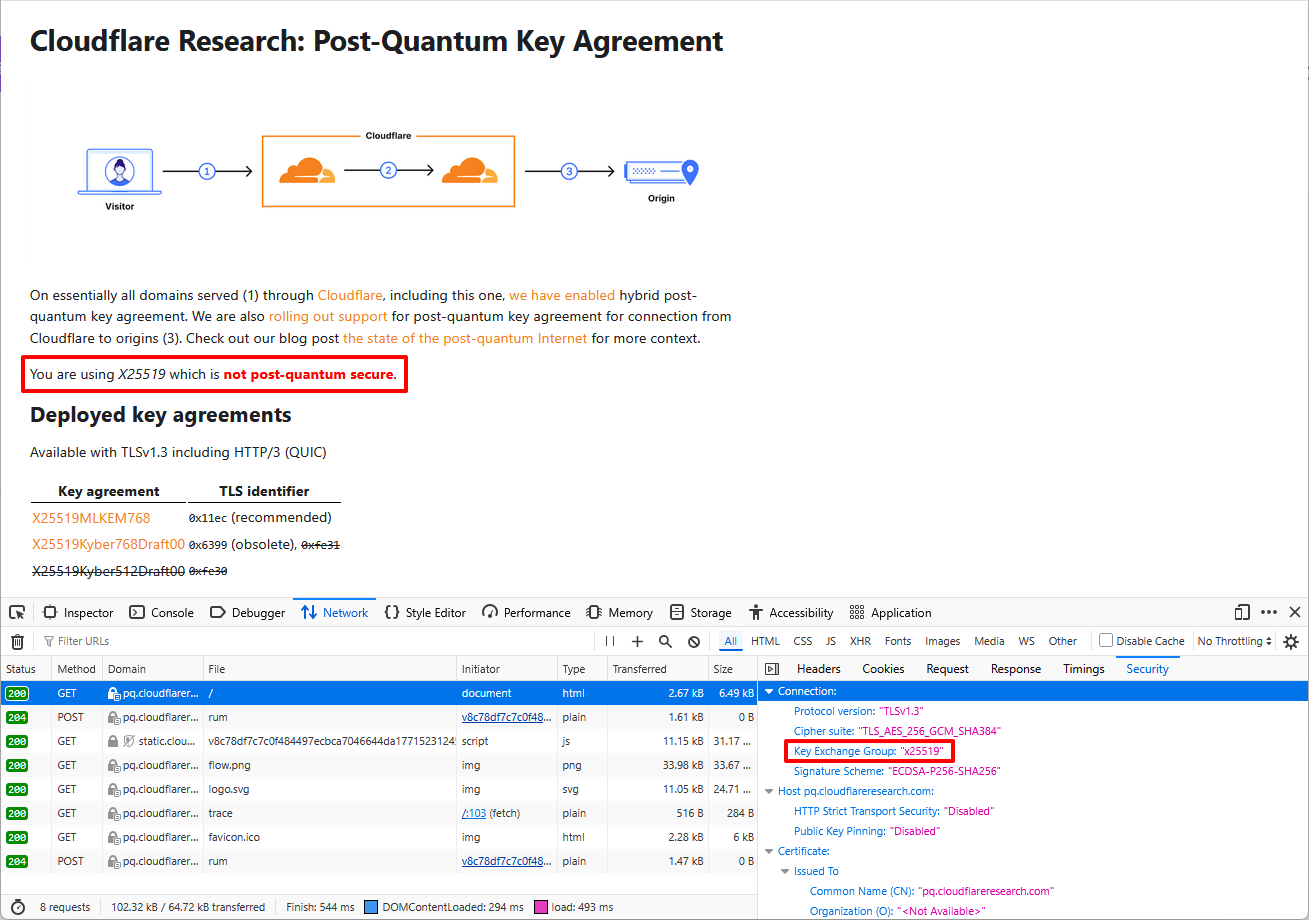
The issue: When I run the test in Firefox multiple times by doing repeated hard refreshes (Ctrl+Shift+R), quite often the result is "You are using X25519 which is not post-quantum secure". Sometimes the very first run after opening Firefox gives the X25519 (failing) result. "Often" varies. Sometimes it's around 10 fails out of 50 tests, other times it's 1 out of 50. It seems random.
I have read that sometimes networking equipment or even ISPs can be the cause of PQC requests falling back to non-PQC due to the long keys in PQC, but I do not see this intermittent issue with Chrome or Edge on the same computer/network/ISP as Firefox. I have not seen a single failure so far on those two browsers. The only variable I am aware of is the web browser.
I also tried connecting to a cellular hotspot as well as disabling my Norton 360 firewall and the results are the same as above.
Looking for help to resolve this issue. Thanks.
すべての返信 (6)
選ばれた解決策
Hi, it would be better to file a bug on https://bugzilla.mozilla.org. Thanks!
Hi TyDraniu, thanks for the suggestion. https://bugzilla.mozilla.org/show_bug.cgi?id=2039134
I've been trying to reproduce the above for some time (esp. due to possible downgrades or fallback settings potentially used in cases where users "refresh" repeatedly /presumably seeing something broken/…) and have yet to see a single downgrade. It is an interesting effect nonetheless.
If you want, there's a https://wiki.mozilla.org/Matrix room with security folks around, and/or also e.g. a networking one in https://chat.mozilla.org/#/room/#necko:mozilla.org — if you feel like asking around if somebody has any ideas.
Hi jbr, thank you for looking at it. I just saw your post via email notification a few minutes ago so tried again to reproduce the issue. Upon opening Firefox, it was auto-upgraded to version 151.0 and now I no longer see the issue after maybe 100 hard refreshes. I first reported it on 150.0.2 and also saw the same issue on 150.0.3.
I am quite confident the upgrade fixed it because I was seeing the problem consistently whenever I tested it over the course of the past week (tested almost every day) on the older versions. I checked the 151.0 release notes but did not see anything I recognized as a direct fix, but perhaps it was resolved indirectly through another fix. I will test it over the next few days using 151.0 but it's looking solid right now.
Ah okay I have to admit I was on that release one further already at the time of posting, so that might coincide.
There always might be downgrades, they're perfectly fine for the handshakes to succeed — and it would be interesting to understand why they happened (if deterministic), but hopefully you'll be satisfied with the results going forwards;)
Especially if it negotiates right after the cold start — that was a slightly concerning use case. Feel free to report back if anything changes from your observations.
Thanks for the comments jbr. I will keep monitoring but so far it looks good.