


Firefox doesn't show scroll bar in Google Sheets
Firefox doesn't show scroll bar in Google Sheets, I can scroll horizontally only with Shift+mouse.
選ばれた解決策
Konstantina Papadea said
You're welcome :) Will keep you up to date once I hear back
Konstantina, hello! I have found the solution!
As I discovered, Firefox inherits vertical scroll bar visibility settings from Mac OS settings, and when scrolling in OS is in "when scrolling" setting, Firefox doesn't show it in interface. But I set the scroll bar setting to "automatic", and Firefox shows me the scroll bar in Google Sheets!
すべての返信 (10)
Hey there, is the horizontal or vertical scroll bar you don't see in Goggle sheets?
Konstantina Papadea said
Hey there, is the horizontal or vertical scroll bar you don't see in Goggle sheets?
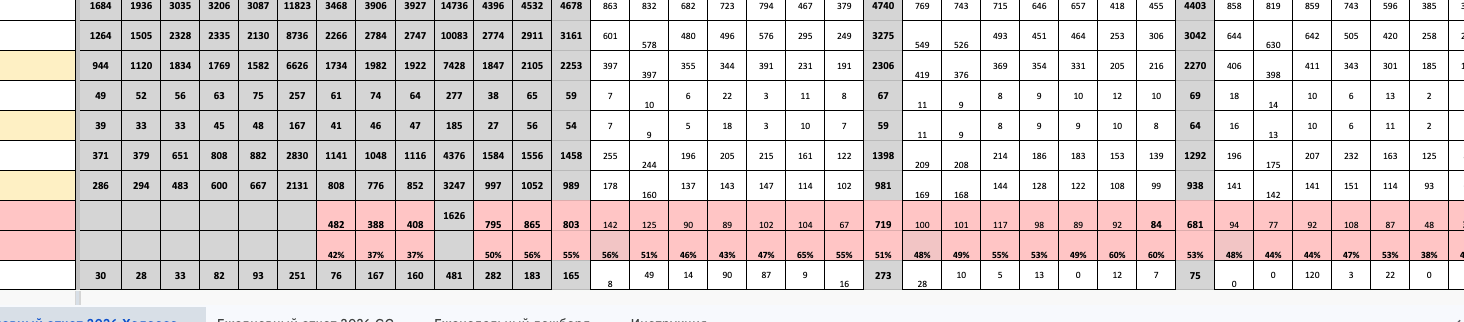
The horizontal scroll bar, as an interface part of Sheets, not of a browser interface. And in other browsers this scroll bar is present! I've added two screenshots of it - from Firefox and from other browser.

この投稿は glavatskiy により に変更されました
Hi, I am trying to reproduce the problem and I believe I know what you mean. Your issue is that on the other browser the horizontal scroll bar is always there, but in Firefox it appears if you scroll with your trackpad left or right, correct?
Konstantina Papadea said
Hi, I am trying to reproduce the problem and I believe I know what you mean. Your issue is that on the other browser the horizontal scroll bar is always there, but in Firefox it appears if you scroll with your trackpad left or right, correct?
Yes, you are absolutely correct. If I scroll sheet with trackpad or Shift+mouse wheel, scroll bar appears, but if I don't - it's absent, and I can't click-and-pull it with mouse pointer as I used to.
Thank you for confirming, I believe this is a compatibility issue so I opened an issue for it https://webcompat.com/issues/217409 The team will look into it and I will let you know once we have news.
Thanks again for reporting
Konstantina Papadea said
Thank you for confirming, I believe this is a compatibility issue so I opened an issue for it https://webcompat.com/issues/217409 The team will look into it and I will let you know once we have news. Thanks again for reporting
Thank you very much for your attention and sensitivity!
You're welcome :) Will keep you up to date once I hear back

Thanks for bringing this to our attention. This will be diagnosed in: https://bugzilla.mozilla.org/show_bug.cgi?id=2035451
選ばれた解決策
Konstantina Papadea said
You're welcome :) Will keep you up to date once I hear back
Konstantina, hello! I have found the solution!
As I discovered, Firefox inherits vertical scroll bar visibility settings from Mac OS settings, and when scrolling in OS is in "when scrolling" setting, Firefox doesn't show it in interface. But I set the scroll bar setting to "automatic", and Firefox shows me the scroll bar in Google Sheets!
Oh cool very nice to hear!