


Password sync does not work

So I moved from my old Galaxy S21 Ultra into a new Xiaomi 17 ultra.
Installed Firefox and logged in with the qr code thing on my main computer.
Firefox on the phone says it's synced but the list of passwords is empty. Not a single password in the list. Lots of passwords on the main computer.
This worked just fine on the old S21 Ultra.
Any ideas?
This is a completely fresh install on a new phone so not to be ungrateful, the typical good advice about clearing cache and reinstalling is just not relevant here.
すべての返信 (3)
Hi Michael
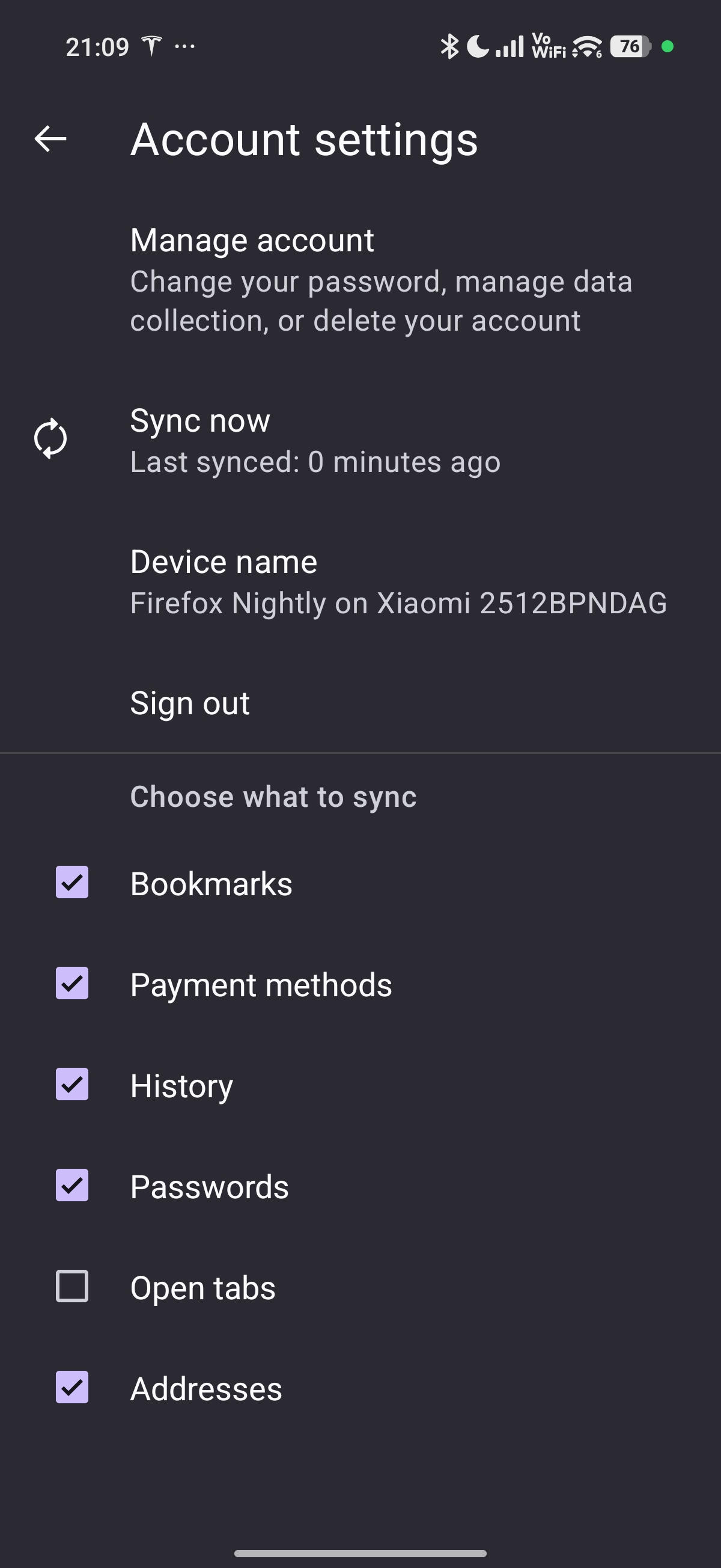
In the Firefox Sync settings, do you have passwords set as a data type to sync?
Yes I do, see attached screenshot.
I realize this is Firefox nightly but it's exactly the same issue if I use plain old Firefox.
This is frankly unacceptable. Not mad at anyone here in the community but ffs, I need password sync. Firefox is a non starter if this doesn't work anymore.