


Open
Pop ups (oauth authentication prompt) on Thunderbird which I can't remove
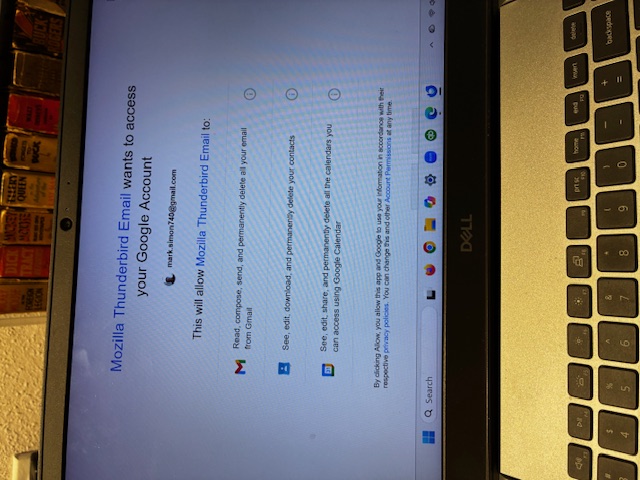
Every time I open Thunderbird, I get the attached pop-up which I can't delete except when I use control alt delete. It always comes back. How can I permanently delete it? Thanks, Mark
Every time I open Thunderbird, I get the attached pop-up which I can't delete except when I use control alt delete. It always comes back. How can I permanently delete it? Thanks, Mark
この投稿は Wayne Mery により に変更されました
すべての返信 (1)

It looks like the buttons you need are off-screen, at the bottom. Scroll down (with your mouse wheel, if necessary) and click Allow, if you want Thunderbird to handle your Gmail. If you don't want that, click Deny and remove your Gmail account from Thunderbird.