


Not a question. Reporting issue in Firefox iOS
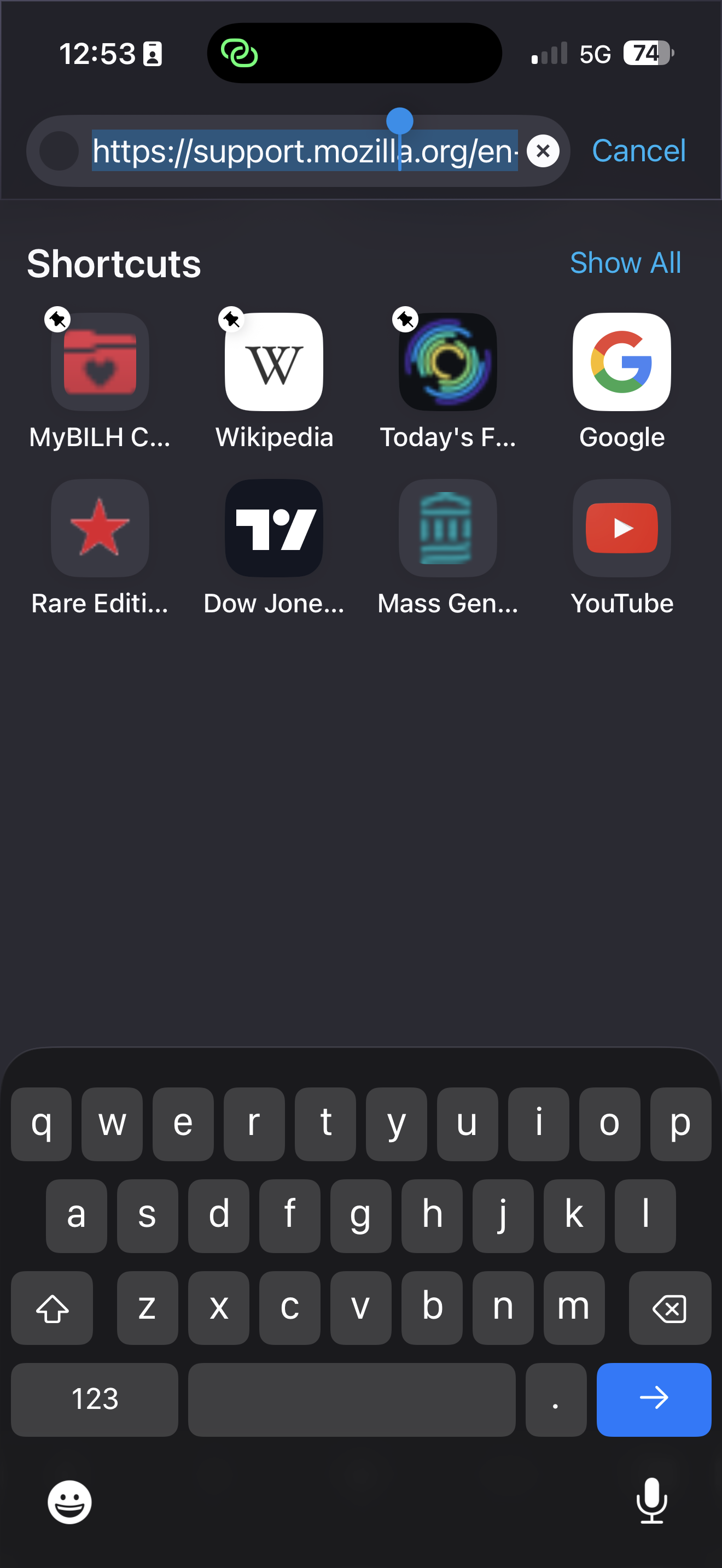
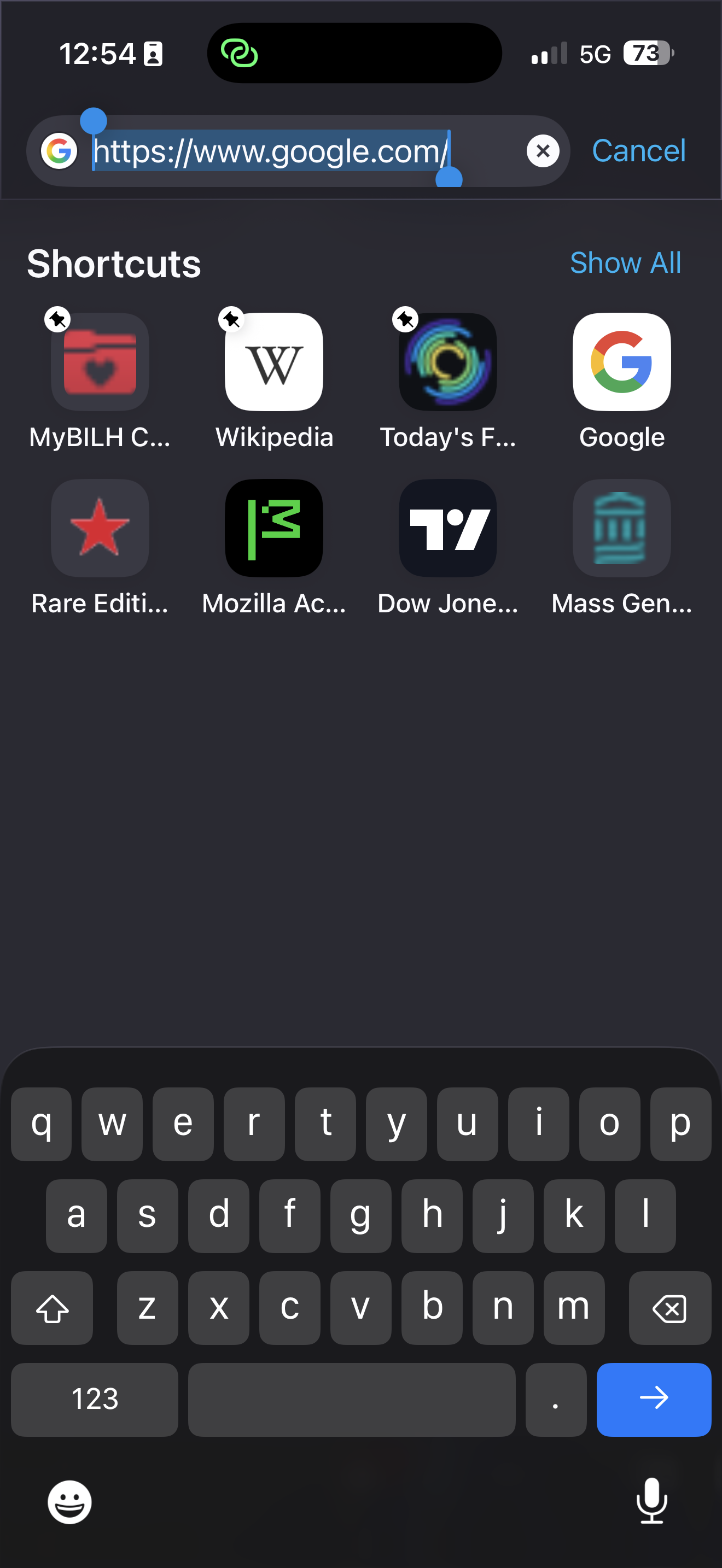
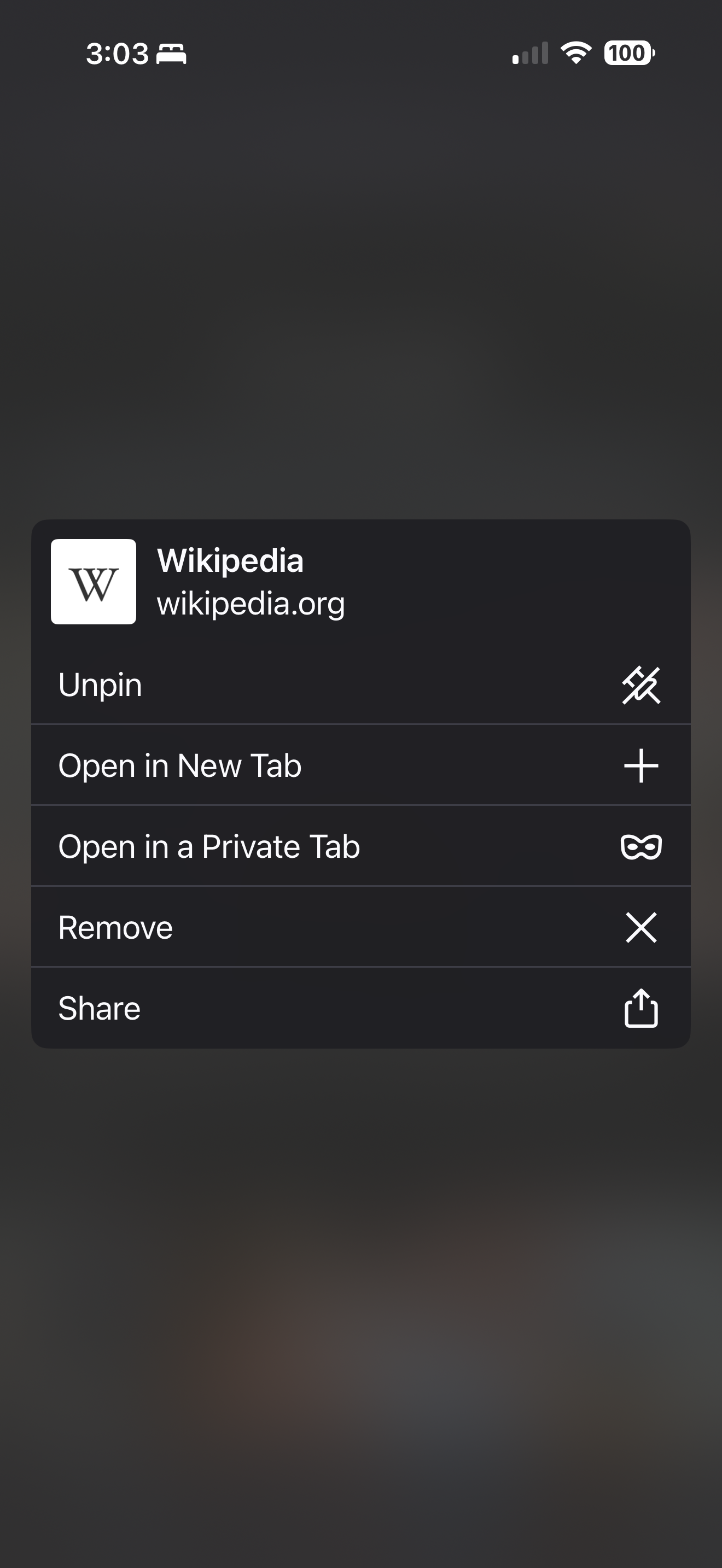
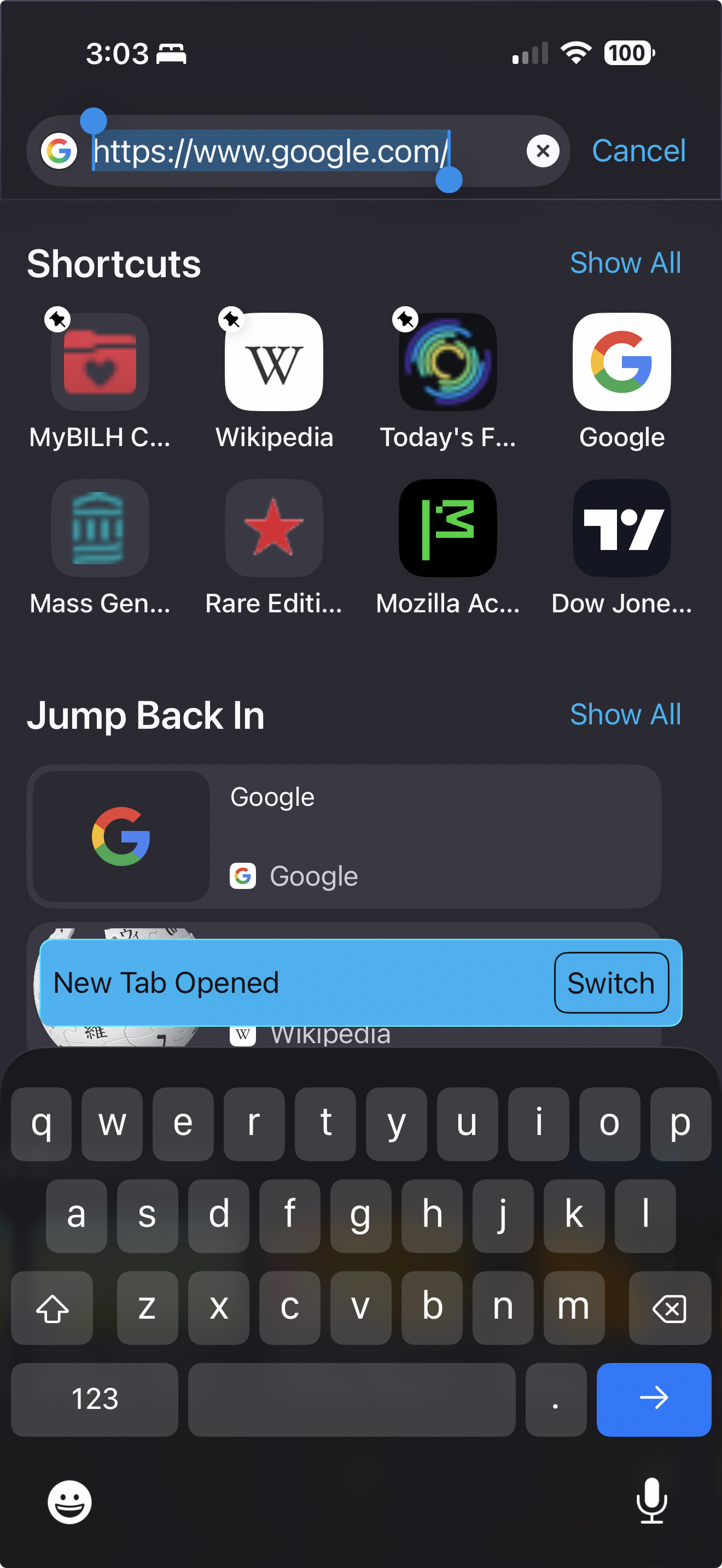
When attempting to access Shortcuts from Firefox iOS there are now additional steps to get to the site than before the last update. Now a user must click in the address bar which then shows the favorites the user has available. The next step is to depress on the favorite you want to access but you must hold the depressed icon to wait for options to appear. Within those options one would choose Open in new tab which then creates a popup that must be clicked reading “switch tab.” Only when these steps are followed just as laid out will a user gets to the favorite website they want. Try it yourself and then follow my directions as per my screenshots. Can’t upload all pics
Thank you, A Loyal Firefox User
すべての返信 (15)
Hi msengel32,
That sounds very wrong, while I can actually open a shortcut just fine from my end (Firefox version 148.1).
Can you let me know which version are you using?
Hi Kiki,
I am using the latest Firefox on iOS 148.1 Please review all of the screenshots I have uploaded. Maybe a screenshare would be beneficial.
Oh, yes please.. It'll be really helpful if you can provide a video for us to look at.
A screenshare (Zoom/Teams) not a video. How can I take a video from my iPhone of my iPhone?
I’ve seen this issue happen before and it was corroborated by others at the time. I just don’t know what Mozilla is putting into its code but something ain’t right.
Hi @msengel32 Please check out this article from Apple on how to record a screen recording.
Hi Kiki. Thank you for the article.
I used the screen recording however I keep getting an Upload Error on the phone and on my Desktop when trying to upload to the Firefox Forum page.
Not sure how else to proceed.
Michael
Do you have Shortcuts selected in the Homepage section?
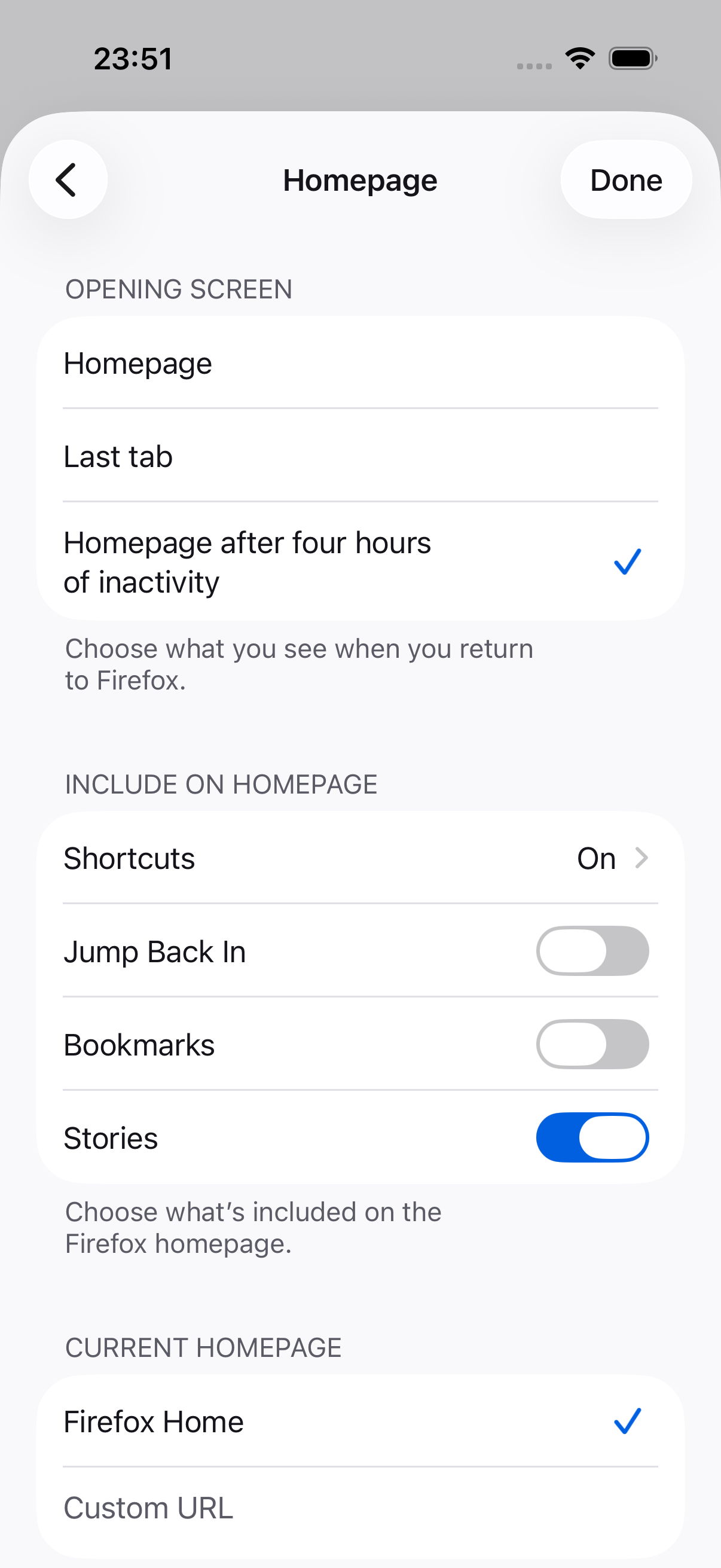
Yes. Yes I do.
Shortcuts are ON. This is not a question of current settings as this has occurred before when a new update came out. If you look at my History of posts in the forum you will see the exact same issue. The unfortunate reality is this has taken longer to resolve if it ever will be.
Is there an email address I can send the screen recording to show exactly what is occurring? Or have a screenshare with an engineer that knows what they are doing?
You can report a new issue on https://github.com/mozilla-mobile/firefox-ios/issues
Please also attach a screenshot of your Homepage settings.
Also, worth noting that we're rolling out 148.3 progressively since yesterday. You may want to check for an update and see if it solve the issue before report it on Github.
I had reported this a year ago and since seen other users report it also and I reported it yet again when the exact same issue reared its ugly head a couple months ago.
If you're going to tell users to wait until the next update, then what is the point of your forum? You might as well as have a banner simply stating, "WAIT UNTIL THE NEXT UPDATE!!!"
A very frustrated user, ME
Hi msengel32,
It was not my intention to keep you waiting for the next update. We were still trying to understand your exact problem, but I know on the other hand that there's an ongoing release happening at the same time.
My point was to ask you to check in case the problem has been resolved in the latest release, which can save you from filing a new bug report.
My apologies for overreaching. It’s just that this Mozilla browser experience is frustrating, keeps occurring and although I have reported it, I recall others had experienced it as well. But this time no one else has reported it as such,
If you still have them, would you please share the other reports you've seen in the past?
Soory Kiki but I did not save them.