


Firefox won't open file:/// links

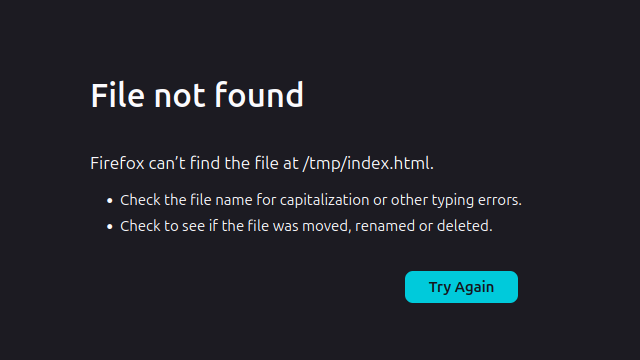
I have a local file I wish to view in firefox without starting a HTTP server (it's only docs for a crate I'm building) however Firefox is unable to open the file despite the file existing and having correct permissions. The file was in a separate mount (disk) to where Ffox is installed so I copied to to /tmp/ to remove that as a variable but still no joy..
➜ ~ file /tmp/index.html /tmp/index.html: HTML document, Unicode text, UTF-8 text, with very long lines (3556) ➜ ~ ls -la /tmp/index.html -rwxr-xr-x 1 ben ben 4208 Dec 30 14:04 /tmp/index.html
Am I missing some new setting which allows local file browsing using the good old 'file:///' protocol?
Thanks, Ben
OS Info: PRETTY_NAME="Ubuntu 24.04.3 LTS" NAME="Ubuntu" VERSION="24.04.3 LTS (Noble Numbat)" VERSION_CODENAME=noble
F/Fox version: 146.0.1 (64-bit)
すべての返信 (11)

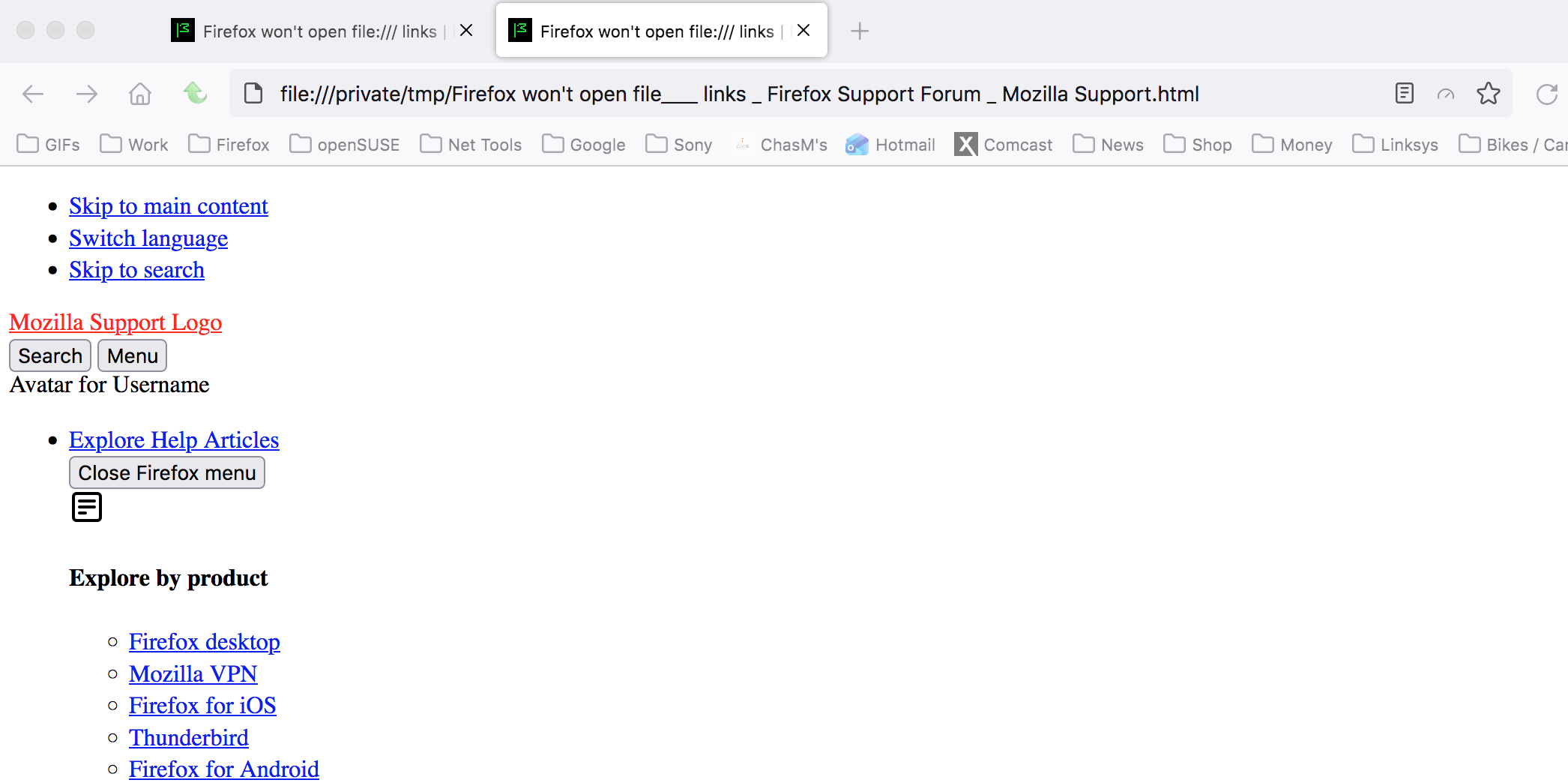
I save this page and moved it into the (on a mac) /private/tmp directory and was able to open the file. see screenshot Let me get on linux and repeat the steps and see what happens.
Ah I have just done that and saved the payload into my home folder and Firefox opens it without issue. Also copied my generated docs to my home folder and that also opens. So this does look related to some higher-level directory permissions.
Oddly though both /tmp and /opt (where the docs are actually being generated) have read/execute permissions for all users so I'm struggling to find why Firefox cannot navigate those dirs.
Look at or tail -f the logs and see what's there when you try to access that file.
My money is on permissions. Going to linux now. I fogot about this issue.

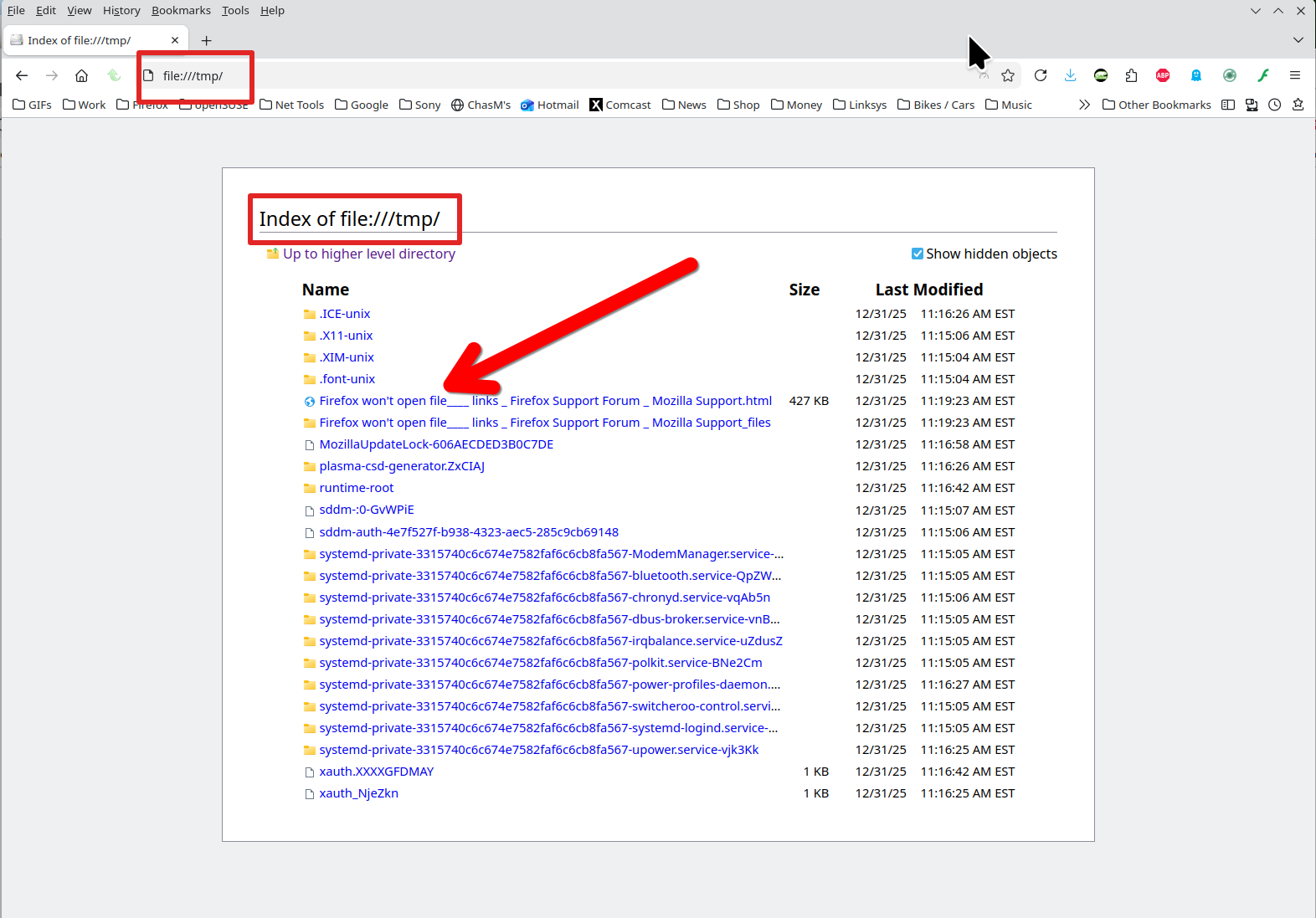
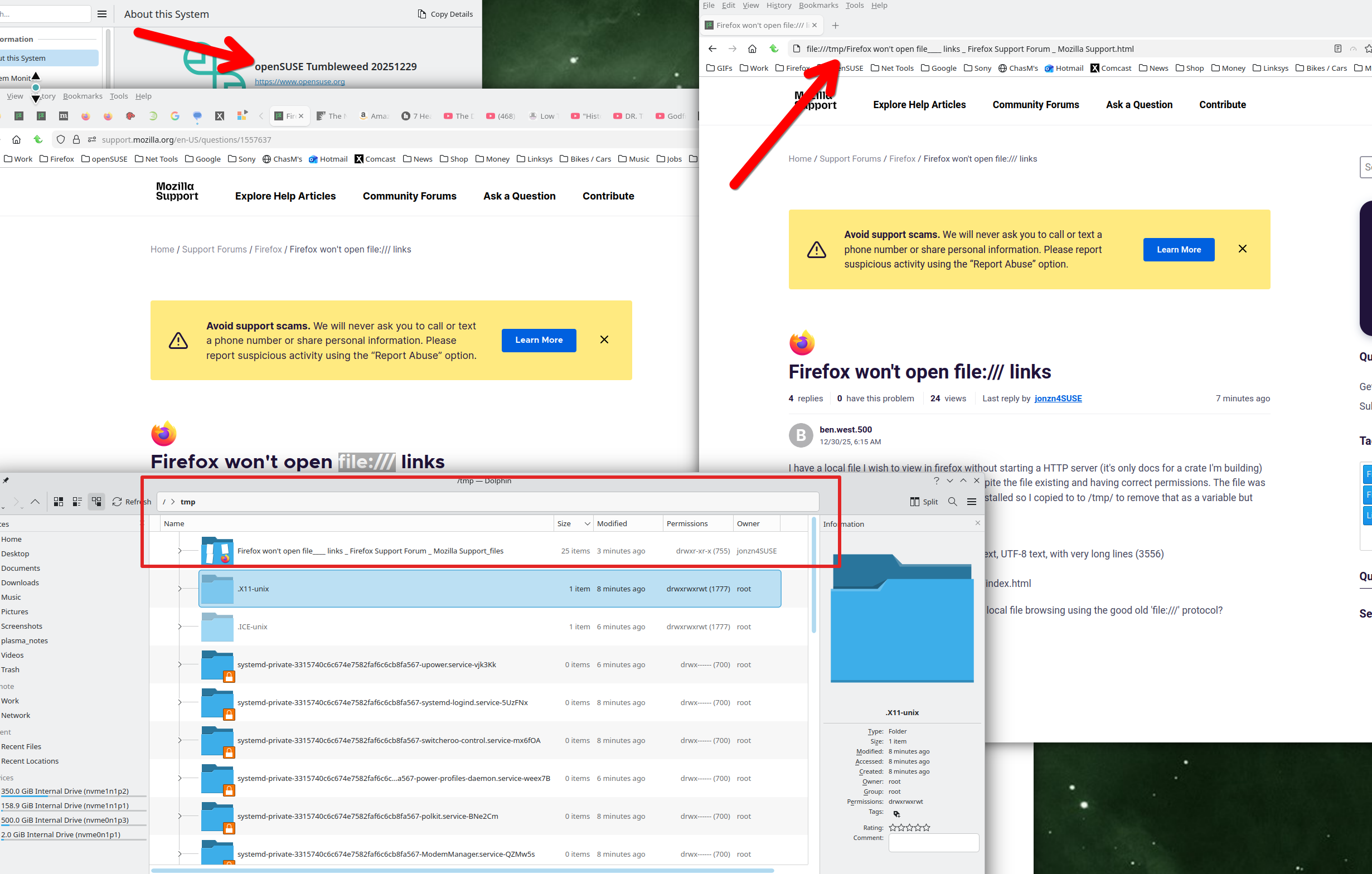
Done. see screenshots
Operating System: openSUSE Tumbleweed 20251229
KDE Plasma Version: 6.5.4
KDE Frameworks Version: 6.21.0
Qt Version: 6.10.1
Kernel Version: 6.18.2-1-default (64-bit)
Graphics Platform: X11
Processors: 16 × AMD Ryzen 7 5825U with Radeon Graphics
Memory: 64 GiB of RAM (62.1 GiB usable)
Graphics Processor: AMD Radeon Graphics
Manufacturer: HP
Product Name: HP ProBook 455 15.6 inch G9 Notebook PC
この投稿は jonzn4SUSE により に変更されました
Saving this page is not just a single .html file, but a directory of files. What is that file you're trying to access and how was it generated. Looking like it's not a browser issue, but a file issue.

Just for S&Gs I made my index.html file and placed in /tmp. see screenshot

It's just documentation for a rust crate (generated via `cargo doc` command). Dumps out a directory of loose html/js/images etc.
/tmp has the sticky bit set but firefox is running as my local user so I would expect it can see my other files. What firefox reports in /tmp and what is really on the filesystem are wildly different.
I have even copied the directory out to root '/' to test outside of a folder with sticky bit and the root view in firefox cannot see the folder.
➜ / ls -lad rusty_reactor drwxrwxrwx 6 ben ben 144 Dec 31 16:40 rusty_reactor
Maybe firefox is running in some sort of chroot / virtual filesystem?
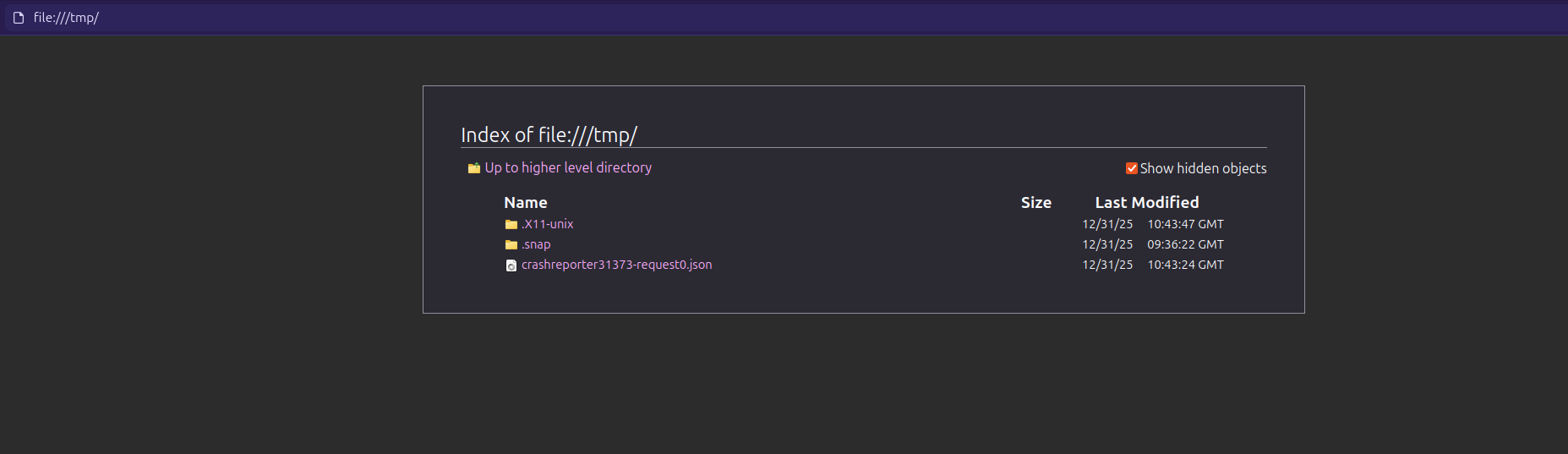
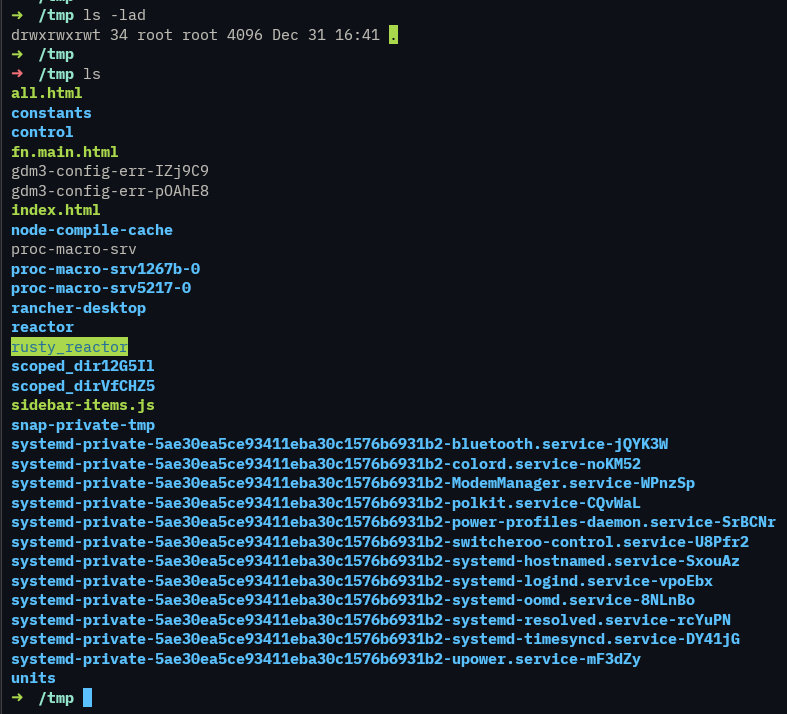
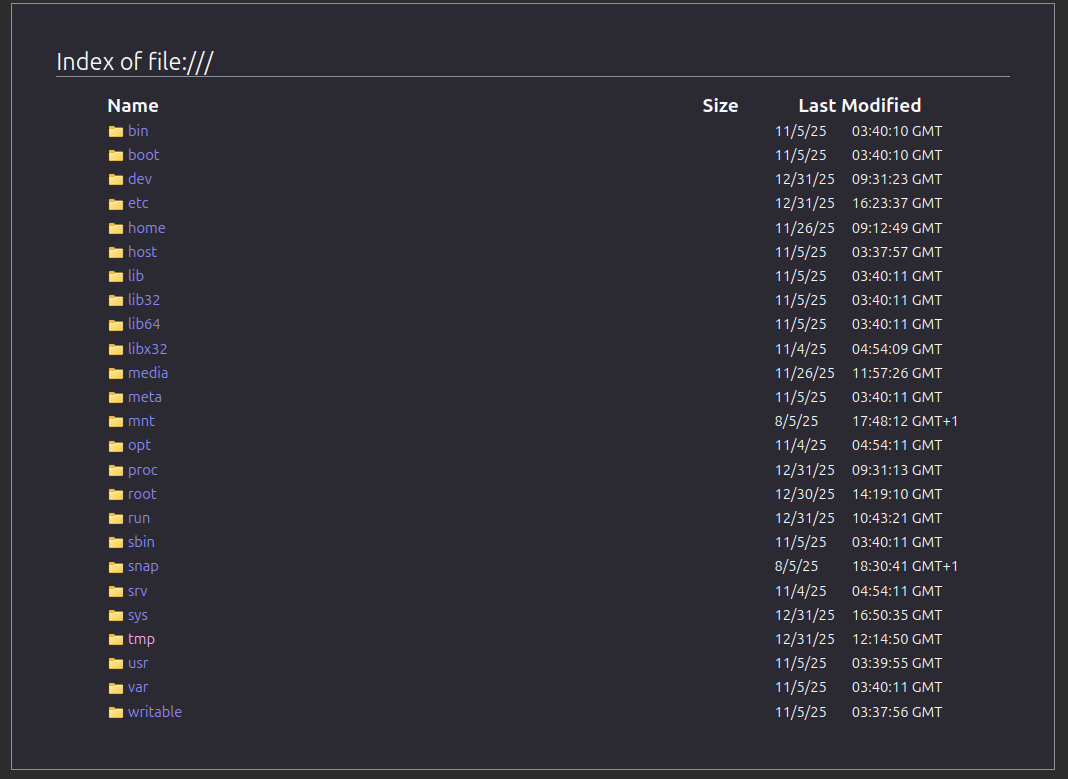
Yet works fine if I copy it to my home directory... Very odd

Great, so you know it's not a browser issue, but still Interesting... Try the same steps with your OS via a live usb stick and see what happens. May the schwartz be with you.
Jones out!!!
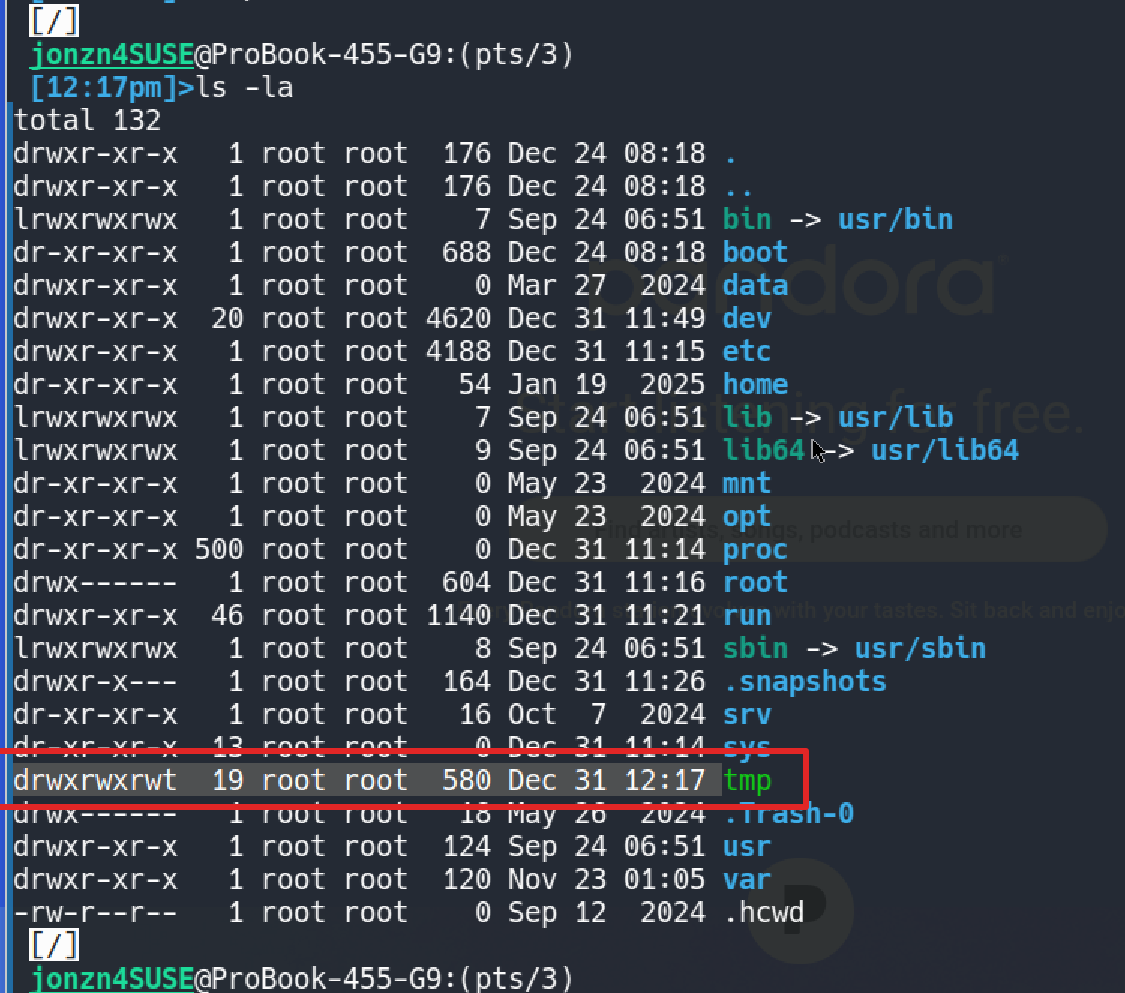

この投稿は jonzn4SUSE により に変更されました
I forgot to ask my basic linux question... X11 or wayland? I'm not dev, but it could matter. What desktop?
この投稿は jonzn4SUSE により に変更されました