


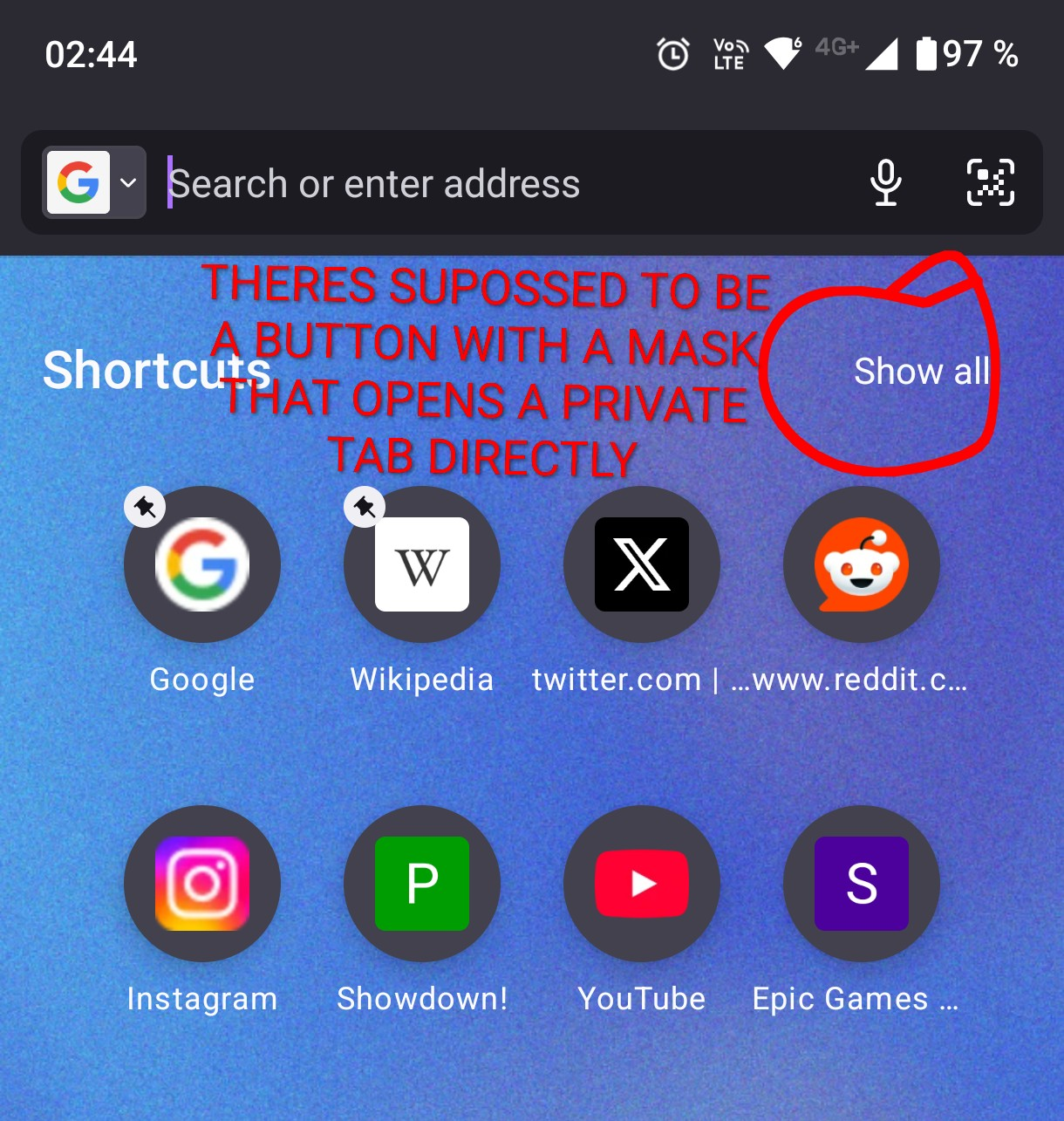
Button to open a Private Tab directly from the homescreen is missing

Since the last update, the button on the homescreen that opens up an empty Private tab is missing. I cannot find an option to re-add it.
すべての返信 (7)

The latest Firefox for Android update removed the dedicated **“Open private tab”** button from the home screen, and unfortunately there’s currently no setting to add it back. To open a private tab now, you need to tap the **tab switcher**, switch to **Private**, and then tap **+**. Mozilla may restore or redesign the shortcut in a future update, but for now it can’t be re-enabled manually.
Grace Miller said
The latest Firefox for Android update removed the dedicated **“Open private tab”** button from the home screen, and unfortunately there’s currently no setting to add it back. To open a private tab now, you need to tap the **tab switcher**, switch to **Private**, and then tap **+**. Mozilla may restore or redesign the shortcut in a future update, but for now it can’t be re-enabled manually.
That's dumb....
Try to go to Settings -> Private browsing -> Add private browsing shortcut
It is frustrating as it is a very helpful option to switch between normal and private tabs and it has been one of the important feature. I need it back!!!
I think I've reproduced it, it looks like it supposed to be enabled by default -> https://hg-edge.mozilla.org/integration/autoland/rev/3c074750dc7e
That AI generated answer above is wrong.
Try to go to Secret Settings and turn off Enable Homepage Search Bar
To fix the issue, remove the Simplified home screen V2 study from the studies in settings. I removed it and it got back to what it was.
この投稿は Bill Pangos により に変更されました