


Mozilla is not showing an embedded video in normal size, while it shows correctly in Edge and Chrome

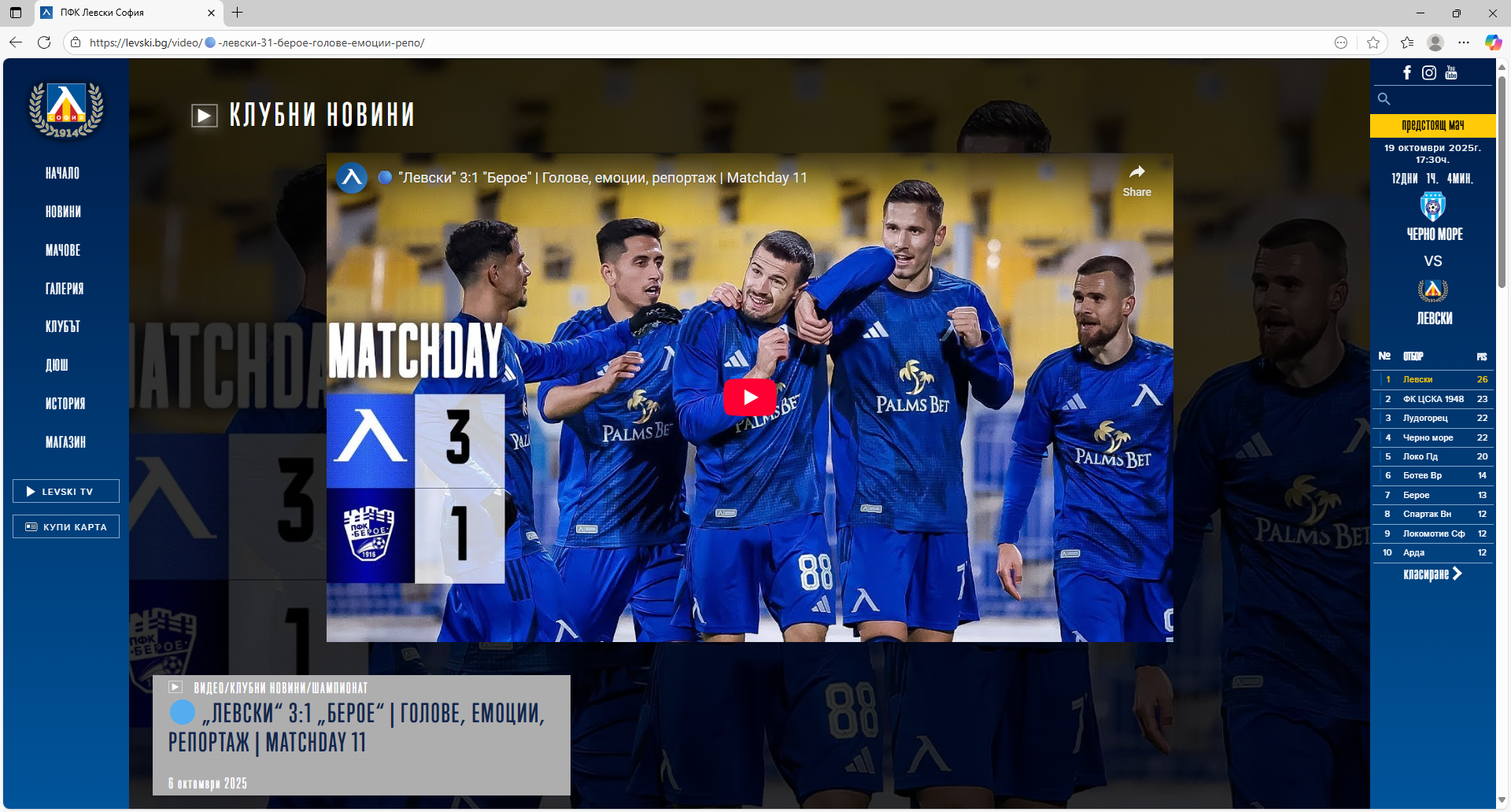
My problem is the following. The website of my favorite football club regularly embeds videos within their pages. Clicking of the video within the club webpage shows the video without leaving the webpage. Recently opening the club site with mozilla stopped enabling me to see the embedded videos. An example of what I see on my screen now when using mozilla is in the first image uploaded below - instead of showing the embedded video, all I see is a small red rectangle with a "play" button in it. If I press the play button, the video starts, but shows within the extremely small rectangle and I cannot watch it.
This is not so when I use Edge or Chrome, as shown on the second image uploaded below, showing the exact same webpage (the address is https://levski.bg/video/%f0%9f%94%b5-%d0%bb%d0%b5%d0%b2%d1%81%d0%ba%d0%b8-31-%d0%b1%d0%b5%d1%80%d0%be%d0%b5-%d0%b3%d0%be%d0%bb%d0%be%d0%b2%d0%b5-%d0%b5%d0%bc%d0%be%d1%86%d0%b8%d0%b8-%d1%80%d0%b5%d0%bf%d0%be/ ). The embedded video is clearly seen in its full size within the page, and when I click the play button it starts showing the video normally within the webpage without leaving the site and sending me to youtube, for example.
My question is, what is wrong and what can I do to start seeing the embedded videos normally again?
Thank you, Georgy Ganev

すべての返信 (1)

I followed the link provided and can confirm that I see this issue as well. It's odd however, if I navigate to a different tab and then return to the tab several minutes later it does render correctly for me (it appears the same as the second image you provided).
Regardless, I think this may be a web compatibility issue. You can this site to report it for further investigation. It might also be worth reaching out to the club if they provide any kind of contact on their website. I suspect they aren't testing their website with Firefox.