


signatures

I have had a signature for some time (some text and a Jpg) created in word and saved as html always worked. Just made a change to the working and now it will not display the attached jpg.....I open word. (2003) type text, insert logo pic, resize pic, hit save as ,,,html.....open thunderbird and choose that saved file under the account settings, go to inbox and hit write and signature text is there but just a blank box where logo should be. I have tried everything....please help (windows 11)
すべての返信 (9)
Creating an HTML sig with Word is never advised. Word seems to take 50 lines of HTML to do what one would do. I think you will need to post all of the HTML and maybe someone with time to burn will dig into it. You might do better by using one of the many websites that do HTML signatures.
i did use a web service to. Same result
then you need to post all of the HTML and attach a copy of any graphics/photos used. Possibly a screenshot of the HTML and try to make it large enough to view the text.
here is the code and attached is the original display image. I deleted the "version from online creation from Canva" again just leaves the lower logo a blank box....it always worked before until I updated the Logo and the OLD logo does not work now if I replace it and try. ORIGINAL FILE WAS OVERRITTEN (DUMB ME) <meta http-equiv="Content-Type" content="text/html; charset=windows-1252"> <meta name="Generator" content="Microsoft Word 11 (filtered)"> <title>Regards,</title>
Regards,
Ryan Booms - Owner
989-269-8177


I have access to edit your posts. So have created a copy of the HTML you posted so folks can actually see it, rather then the site rendering it.
Lets just draw this out. That source contains so much useless information and bloat that it is a wonder your email ever made it through the spam filters. They love blocking word generated HTML. because so much spam starts out in those products, just seeing that it is based on the Normal.dot template is something that sends a cold shiver up my spine. Completely irrelevant.
So I have simplified your HTML to this https://pastebin.com/L1NCT5r1
Note I have placed the image, which is not yours, into a website so it is not sent around the world with each email. Those that want to allow remote images will see it just the same, but your email will be significantly smaller.
Note there appears to be a bug in the latest Thunderbird release where only a placeholder for images appear when you compose an email with the automatic load of an image in the signature. It does not affect anything but the what you see is what you get part of composition, the images show in the sent mail. Images also show it you add them as you write. so this appear to be limited only to signature display in compose.
この投稿は Matt により に変更されました
Thanks. I am not at all fluent in html..... I took your code and replaced the original code with yours and it does not display any picture when opening with a web browser and in thunder bird it only displays Regards, Ryan Booms - Owner
Am I supposed to do something else?
Well, this is not a thunderbird issue: it happens to be an HTML issue. Matt's code works perfectly. So, you need to share the exact HTML code that you used for any suggestions.
This is the code:
Regards,
Ryan Booms — Owner
![]()
2 pics - one of above code opened with edge one of what it looks like when I composed in thunderbird
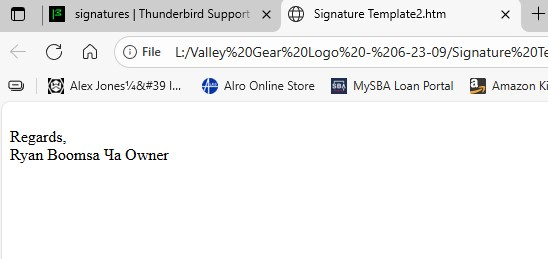
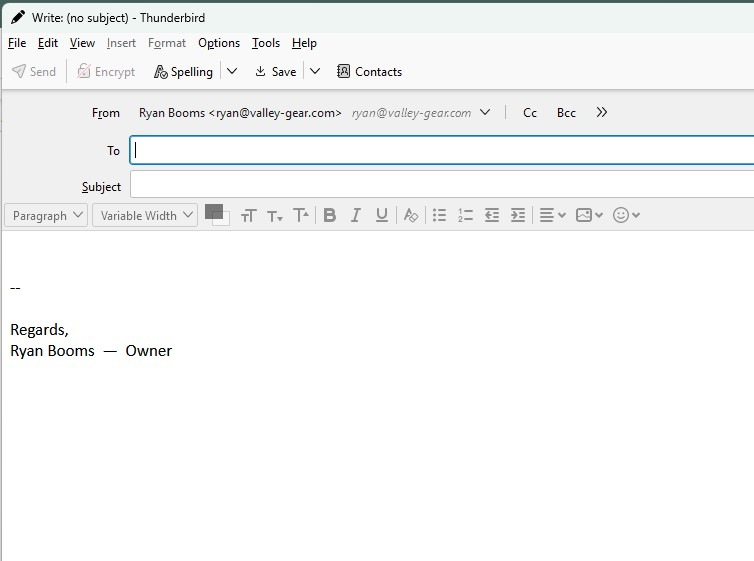
The html is not there. Try this to post it:
- Open the file that has the HTML and copy to clipboard
- Go to https://pastebin.com/, paste the clipboard in the large text area, change the expiration from 'never' to '2 weeks' , click the 'create new paste' button and a URL will be generated with your content for you, then copy the resulting URL (address) of the page created.
- Open a reply to this post, and paste the URL to your troubleshooting information you just copied.
この投稿は david により に変更されました