Import user profile from portable installation into a desktop installation

There is no longer a need to keep the portable Thunderbird alongside the desktop version. So I thought I should transfer all data from portable into the desktop version. I already have several email accounts in the desktop version and unsure if I can simply use the desktop's import tool to bring in all data from the portable version. Can anyone confirm?
すべての返信 (2)

Do you mean there are accounts in portable that aren't in desktop? If so, I wouldn't try importing because that may overwrite things.

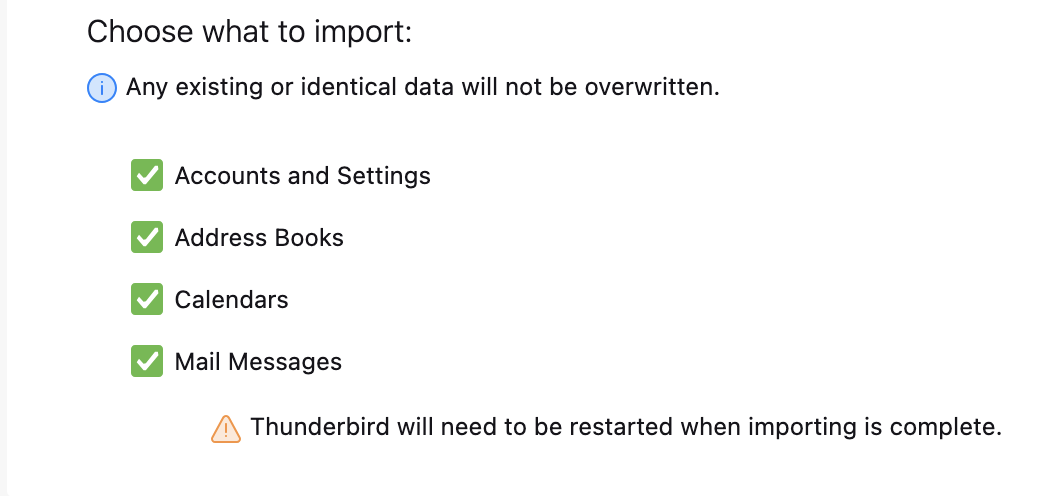
I have not used the import function, so I don't know everything about how it works, but I see a statement that existing information will not be over-written. See screenpic.
Nonetheless, what you have on your "portable Thunderbird" (do you mean a notebook computer or an Android device?) should guide you. What is there that is not on your desktop computer?
If the portable computer has the same IMAP accounts and does not have messages stored in local folders, than you don't have to do anything because the desktop computer already has the same data.
If the portable computer has the same IMAP accounts and a few local folders, then you probably want to import just those local folders, which I would do with the add-on ImportExportToolsNG. I would be concerned that using Thunderbird's import function under the "Tools" menu would leave you with duplicate items to clean up.
If the portable computer has different accounts, then Thunderbird's import function under the "Tools" menu seems appropriate.
Caveats: 1) I have not used that import function. 2) I do not know how POP accounts might complicate an import operation.