Issue with Picture-in-Picture Functionality in Firefox on Ubuntu
I am experiencing an issue with the Picture-in-Picture (PiP) functionality in Firefox on Ubuntu. Unlike on Windows, where the PiP window automatically appears when switching tabs or pages, this does not happen on my system.
When I manually activate the PiP feature by clicking the button, the window does appear; however, it is placed behind the browser window and remains at the lowest level among other open windows. This causes it to be obscured by other applications and requires me to manually bring it to the front and adjust its position every time.
Is there a way to automate this process or resolve the issue so that the PiP window behaves as expected (i.e., stays on top of other windows and works seamlessly)? Please let me know if there are any settings, extensions, or workarounds that could address this problem.
Thank you in advance for your assistance!
すべての返信 (1)

What Desktop? X11 or Wayland? Try downloading Firefox from Mozilla. Download, unzip, and run firefox-bin from the folder and see if you have the same issue. https://www.mozilla.org/en-US/firefox/all/#product-desktop-release
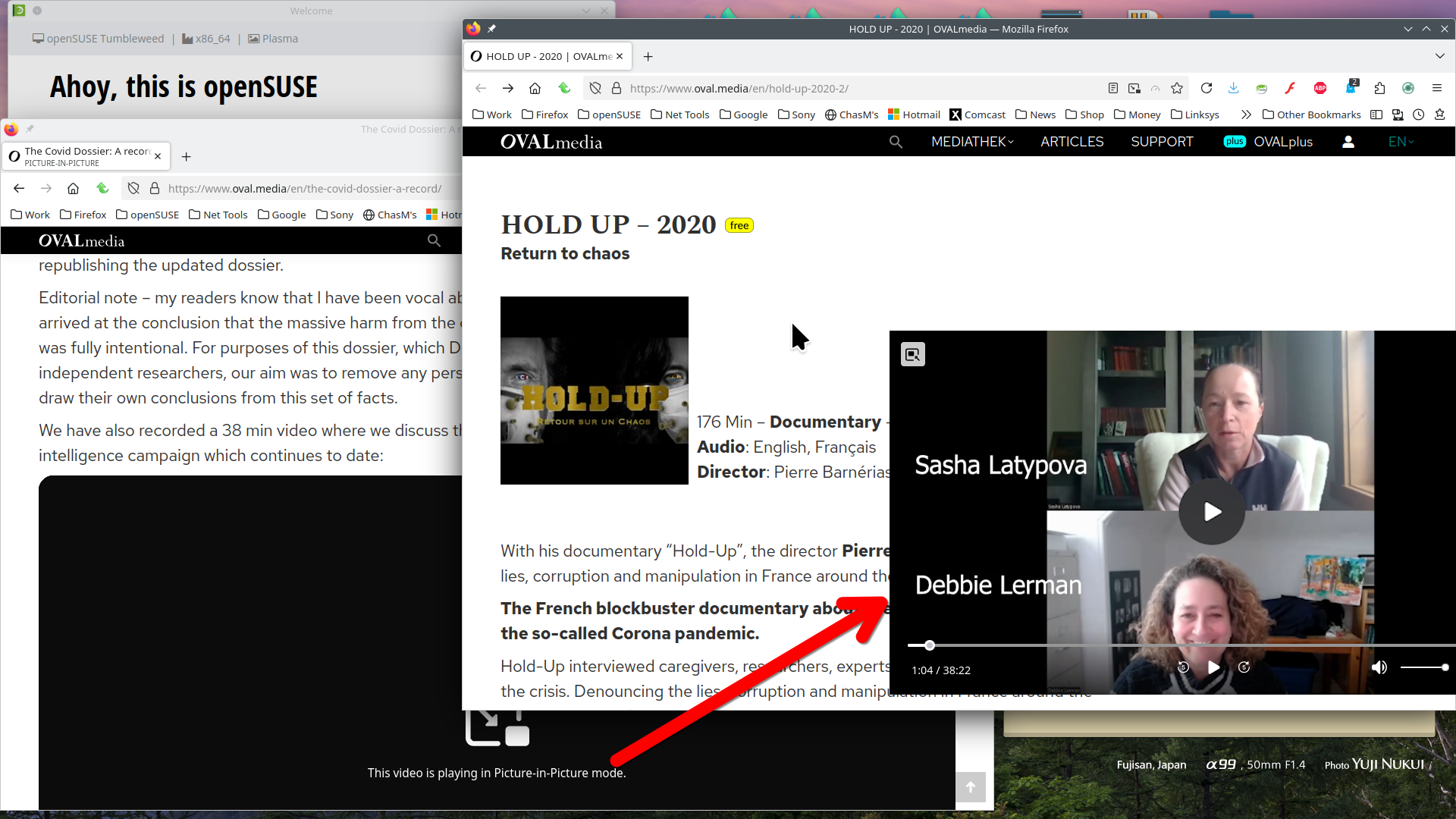
I'm not having this issue. For me the PiP stays on top even when changing windows. see screenshot
Operating System: openSUSE Tumbleweed 20250420
KDE Plasma Version: 6.3.4
KDE Frameworks Version: 6.13.0
Qt Version: 6.9.0
Kernel Version: 6.14.2-1-default (64-bit)
Graphics Platform: X11
Processors: 12 × Intel® Core™ i7-9850H CPU @ 2.60GHz
Memory: 125.1 GiB of RAM
Graphics Processor: Intel® UHD Graphics 630
Manufacturer: HP
Product Name: HP ZBook 17 G6