Windows 10 reached EOS (end of support) on October 14, 2025. For more information, see this article.

Mozilla サポートの検索

サポート詐欺に注意してください。 私たちはあなたに通話やショートメッセージの送信、個人情報の共有を求めることはありません。疑わしい行為を見つけたら「迷惑行為を報告」からご報告ください。

詳しく学ぶ

このスレッドはアーカイブに保管されました。 必要であれば新たに質問してください。

Can’t see “Manage Site List” for Multi-Account Containers

Hi there,

I’m using the Firefox Multi-Account Containers extension and would like to remove a site that’s been set to "Always open in [X] container." However, I don’t see a “Manage Site List” option anywhere in the container settings as seen here: https://support.mozilla.org/en-US/kb/containers

Here’s what I’ve tried so far:

   I’ve clicked the Containers icon and selected the gear ⚙️ to edit a container.
   I enabled privacy.userContext.siteAssignments.enabled in about:config and set it to true.
   I restarted Firefox (with session restore on), but still no option appears to view or manage assigned sites.

I’m on Firefox Desktop (Mac), and I’ve confirmed that I’m using the official Multi-Account Containers extension.

Is this a bug, a UI change, or something I’m missing? I’d really prefer not to manually edit the containers.json file if there’s a built-in way to manage these assignments.

Thanks so much for any guidance!
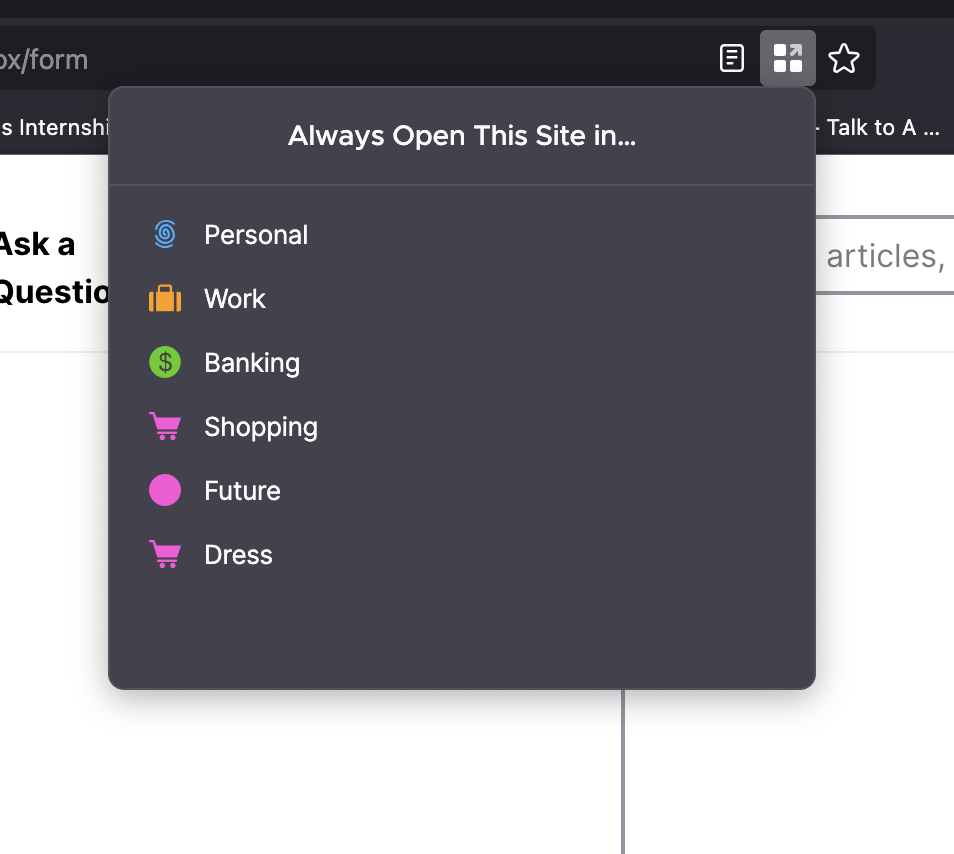
Hi there, I’m using the Firefox Multi-Account Containers extension and would like to remove a site that’s been set to "Always open in [X] container." However, I don’t see a “Manage Site List” option anywhere in the container settings as seen here: [https://support.mozilla.org/en-US/kb/containers ] Here’s what I’ve tried so far: I’ve clicked the Containers icon and selected the gear ⚙️ to edit a container. I enabled privacy.userContext.siteAssignments.enabled in about:config and set it to true. I restarted Firefox (with session restore on), but still no option appears to view or manage assigned sites. I’m on Firefox Desktop (Mac), and I’ve confirmed that I’m using the official Multi-Account Containers extension. Is this a bug, a UI change, or something I’m missing? I’d really prefer not to manually edit the containers.json file if there’s a built-in way to manage these assignments. Thanks so much for any guidance!
添付されたスクリーンショット

すべての返信 (1)

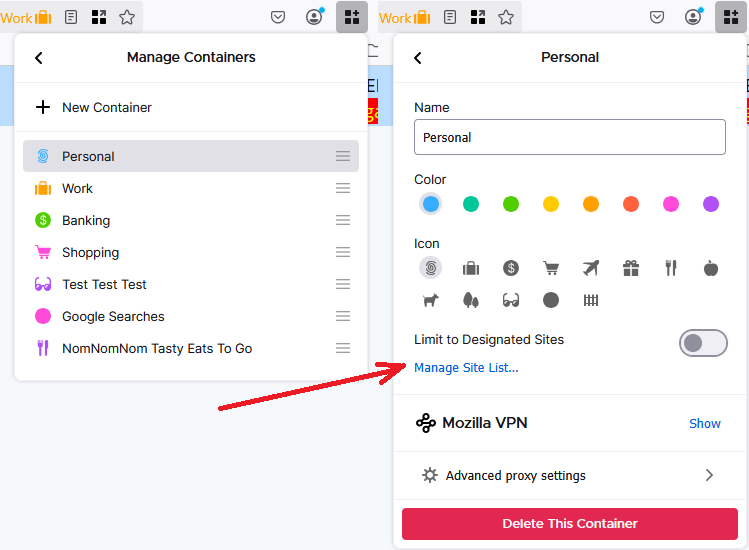
If you use the main toolbar button to go into Manage Containers, then click a specific container, there is a link about halfway down to manage the site list. I have attached a screenshot for reference.