


all local folders empy

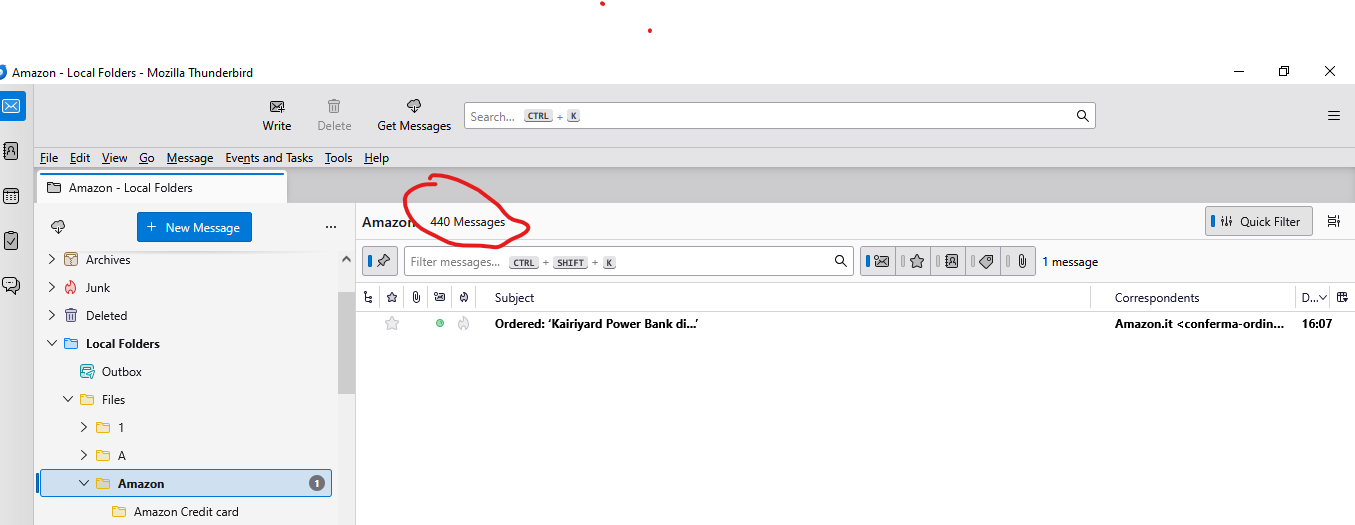
After installing TB on new machine(s) everything in the profiles looks normal. The folder names in the local folders are all there, as are the subfolders, and the folders all show the correct count for the number of messages in each folder and subfolder. But the actual messages are missing completely. All of them. I can save new emails to the local folders, and they appear. Example below, one saved message but the folder says there are 440. I have backups of the profile that are all showing the same problem. I guess that somehow there is a problem with pointers?
すべての返信 (3)
Did you try R-click (on the folder) > Properties > Repair Folder?
HI Yes, thanks for trying to help. The folder structure is perfect, including subfolders. The count of messages within the folders is also correct. It just doesn't show any old messages, but does show new ones I put in there. The messages are still there in some form in the profile, because there are gigabytes of them. I can see some files where they might be hidden, but don't know how to reconnect them. The screen shots show where I think they might be! I am sure there is a simple solution, just need an expert to tell me what it is!!

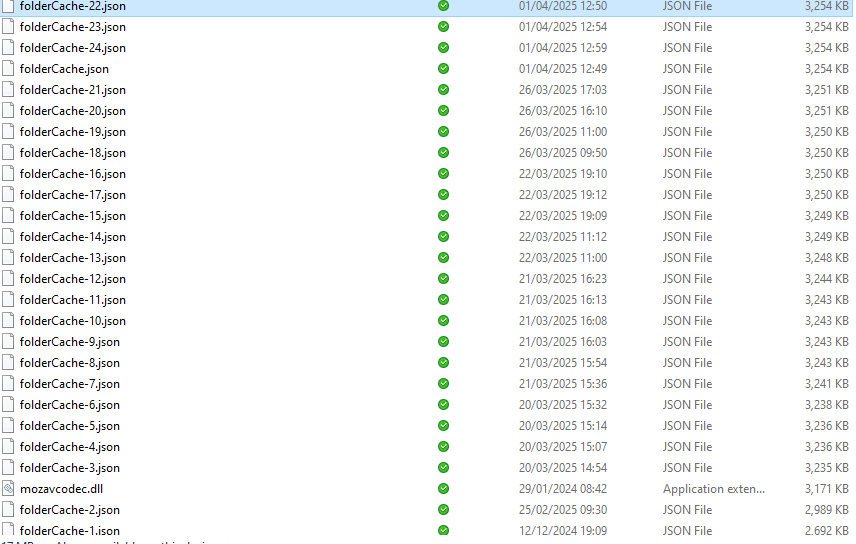

You might try deleting all of those foldercache files with thunderbird is not running and restarting, and then checking them again.