


Some Websites refuse to accept my Firefox as browser

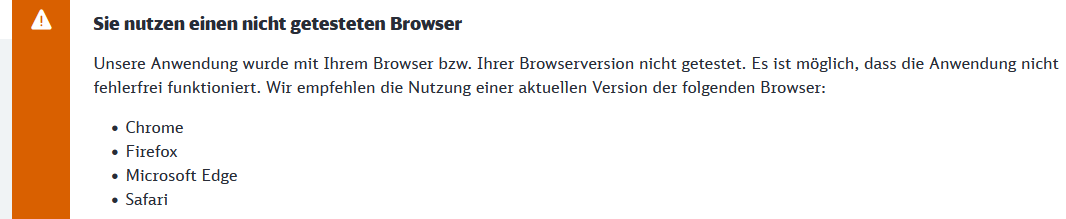
Hi, Some official/formal Websites refuse to accept my Firefox as an acceptable browser. I am using Firefox browser Ver. 136.0.2 (64-bit). According to you (in the browser) and to internet information it is the latest/the current version. An example of such a refusal from a website is from the DB/Deutsche Bahn official website, dated 24-03-2025: See uploaded image. As with other websites, they recommend other browsers or "the current version" of Firefox (even though I already have it installed). I then switch to Chrome and continue working without further problems. I would like to use Firefox though, but apparently cannot. I need advice. What am I doing wrong? Why is my current version of Firefox described as outdated? Thank you.
Email: ripken@t-online.de
すべての返信 (2)

Hello,
I've tried the Deutsche Bahn website and it works for me.
Can you try in a Private window to see if the issue is there?
Thank you for your post! I have observed another negative fact: Some websites open new windows when in dialogue, Firefox often does not (without giving me an error message), it just sits there and does nothing; in Chrome the dialogue via new windows is readily doable.
I have now tried a private window, and the log-in to DB works well, I do not get the error message that I copied as attachment to my first post.
However, using a private window in general does not seem to work for me, the functionalities are severely limited, to the extent that several websites are not usable. If you can deduce from my descriptions a remedy for my basic problem (Firefox browser not accepted, other browsers or "the current version" of Firefox are recommended) I would be happy, otherwise I will have to use Chrome. Thank you for your help! The Aeronomer