


How can I remove invalid addressed used for autofill of To:

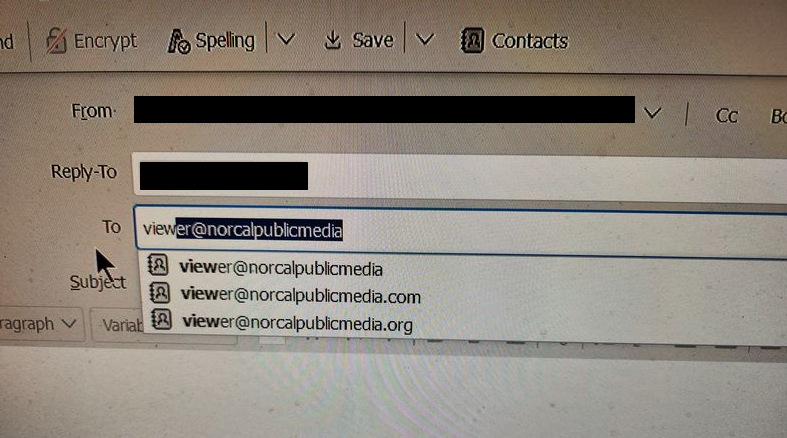
If an invalid email address for To:, Thunderbird rejects the email BUT retains the invalid address and uses it as an autofill alternative forever. This is but one of many instances when an invalid address can be presented as an autofill choice.
Where are these addresses stored?
Is there any way to access a listing of autofill addresses and edit them to delete the invalid entries?
選ばれた解決策
In Thunderbird settings - Composition, what is your setting for "Automatically add outgoing email addresses to my:"?
I would expect those addresses to be in the specified address book. Is your personal address book specified? Are those invalid addresses there?
この回答をすべて読む 👍 0すべての返信 (6)
- exit thunderbird - locate the global index file in profile and delete it - restart thunderbird and it will recreate the file
Look in Collected Addresses where most obsolete addresses are stored.
David: Your suggestion reads like 'Delete All, start again from scratch", but what is does is moot, there is no Global Index file in my \data\profiles\ folder.
SFHowes: My Collected Addresses only has three entries in it, and they are not obsolete.

選ばれた解決策
In Thunderbird settings - Composition, what is your setting for "Automatically add outgoing email addresses to my:"?
I would expect those addresses to be in the specified address book. Is your personal address book specified? Are those invalid addresses there?
Thank you Scooter. You were spot on, found the entries, deleted the unwanted. Very much appreciated.
Happy to help. Thanks for reporting the results and choosing the solution.