


Unable to paste into a blank PDF using Firefox PDF Editor

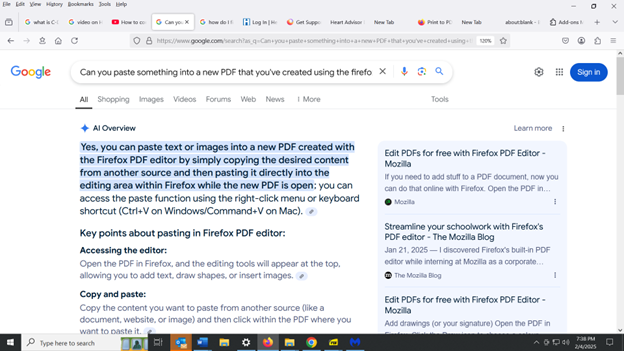
I have a question about using Firefox PDF Editor. I copied some text from a PDF document that is on my computer, by highlighting the text and then hitting Ctrl+C. The text copied onto my clipboard OK. Then I opened a blank PDF document in the Firefox PDF Editor and tried to paste that text into the blank document, but I wasn't able to do so because when I right-clicked on the blank document and then clicked on "paste", nothing happened. This apparently is because the word "paste" is faded-out in the drop-down menu (i.e., it does not appear in prominent bold print). Google's Artificial Intelligence seems to indicate that the technique I used would work (see screenshot which I've uploaded). But it didn't work, so can anyone please tell me how can I paste text into that blank document?
すべての返信 (6)

So what site are looking at the pdf from?
The site was file:///C:/Users/Larry/Documents/Documents%20(8)/Computer/PDF%20Editing%20Software/Blank%20PDF%20-%202.pdf . I have included a screenshot to show that the word "Paste" is faded out in the drop-down menu (see screenshot). I hope this answers your questions and I will appreciate your response.
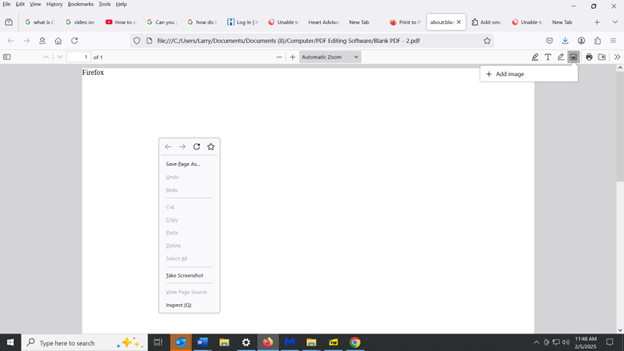
You should press the T icon first and then click the free space in the PDF file.
Thanks TyDraniu. I have some additional questions: (1) When I followed your instructions, it opened up a box where I can type (or paste some copied text) into the box. So I pasted some text from a another PDF into the box (see attached screenshot). You can see that the box is kind of narrow and so there's a lot of blank space to the right of it. That's because the text I had copied and pasted came from a PDF that had been formatted in a narrow column. Is there a way to widen the box so that the box (and the text inside of the box) fills up that blank space to the right? (2) And if there is a way to do that, would it automatically make the words that are hyphenated at the end of a line (such as "cholesterol" and "inhibitor") no longer be hyphenated? (3) Is there a size limit (in terms of word count or character count) of the PDF that I can create using the Firefox PDF editor? I will appreciate any further information you can provide in response to those questions.
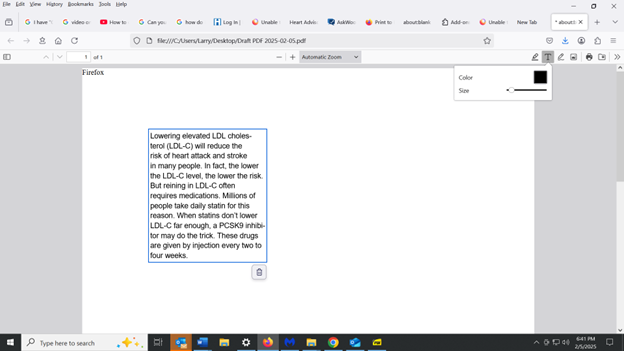
Hi, there's no additional magic. It is just an input field.