このスレッドはアーカイブに保管されました。
必要であれば新たに質問してください。

アーカイブに保管済み
transfer to sd card Samsung J7 Crown

I can't find how to transfer existing files to sd card. My phones internal storage is almost gone. There is no space for even the smallest app. I have mounted and formatted the sd card and it does appear on my phone. I just can't access any sd card options. Thank you for help.
I can't find how to transfer existing files to sd card. My phones internal storage is almost gone. There is no space for even the smallest app. I have mounted and formatted the sd card and it does appear on my phone. I just can't access any sd card options. Thank you for help.
すべての返信 (2)

If you want to free up the space, you need to first ensure that the SD card is mounted, and then you have to transfer all the files like photos and videos from internal storage to the SD car. Clearing the large applications cache is also an important step( you can do it from Settings - Apps ). Hopefully, the data will be transferred to your SD card
Thanks, Mike Taku.

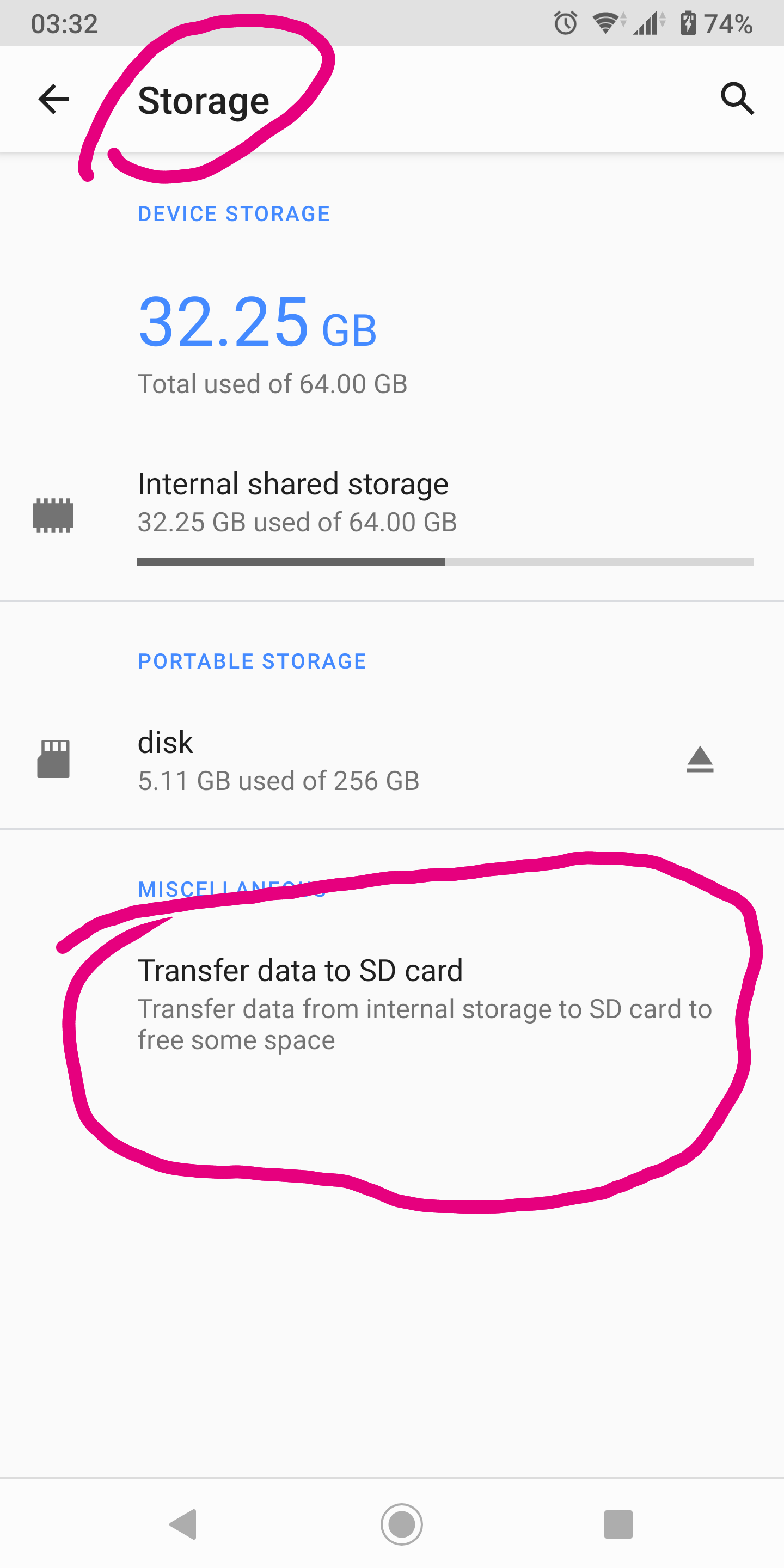
You should have something like this in your settings. see screenshot