


Tabs disappeared
Hi, I've started my laptop after 3 days, opened Firefox web browser and all my tabs are closed / lost. If I try History -> "Recently closed tabs or windows" is greyed out. How can I recover all my tabs from this computer?
Thank you, Tudor
この投稿は tudorpatru により に変更されました
すべての返信 (2)

選ばれた解決策
What version of Firefox? What OS? Also, post a similar screenshot. This should be helpful. --> https://support.mozilla.org/en-US/questions/1449521
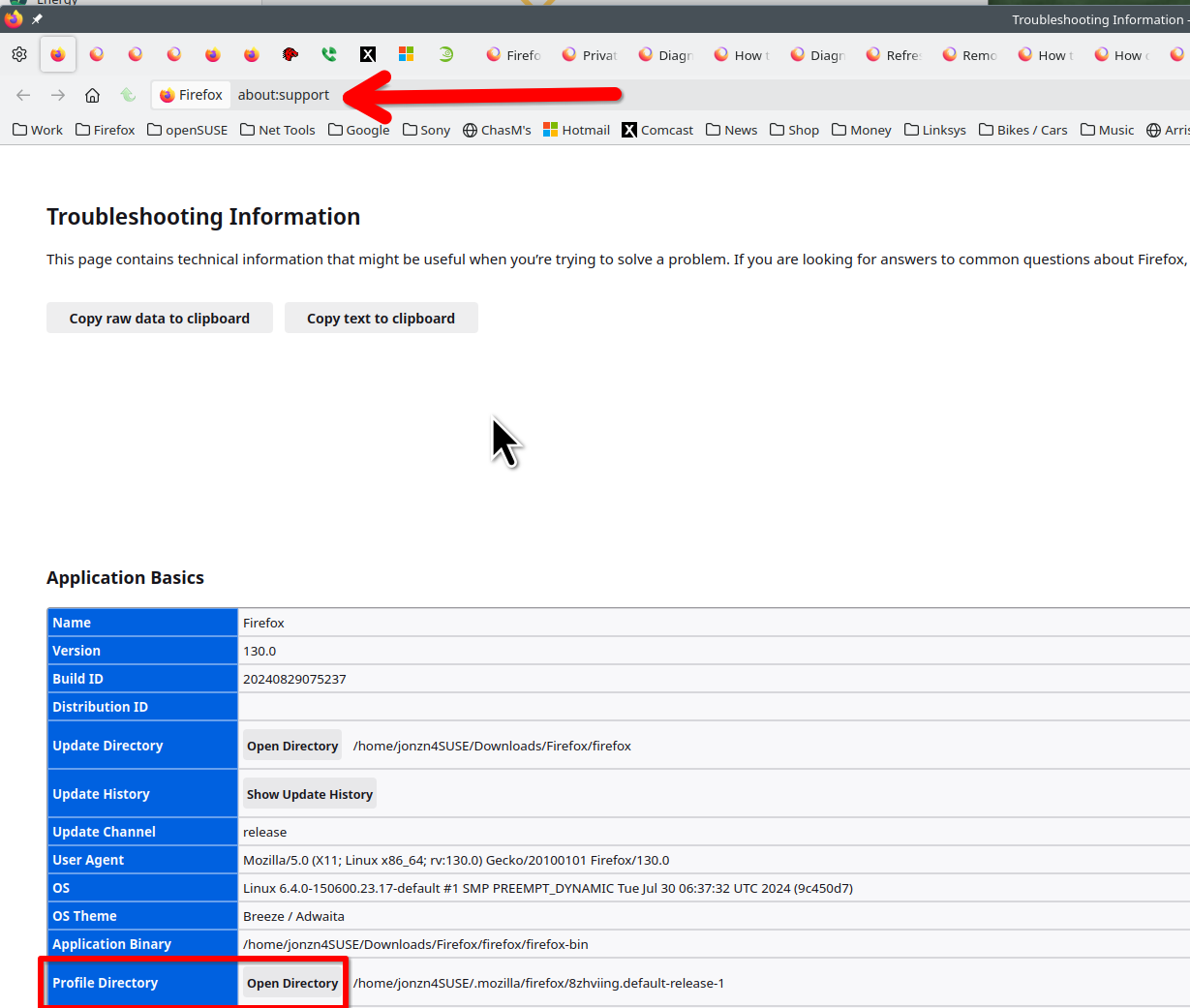
jonzn4SUSE said
What version of Firefox? What OS? Also, post a similar screenshot. This should be helpful. --> https://support.mozilla.org/en-US/questions/1449521
https://support.mozilla.org/en-US/questions/1449521 :
This is what helped me to restore all my ~35 lost tabs:
"You can copy a file with Firefox closed from the sessionstore-backups folder to the main profile folder and rename the file to sessionstore.jsonlz4 to replace the current file.
make sure to backup the current sessionstore.jsonlz4"
=> 1st you have to close Firefox, ONLY then "sessionstore.jsonlz4" will appear in your current profile folder. Backup up this file and replace it with any of the file's from sessionstore-backups folder which suits you as a restore point.
Thank you jonzn4SUSE