


New Thunderbird User - Thunderbird leaves all emails on server. Can't find the setting.

I have POP3. Thunderbird leaves all messages on server. I have to use another app to remove them from the server.
I've read some messages here that there's a setting to Leave or Not Leave messages on the server. I haven't been able to find this setting.
Related -- Is there a way to tell Thunderbird NOT to automatically download messages until I click get new messages?
Thanks.
すべての返信 (2)
選ばれた解決策
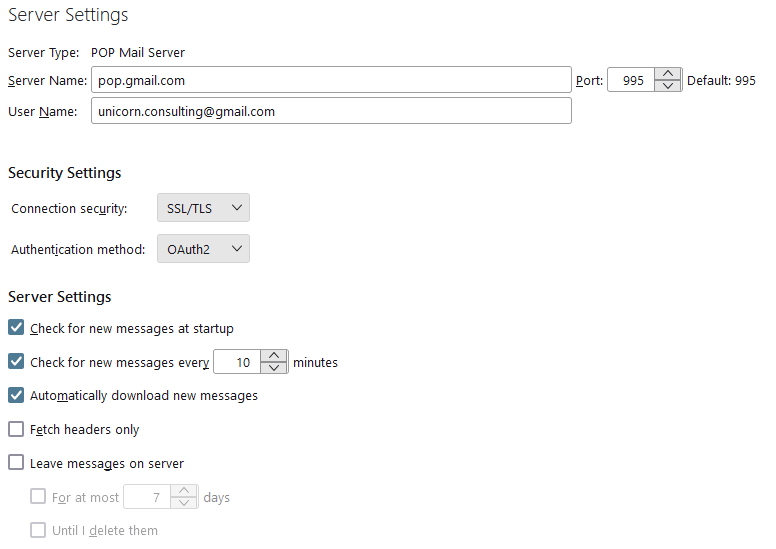
I suggest you have a look at the account settings. Specifically at server settings. There you will find the settings for all of the things you have mentioned unless your account is IMAP and not POP.
Note well the server Type at the first entry on the image below of a POP account server settings page. If it is IMAP that is the type of account you have configured.
Thank you. I hadn't seen these options when I set up the accounts.